How do I use the Magical Underwater Artist Studio template?
Choose the primary action to open PicX Studio with the available template settings. Review the model and format, personalize the creative direction, and generate when ready.
A 3D Pixar-style illustration of an artist whose brushstroke transforms into a magical underwater kingdom with bioluminescent jellyfish.
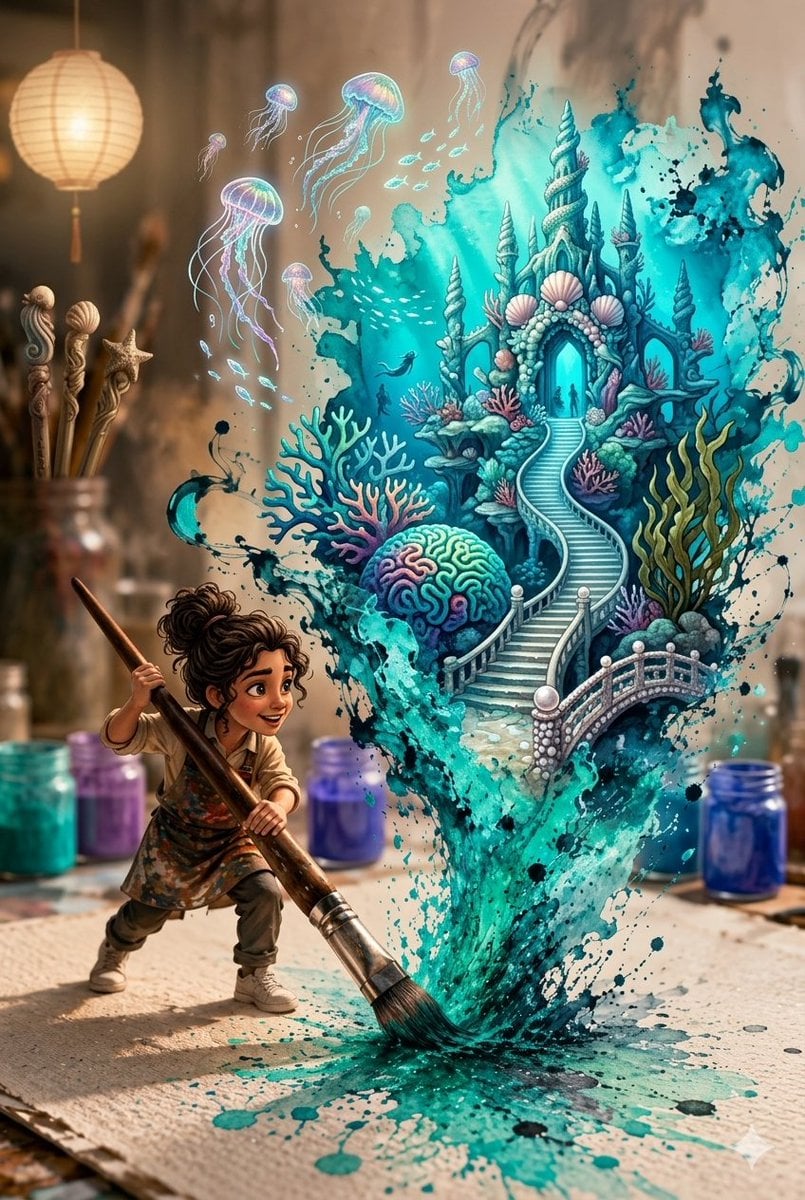
A {argument name="art style" default="3D Pixar-style digital illustration"} of a {argument name="subject" default="young female artist with curly brown hair"} in a messy bun and a paint-splattered apron, dynamically swinging a giant paintbrush across a large canvas. A vibrant, {argument name="magical element" default="magical splash of teal, turquoise, and deep blue watercolor"} erupts from her brush stroke, swirling upward into a detailed underwater kingdom. The splash forms coral reefs, a winding stone staircase, and a majestic seashell castle, with glowing bioluminescent jellyfish and tiny fish floating in the air above it. The scene is set in a cozy, sunlit artist's studio with jars of colorful paint, a hanging lantern, and brushes in the blurred background.
Choose the primary action to open PicX Studio with the available template settings. Review the model and format, personalize the creative direction, and generate when ready.
Yes. You can change the subject, setting, lighting, mood, format, and available model controls before creating your image.
This template is free to open and customize. Generation usage is shown in PicX Studio before you create.
Start with Nano Banana 2, which is the model associated with this template. You can compare another compatible model for a different finish.
Follow a topic to a crawlable collection of related PicX Studio templates.