How do I use the Gothic Archway Street Fashion template?
Choose the primary action to open PicX Studio with the available template settings. Review the model and format, personalize the creative direction, and generate when ready.
A cinematic street fashion prompt featuring a woman and her dog standing before a gothic archway at golden hour.
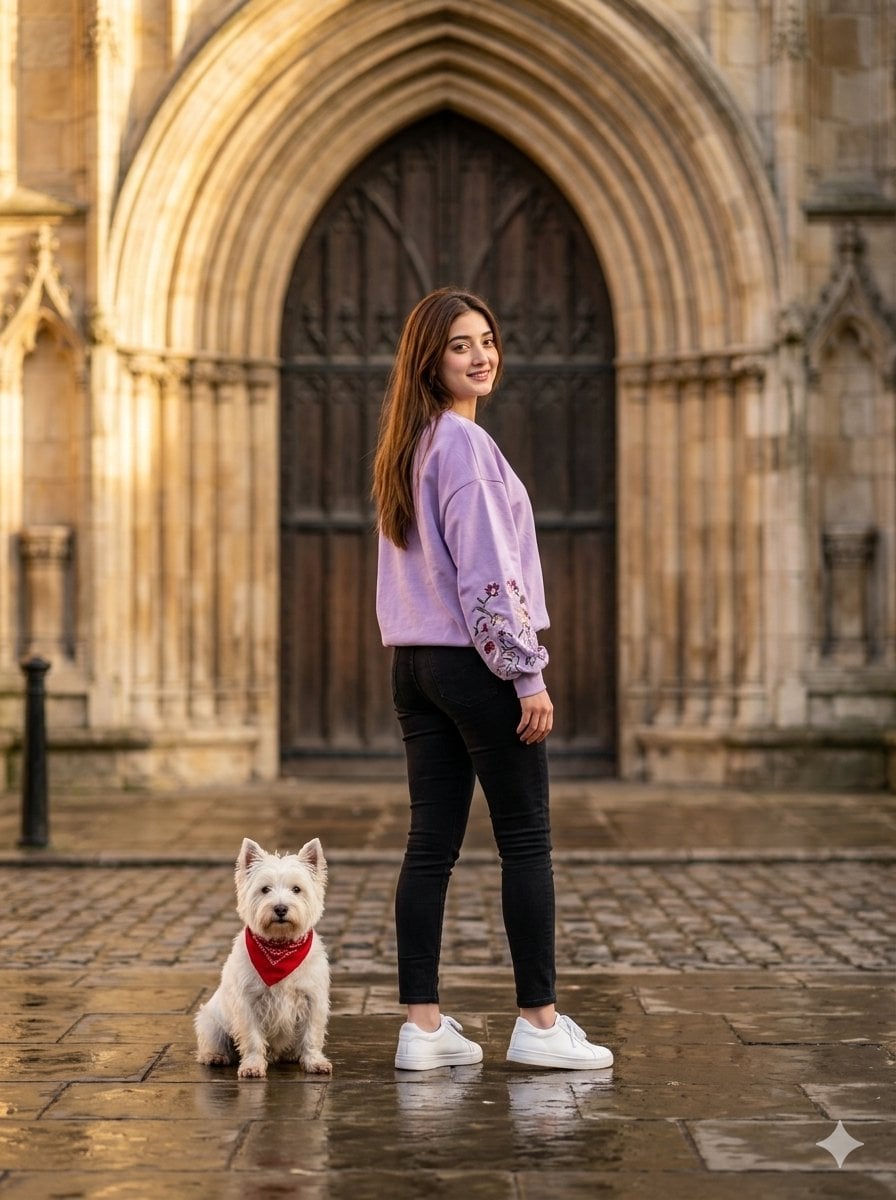
Photorealistic vertical photo of a stylish young woman with long wavy black hair standing confidently on wet cobblestone pavement in front of a {argument name="location" default="grand gothic stone archway with ornate wooden doors"} at golden hour. She is wearing a {argument name="outfit" default="lavender oversized sweatshirt with subtle floral embroidery on the sleeves, fitted black jeans, and white sneakers"}. She looks back over her left shoulder at the camera with a soft smile, cinematic lighting, realistic skin texture, elegant street-fashion aesthetic. A {argument name="pet" default="small white dog wearing a red bandana"} sits beside her, ultra-detailed, 8K, shallow depth of field.
Choose the primary action to open PicX Studio with the available template settings. Review the model and format, personalize the creative direction, and generate when ready.
Yes. You can change the subject, setting, lighting, mood, format, and available model controls before creating your image.
This template is free to open and customize. Generation usage is shown in PicX Studio before you create.
Start with Nano Banana 2, which is the model associated with this template. You can compare another compatible model for a different finish.
Follow a topic to a crawlable collection of related PicX Studio templates.