How do I use the Surreal Birch Bark Portrait Prompt template?
Choose the primary action to open PicX Studio with the available template settings. Review the model and format, personalize the creative direction, and generate when ready.
A highly detailed, surreal portrait prompt featuring a character with skin texture resembling birch bark, set in an overgrown greenhouse with dramatic blue and
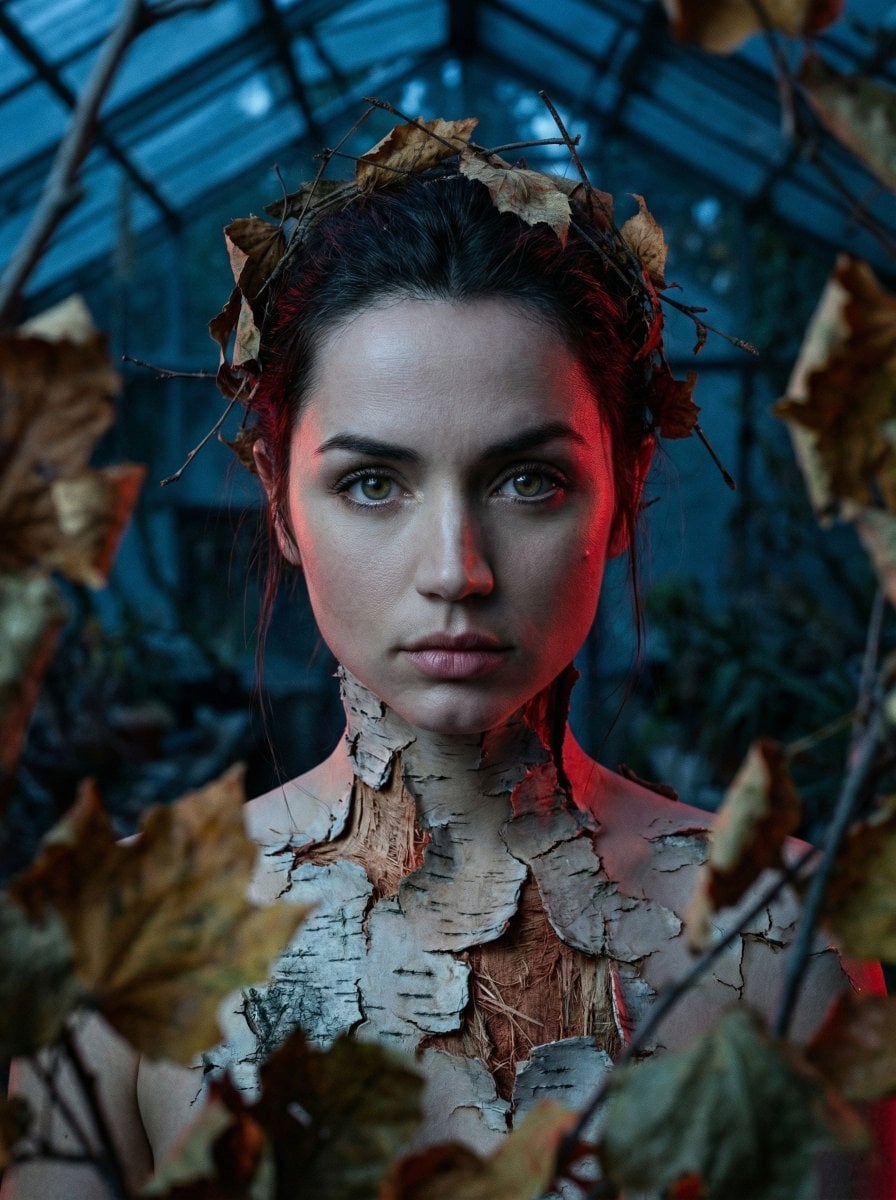
{ "vibe_title_en": "Bark's Resistance", "master_prompt": "A hyper-realistic, medium format surreal portrait of {argument name="subject" default="The Protagonist"}. The subject features incredible practical-effect prosthetic makeup: their skin is cracking open down the neck and torso like dry, rough birch bark, revealing raw, fibrous wood underneath. Autumn leaves are organically intertwined into their hair. The subject stares directly into the camera with an unwavering, fierce 'Warrior's Resolve' and confrontational energy. Shot 'Through the Element': the camera peers through out-of-focus, decaying autumn foliage in the extreme foreground, creating profound depth. The setting is a shattered, overgrown dark botanical greenhouse. Dramatic dual-color lighting: a piercing deep blue ambient moonlight clashes with an intense, striking crimson red rim light that highlights the physical weight and jagged edges of the bark prosthetics. Captured on a Hasselblad H6D-100c, 100mm f/1.8 lens. Analog texture, Cinestill 800T halation, visible skin pores blending flawlessly into wood grain, physical light refraction, profound cinematic tension. NO NEON.", "meta": { "intent": "Surreal high-fashion editorial", "priorities": "Surreal practical effects, dual lighting, intense gaze, foreground framing", "device_profile": "High-end cinematic photography" }, "frame": { "aspect": "3:4", "composition": "Through the Element (foreground foliage), central subject alignment", "layout": "Medium close-up portrait", "camera_angle": "Eye-level, straight on", "tilt_roll_degrees": "0" }, "subject": { "gender": "Female", "identity": "The Protagonist", "demographics": "Ageless surreal entity", "face": "Fierce, direct eye contact, warrior's resolve", "hair": "Interwoven with dry autumn leaves", "body": "Skin cracking like birch bark, revealing fibrous wood inside the torso", "expression": "Confrontational, defiant, unwavering", "pose": "Standing firm, squaring shoulders to the lens" }, "wardrobe_accessories": { "garments": [ { "item": "Birch bark skin integration (prosthetic surrealism)", "material": "Wood and human skin", "color": "White, brown, dark fissures", "fit": "Body-mod" } ], "accessories": [ { "item": "Autumn leaves crown", "color": "Golden, rust orange", "material": "Organic dried leaves", "brand_style": "Avant-garde nature" } ] }, "environment": { "setting": "Shattered, overgrown botanical glasshouse", "surfaces": "Cracked glass, creeping vines, dry earth", "depth": "Shallow depth of field with heavy foreground occlusion", "atmosphere": "Tense, cold ambient with harsh aggressive localized heat", "lens_interaction": "Shooting through out-of-focus foreground leaves" }, "lighting": { "key": "Deep blue ambient (moonlight)", "fill": "Soft cool shadow" }
Choose the primary action to open PicX Studio with the available template settings. Review the model and format, personalize the creative direction, and generate when ready.
Yes. You can change the subject, setting, lighting, mood, format, and available model controls before creating your image.
This template is free to open and customize. Generation usage is shown in PicX Studio before you create.
Start with Nano Banana 2, which is the model associated with this template. You can compare another compatible model for a different finish.
Follow a topic to a crawlable collection of related PicX Studio templates.