How do I use the 3D Game Character Face-off template?
Choose the primary action to open PicX Studio with the available template settings. Review the model and format, personalize the creative direction, and generate when ready.
A detailed prompt for a high-quality 3D render of two distinct game characters in a combat stance against a minimalist background.
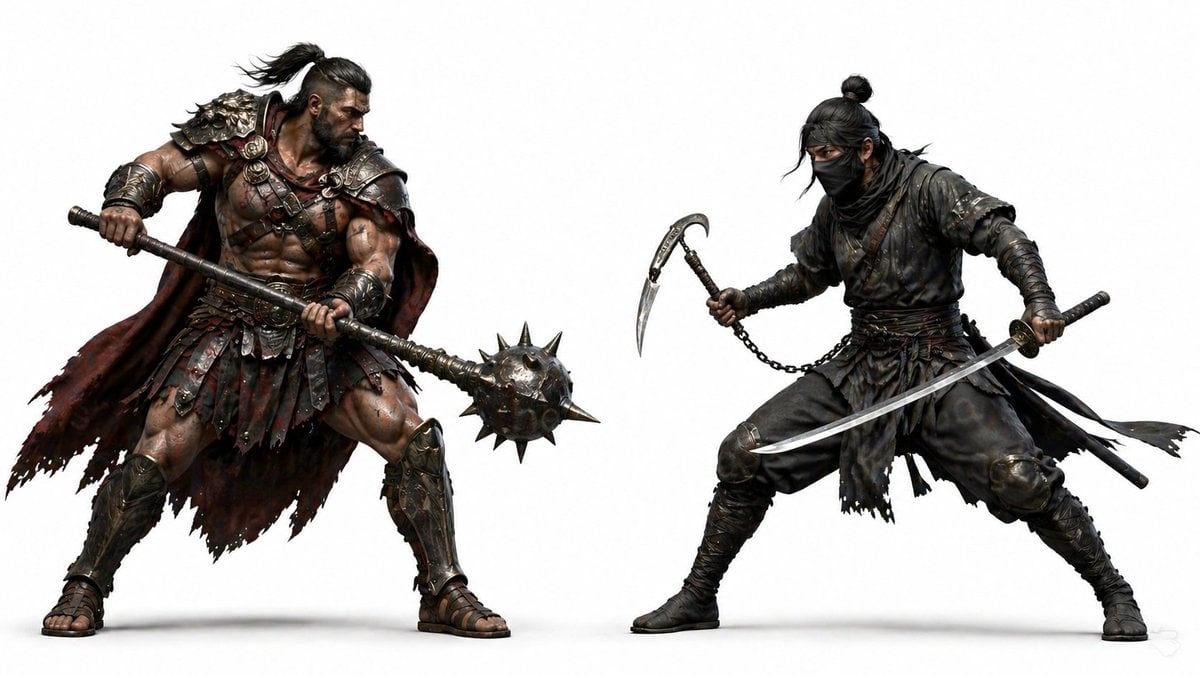
Highly detailed 3D render of {argument name="characters" default="two AAA game characters in a dynamic face-off pose"}: {argument name="character descriptions" default="a muscular ancient warrior with rugged armor and a heavy spiked mace, and a stealthy ninja in dark layered attire holding a katana and chained sickle"}. Ultra-realistic anatomy, sharp textures, cinematic sculpting, and realistic fabric physics. Both characters facing each other in combat stance, full-body visible, strong silhouette contrast. Clean white minimalist background, soft studio lighting, subtle ground shadows, high contrast, ultra-sharp details, professional game concept art quality, {argument name="aspect ratio" default="16:9"}. Negative: no background scene, no extra characters, no blur, no noise, no text, no UI elements
Choose the primary action to open PicX Studio with the available template settings. Review the model and format, personalize the creative direction, and generate when ready.
Yes. You can change the subject, setting, lighting, mood, format, and available model controls before creating your image.
This template is free to open and customize. Generation usage is shown in PicX Studio before you create.
Start with Nano Banana 2, which is the model associated with this template. You can compare another compatible model for a different finish.
Follow a topic to a crawlable collection of related PicX Studio templates.