How do I use the Floral Face Paint Anime Portrait template?
Choose the primary action to open PicX Studio with the available template settings. Review the model and format, personalize the creative direction, and generate when ready.
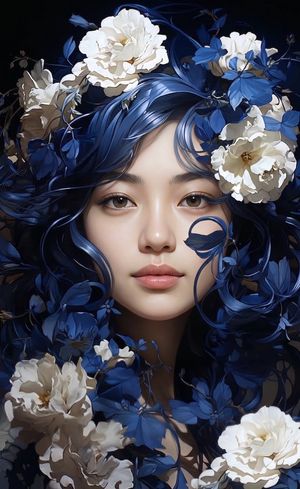
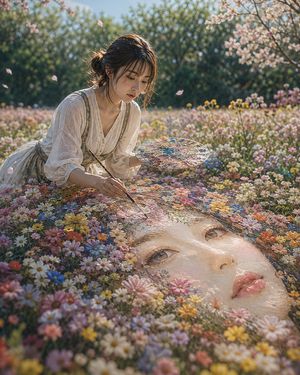
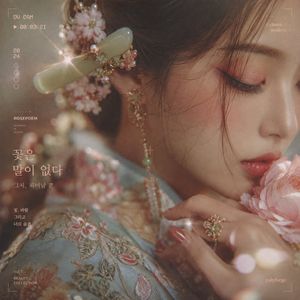
Generates a glowing fantasy anime portrait of a young woman with intricate flower face paint, ideal for beauty illustration or character art.
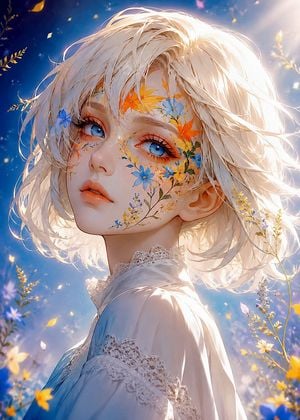
Create a luminous vertical anime-style close-up portrait of a delicate young woman with {argument name="hair color" default="silvery white blonde"} short, messy, wind-tousled bob hair, pale porcelain skin, and striking {argument name="eye color" default="bright sapphire blue"} eyes with long lashes. She is turned in a three-quarter pose looking slightly upward toward the viewer, lips softly parted, with a dreamy innocent expression. Her face is decorated with intricate botanical face paint: exactly 2 large orange flowers across the forehead and temple, exactly 3 vivid blue flowers on the cheek and near the eye, plus fine green stems, golden speckles, small leaves, and tiny branch-like floral details extending from the forehead down the cheek. She wears a soft {argument name="dress color" default="white"} vintage blouse or dress with lace trim at the high collar and shoulders, semi-translucent fabric, and delicate embroidered lace details. The background is an ethereal blue sky garden scene with strong warm sunlight from the upper right creating glowing rim light through her hair, soft bokeh, floating petals, and golden flower stems around the frame. Include exactly 4 prominent foreground flower clusters: one yellow cluster at bottom left, one blue-and-yellow cluster at bottom right, one thin golden stem on the left edge, and one tall golden stem on the right edge. Use highly detailed painterly digital art, cinematic backlighting, soft bloom, shallow depth of field, vibrant blue-and-gold color contrast, elegant fantasy beauty, no text, no watermark, no extra characters.
Choose the primary action to open PicX Studio with the available template settings. Review the model and format, personalize the creative direction, and generate when ready.
Yes. You can change the subject, setting, lighting, mood, format, and available model controls before creating your image.
This template is free to open and customize. Generation usage is shown in PicX Studio before you create.
Start with GPT Image 2, which is the model associated with this template. You can compare another compatible model for a different finish.
Follow a topic to a crawlable collection of related PicX Studio templates.