How do I use the Ethereal Floral Couture Portrait template?
Choose the primary action to open PicX Studio with the available template settings. Review the model and format, personalize the creative direction, and generate when ready.
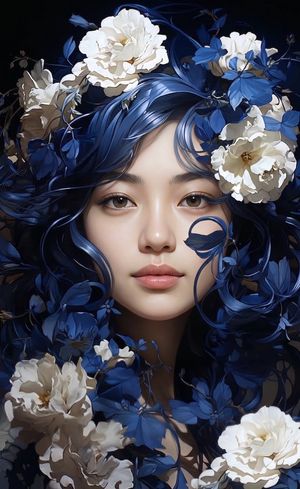
A cinematic fantasy portrait prompt for generating a young woman in a translucent floral gown against a dark dreamy blossom-filled background.
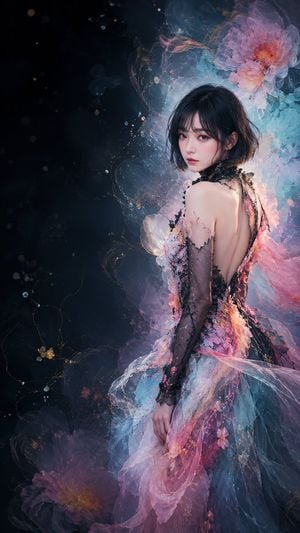
Create a vertical 9:16 fantasy couture portrait of {argument name="character name" default="a young East Asian woman"} standing turned three-quarters away, looking back over her bare shoulder toward the viewer with a calm, slightly melancholic expression. She has {argument name="hair color" default="short black bob hair with soft bangs"}, porcelain skin, delicate makeup, and luminous eyes. Dress her in an ethereal high-fashion gown made of translucent tulle, lace, and layered organza in {argument name="dress colors" default="pink, aqua blue, lavender, and black"}; the gown has an open back, black lace sleeves and trim, floral appliqués, petal-like textures, and flowing sheer fabric trailing downward. Place her on the right side of the canvas with large dark negative space on the left. The background is a dreamy midnight-black and deep teal painterly void with mist, glowing dust particles, fine golden vine-like lines, and exactly 2 large translucent flowers: one oversized pink blossom glowing behind her upper right shoulder near the top, and one darker pink blossom near the bottom left. Add soft cyan and magenta rim lighting, sparkling bokeh, subtle smoke, and delicate floating petals. Style should be ultra-detailed, romantic, cinematic, semi-realistic digital art with painterly fantasy atmosphere, shallow depth of field, intricate textile detail, elegant composition, no text, no watermark.
Choose the primary action to open PicX Studio with the available template settings. Review the model and format, personalize the creative direction, and generate when ready.
Yes. You can change the subject, setting, lighting, mood, format, and available model controls before creating your image.
This template is free to open and customize. Generation usage is shown in PicX Studio before you create.
Start with GPT Image 2, which is the model associated with this template. You can compare another compatible model for a different finish.
Follow a topic to a crawlable collection of related PicX Studio templates.