
Pixar Style Cosmetic Storyboard
A detailed multi-panel storyboard prompt for GPT-Image-2 that creates a consistent 3D animated film look for a luxury skincare product, featuring a recurring character and specific product packaging.
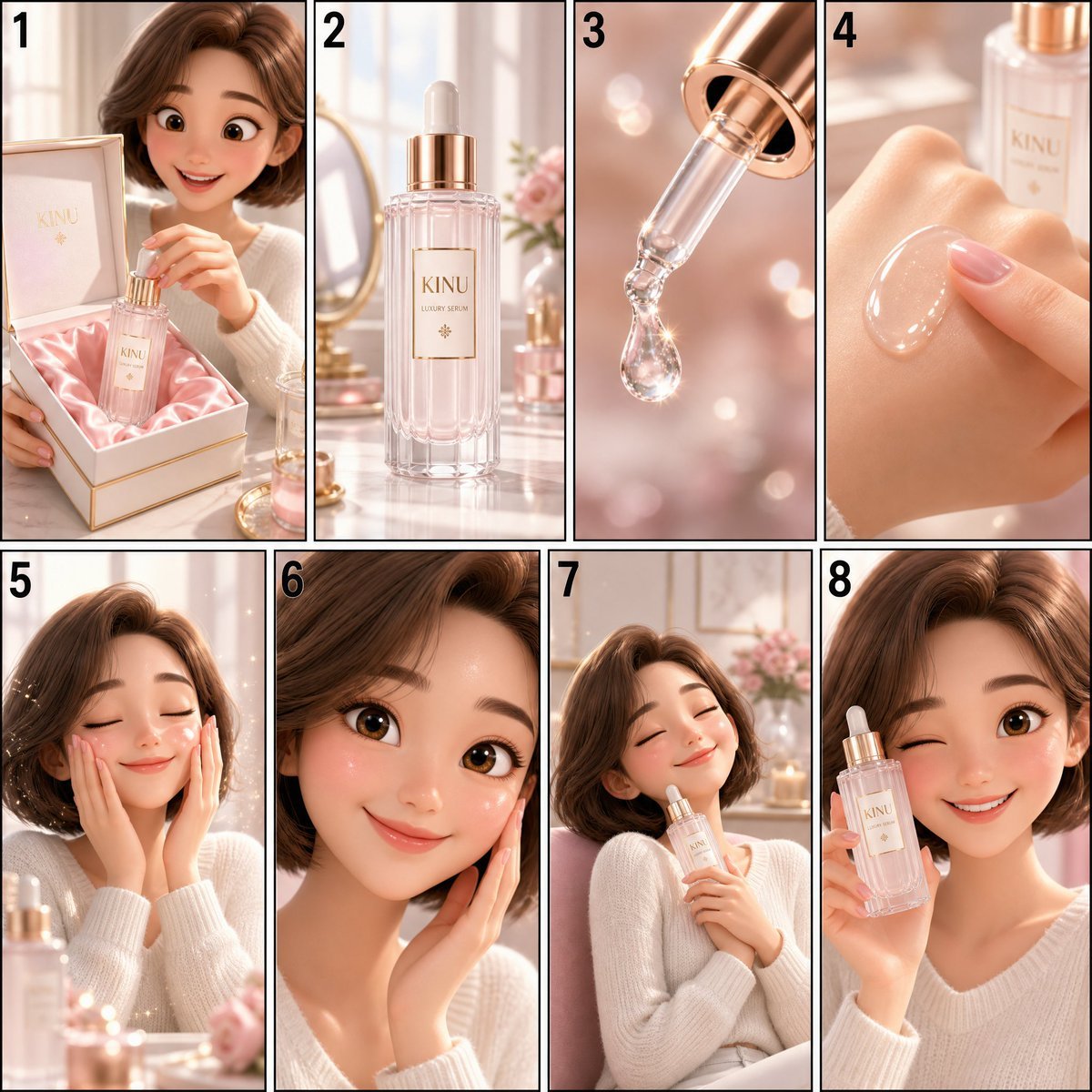
- Prompt included
- Model and format preset
- Premium template
The prompt behind this image
Copy the exact prompt behind Pixar Style Cosmetic Storyboard, or open it in the studio and make it yours.
Create a Pixar-style 3D animation storyboard image in 4×2 grid layout (4 columns × 2 rows, numbered left to right, top row first), containing exactly 8 panels with thin black borders (3px). Overall image aspect ratio 9:8 (e.g., 2160×1920); each panel is a strict 9:16 vertical composition. Background: white. Each panel labeled with a bold black number (top-left inside frame). Visual style (apply consistently to all panels): high-end 3D animated feature film look, soft rounded shapes, subsurface-scattering skin, big expressive eyes, dreamy bloom lighting, clean pink-and-white pastel palette with champagne-gold accents, soft natural window light, premium luxury K-beauty vibe. Recurring elements (keep identical in every panel): - Character: cheerful young woman, stylized 3D animation proportions, warm brown bob hair, rosy cheeks, white knit top, friendly big eyes. - Product: "KINU" luxury serum — tall slender thick-walled frosted crystal glass bottle with subtle vertical facets, a rose-gold metal collar at the neck, a weighty rose-gold dropper cap, and a small embossed label with gold-foil serif logotype. - Packaging: rigid magnetic-closure box in pearl-white with champagne-gold trim, blush-pink satin lining inside. - Setting: bright white vanity table with pink and gold accents, soft morning light. Exact content for each panel: Panel 1: Luxury unboxing — the pearl-white magnetic box opening to reveal the bottle nestled in blush-pink satin, her hands lifting it out gracefully, delighted expression in soft focus behind. Panel 2: Hero close-up — the KINU bottle now standing on the vanity, faceted frosted glass softly glistening in the morning window light, rose-gold collar catching a warm highlight, shallow depth of field. No falling or rolling drops. Panel 3: Macro close-up — the rose-gold dropper nozzle releasing one perfect glistening drop, light refracting through it like morning dew. Panel 4: Texture demonstration — a glossy translucent drop spreading on the back of her hand, fingertip gently touching it, silky jelly-like sheen. Panel 5: Application — she pats the serum onto her cheeks with both hands, eyes closed, serene smile, tiny sparkle particles in the air. Panel 6: Glow shot — close-up of her smiling face with dewy, luminous-looking cheeks catching the window light, happy relaxed expression. Panel 7: Experience shot — she leans back in her chair hugging the bottle lightly, eyes closed in contentment, soft pink-and-gold bokeh background. Panel 8: Final recommendation — she faces the camera holding the bottle beside her face, bright wink and warm smile, gentle push-in framing. Overall: ultra-sharp quality, professional storyboard style, consistent character and product design across all 8 panels. No watermarks. No extra text outside panel labels. quality: high Shot count: 8 | Duration: 15s | Aspect ratio: 9:16 Use the provided 8-panel Pixar-style 3D animation storyboard @kinu_storyboard.png as direct sequential visual keyframe reference for the entire 15s cinematic animation. Follow the exact panel progression, composition rhythm, and emotional pacing from the storyboard while smoothly interpolating all motion between poses with high-quality feature-animation motion. Maintain the SAME character and product throughout every shot — identical facial identity, warm brown bob hair, white knit top, rosy cheeks, and the identical KINU luxury serum bottle: tall faceted frosted crystal glass, rose-gold metal collar, rose-gold dropper cap, gold-foil embossed label, same bright white vanity room with soft morning window light in every shot. VOICE: A single Japanese female voiceover — young, soft, warm and friendly review tone. Only 4 short lines across the whole video, placed as noted below, with calm pauses between them. No lip sync required; the character does not speak on camera. Delivery is unhurried and gentle. STYLE: Pixar-quality 3D rendering, soft squash-and-stretch, expressive character acting, dreamy bloom lighting, clean pink-and-white pastel palette with champagne-gold accents, glossy liquid simulation, subsurface-scattering skin, refined luxury commercial mood, cinematic depth of field, smooth editorial transitions, unhurried elegant pacing. FOCUS: liquid and texture realism (serum sheen, silky spread), premium material detail (frosted glass facets, rose-gold metal, satin lining), gentle elegant hand movement, charming facial expressions, consistent product design, soft sparkle particles. [0s – 1.8s] SHOT 1 — LUXURY UNBOXING. The pearl-white magnetic box opens smoothly to reveal the KINU bottle nestled in blush-pink satin. Her hands lift it out gracefully, her delighted face in soft focus behind. Camera: fixed, shallow depth of field. [1.8s – 3.5s] SHOT 2 — PRODUCT HERO. She sets the bottle down on the white vanity. It stands still, faceted frosted glass softly glistening in the morning window light, rose-gold collar catching a warm highlight. No falling drops. Camera: slow push-in. Voiceover (bright, Japanese): 「新作美容液、KINU。」 [3.5s – 5.5s] SHOT 3 — NOZZLE MACRO. Extreme macro of the rose-gold dropper releasing one perfect glistening drop, light refracting through it like morning dew. Camera: fixed macro. [5.5s – 7.5s] SHOT 4 — TEXTURE DEMO. A glossy translucent drop spreads slowly on the back of her hand, her fingertip touches it gently, silky jelly-like sheen stretching. Camera: slow orbit. Voiceover (soft, Japanese): 「絹みたいに、とろっとなじむ。」 [7.5s – 9.5s] SHOT 5 — APPLICATION. She pats the serum onto her cheeks with both hands, eyes closed, serene smile, tiny sparkle particles drifting. Camera: gentle push-in. [9.5s – 11.5s] SHOT 6 — GLOW SHOT. Close-up of her smiling face, dewy luminous-looking cheeks catching the window light, happy relaxed expression. Camera: slow push-in. Voiceover (happy, Japanese): 「うるおって、明るい印象。」 [11.5s – 13.5s] SHOT 7 — EXPERIENCE. She leans back hugging the bottle lightly, eyes closed in contentment, soft pink-and-gold bokeh glowing behind her. Camera: slow pull-out. [13.5s – 15s] SHOT 8 — FINAL RECOMMENDATION. She faces the camera holding the bottle beside her face, gives a bright wink and warm smile. Camera: gentle push-in to medium close-up. Voiceover (cheerful, Japanese): 「チェックしてみてね。」 Avoid: jitter, distortion, blur, deformation, character drift, robotic voice. NO SUBTITLES. NO TEXT ON SCREEN. NO CAPTIONS. NO OPENING TITLES. NO END TITLES. NO WATERMARKS. NO UI ELEMENTS. NO SPEECH BUBBLES. All storytelling is conveyed through cinematic visuals, the 4 Japanese voiceover lines specified above, and soft ambient sound design (gentle room tone, subtle liquid and fabric sounds, light airy background music).
How to use Pixar Style Cosmetic Storyboard in 3 steps
- 1
Open
The prompt is already in the box next to the preview, with the template's model and format selected.
- 2…a portrait of your subject in softgolden-hour light, 85mm…
Personalize
Edit the subject and creative details for your destination.
- 3Generate
Generate
Press Generate — your image is created in PicX Studio, so you can compare it with the original and refine one variable at a time.
More like this
Templates with the same subject, style or setup. Open one to see its prompt.











Make it yours
Pixar Style Cosmetic Storyboard works as-is. These are the safest ways to change it without losing the look.
Change one field
Copy a single group, rewrite it, and generate again so you can see what that field is doing.
Keep the frame, change the subject
Hold the composition and light of Pixar Style Cosmetic Storyboard, then swap wardrobe, props or the person for a new take.
| If the result… | Why | Fix |
|---|---|---|
| The result drifts from the preview | Too many fields changed at once. | Reuse Pixar Style Cosmetic Storyboard as-is first, then change one group — subject, light, or setting. |
| The model over-stylizes the scene | The prose prompt leaves finish and camera underspecified. | Add one camera or lighting sentence and stay on GPT Image 2. |
More GPT Image 2 templates
Other prompts made for GPT Image 2.

Six VTuber Japanese Logo Sheet

Realistic Portrait of Woman and Deer

The Vista Modular Condo Poster

AI Model Routing Comparison Infographic

2.5D Anime Art Board

Isometric Productivity Desk Scene

New York Double Exposure Poster

Four-Panel AI Landscape Comparison

Japanese Tatami Lifestyle Magazine Cover

NESCAFÉ Coffee Map Poster
More image prompts
Fresh picks from across the catalog.
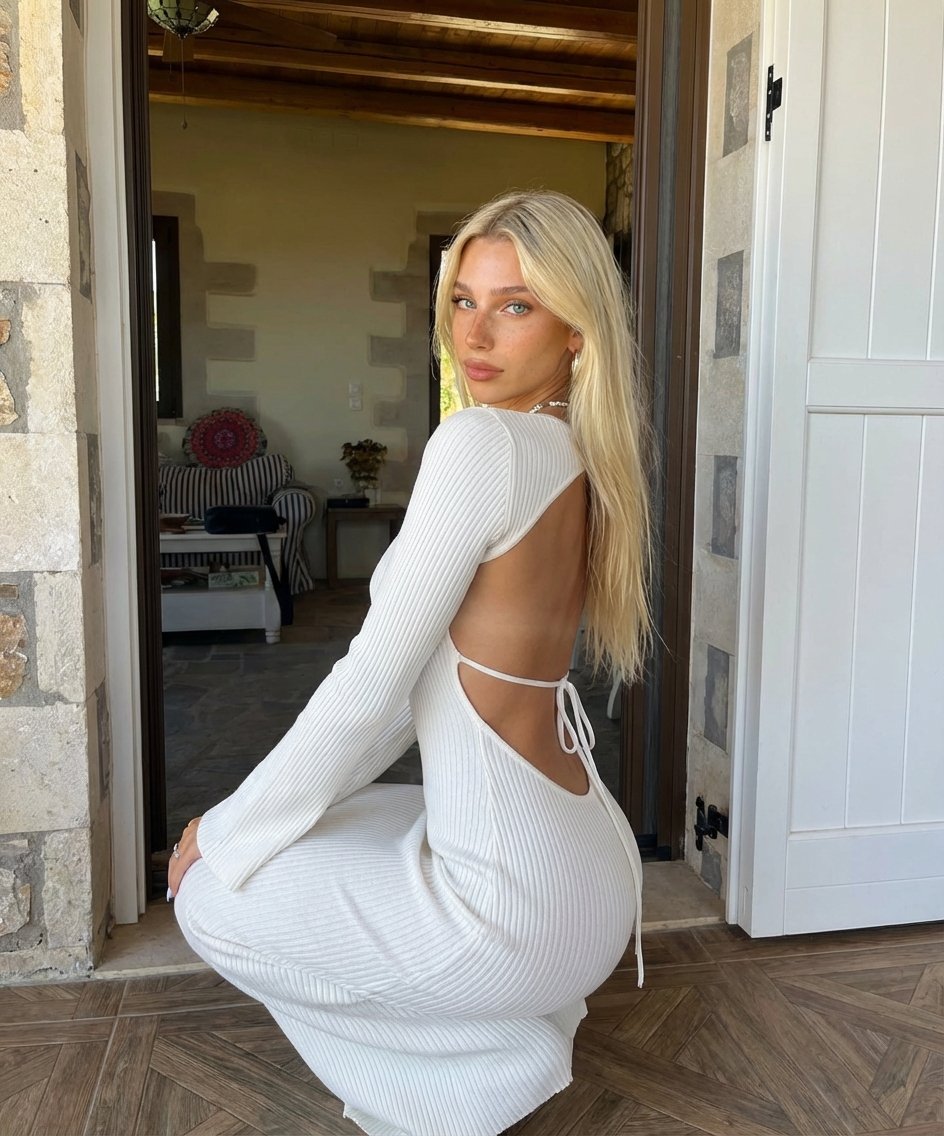
Blonde Woman Backless Dress Portrait Prompt
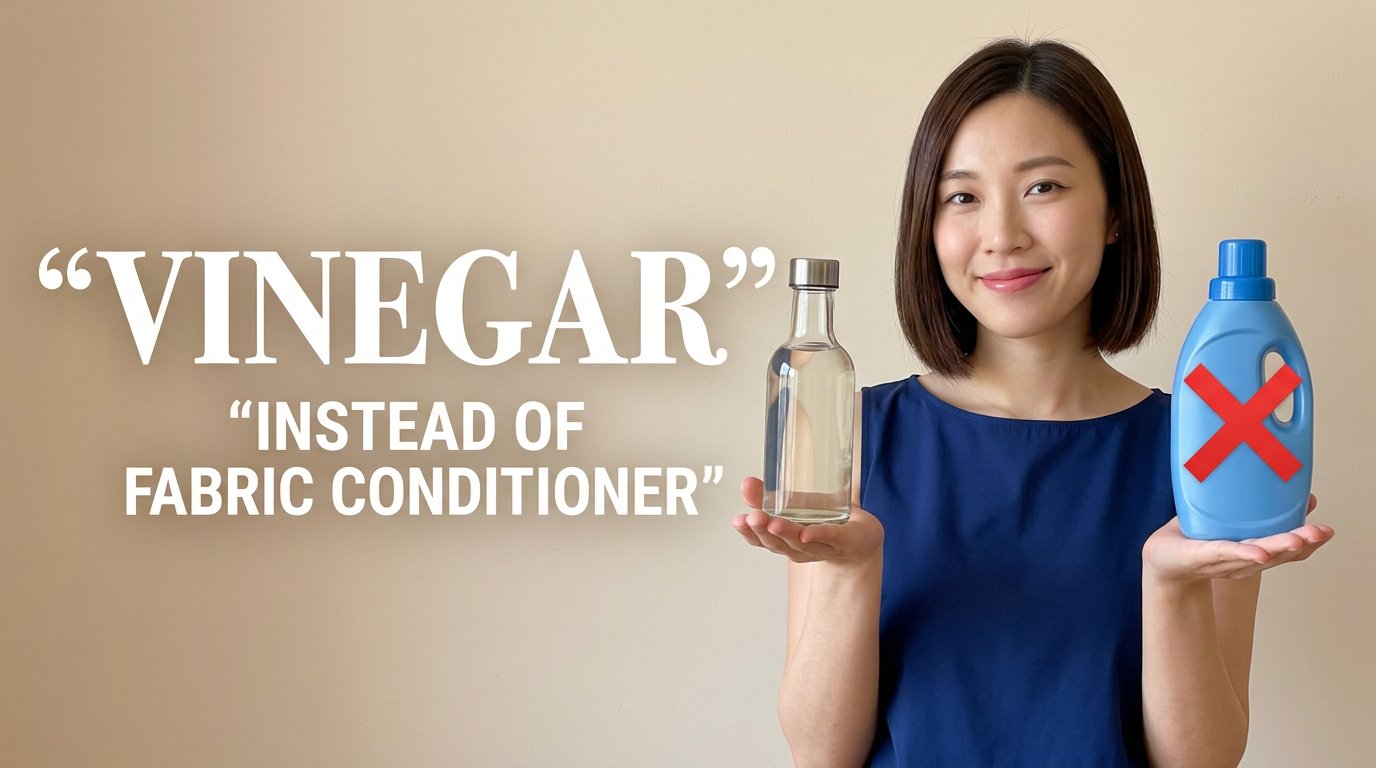
Eco Laundry Hack Youtube Thumbnail
Advanced Commercial Food/Product Poster Template with Vertical Layering
Japanese Youth at Water Park
Red Rose Glamour Fashion Editorial
Desi Funny New Year 2026 Cinematic Portrait Prompt
Editorial Background Visual Prompt for Premium Magazine Layouts
Goth Streetwear Anime Icon Portrait
Viral Thumbnail: Excited pointing, avocado toast, “Done in 3 Minutes!”
Coca-Cola Product and Lifestyle Shots
Browse template categories
Pixar Style Cosmetic Storyboard questions
How do I use the Pixar Style Cosmetic Storyboard template?
Add your photo if the template asks for one, edit the prompt if you like — the template's model and format are already selected — and press Generate. Your version opens in PicX Studio.
Can I customize the Pixar Style Cosmetic Storyboard template?
Yes. You can change the subject, setting, lighting, mood, format, and available model controls before creating your image.
Is the Pixar Style Cosmetic Storyboard template free?
Opening and editing this template is free. Generating uses credits, shown on the Generate button when you are signed in.
Which AI model should I use?
Start with GPT Image 2, which is the model associated with this template. You can compare another compatible model for a different finish.
Looking for something else? Browse all templates.

Your photo, any look
Thousands of ready templates for every top image and video model, from one credit balance.