
Cyberpunk Building Wall Texture
Generates a seamless dark sci-fi building facade texture with industrial panels, pipes, vents, and neon signage for game environments.
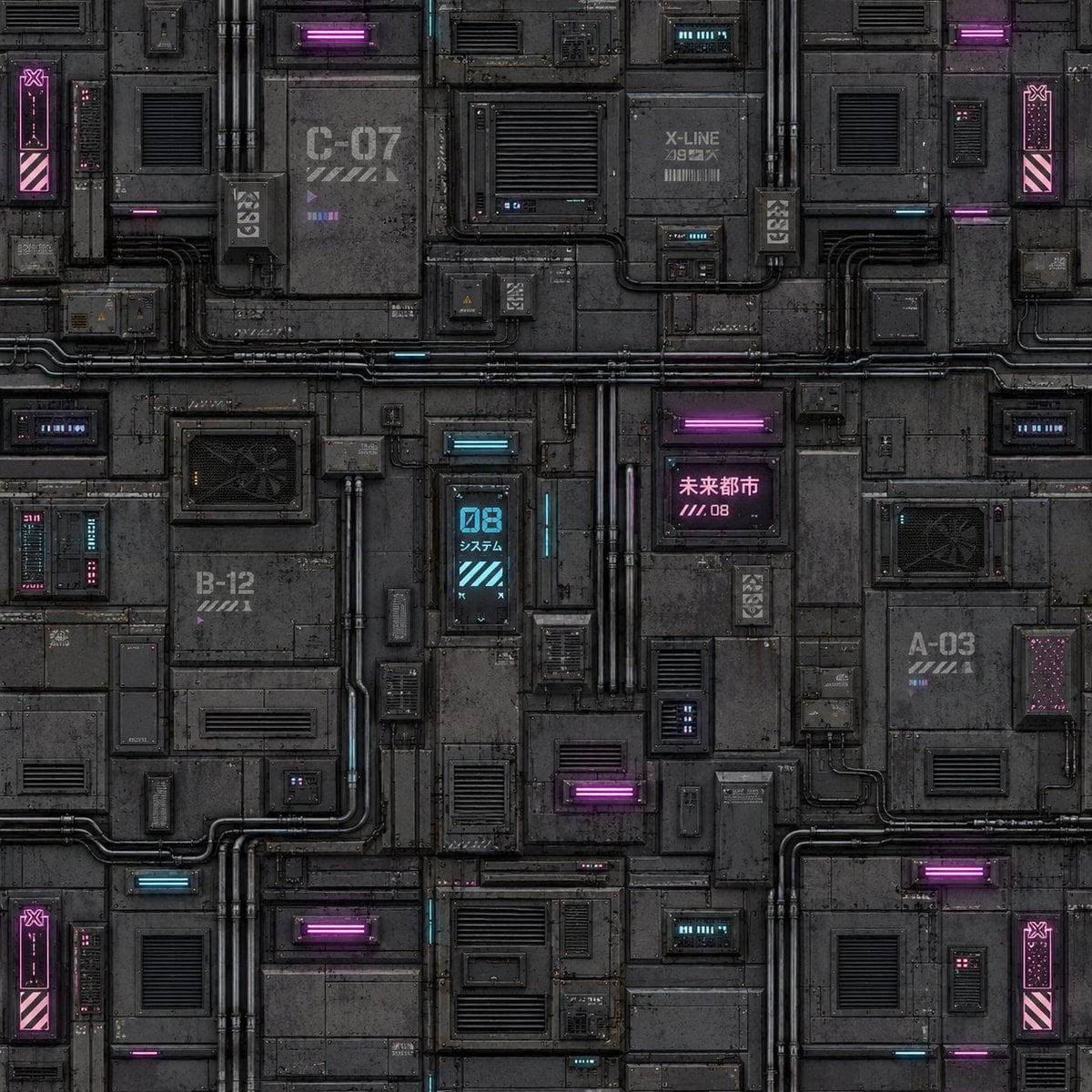
- Prompt included
- Model and format preset
- Free template
The prompt behind this image
Copy the exact prompt behind Cyberpunk Building Wall Texture, or open it in the studio and make it yours.
Create a seamless square cyberpunk sci-fi building facade texture for game development. The image should be a flat orthographic front view, designed as a tileable wall material with no perspective, no sky, no characters, and no foreground objects. Use a dark industrial palette of charcoal gray and black metal panels, weathered concrete-like plating, grime, scratches, bolts, seams, rust stains, and dense greeble detail. Fill the entire canvas with modular rectangular wall sections divided by horizontal and vertical seams. Include many vents, louvered grilles, access hatches, small service boxes, cable conduits, exposed pipes, junction boxes, and inset technical panels. Add neon cyberpunk accents in magenta and cyan: glowing horizontal tube lights, small status displays, tiny LED strips, and warning panels. Include exactly 8 prominent neon glow elements: 4 magenta horizontal light bars, 2 cyan horizontal light bars, 1 cyan vertical digital panel reading “08” with small Japanese text beneath it, and 1 magenta sign with Japanese text reading “未来都市” plus “////.08”. Add industrial markings and labels on the wall such as “C-07”, “B-12”, “A-03”, and “X-LINE”, with stencil stripes and small unreadable technical microtext. Place four narrow vertical magenta warning panels near the left and right edges, each with diagonal hazard stripes near the bottom and a small icon near the top, helping the texture tile convincingly. Make the surface highly detailed but readable, with realistic worn edges, ambient occlusion in seams, subtle reflections on metal, and soft neon bloom. Use a square {argument name="texture resolution" default="1024x1024"} canvas, centered composition, seamless repeating texture quality, dark gritty cyberpunk game asset style, ultra-detailed hard-surface sci-fi texture, no watermark, no logo, no people.
How to use Cyberpunk Building Wall Texture in 3 steps
- 1Upload ImagePNG, JPG or paste
Add your photo
Upload the photo the template builds on. The prompt, model and format are already set.
- 2…a portrait of your subject in softgolden-hour light, 85mm…
Personalize
Edit the subject and creative details for your destination.
- 3Generate
Generate
Press Generate — your image is created in PicX Studio, so you can compare it with the original and refine one variable at a time.
More like this
Templates with the same subject, style or setup. Open one to see its prompt.

Cinematic Portrait with Textured Crimson Wall

Vivid blue walls, stairs, and buildings with white accents, hanging

Rainy Night Android Cyberpunk Portrait

Korean Idol Partial Shadow Editorial Portrait

Cinematic Sci-Fi Interface Side Profile

Cyberpunk Neon Profile Fashion Portrait

Cinematic Neon Light Strip Studio Portrait

Futuristic Studio Neon Ring Minimalist Portrait

Neon Violet Streetwear Fashion Portrait

Neon Night Crosswalk Candid Portrait

Red Futuristic Sport Motorcycle POV
Rainy Night Android Cyberpunk Portrait
Make it yours
Cyberpunk Building Wall Texture works as-is. These are the safest ways to change it without losing the look.
Change one field
Copy a single group, rewrite it, and generate again so you can see what that field is doing.
Keep the frame, change the subject
Hold the composition and light of Cyberpunk Building Wall Texture, then swap wardrobe, props or the person for a new take.
| If the result… | Why | Fix |
|---|---|---|
| The result drifts from the preview | Too many fields changed at once. | Reuse Cyberpunk Building Wall Texture as-is first, then change one group — subject, light, or setting. |
| The model over-stylizes the scene | The prose prompt leaves finish and camera underspecified. | Add one camera or lighting sentence and stay on GPT Image 2. |
More GPT Image 2 templates
Other prompts made for GPT Image 2.

Six VTuber Japanese Logo Sheet

Realistic Portrait of Woman and Deer

The Vista Modular Condo Poster

AI Model Routing Comparison Infographic

2.5D Anime Art Board

Isometric Productivity Desk Scene

New York Double Exposure Poster

Four-Panel AI Landscape Comparison

Japanese Tatami Lifestyle Magazine Cover

NESCAFÉ Coffee Map Poster
More image prompts
Fresh picks from across the catalog.

Anime Mirror Lake Sky Background
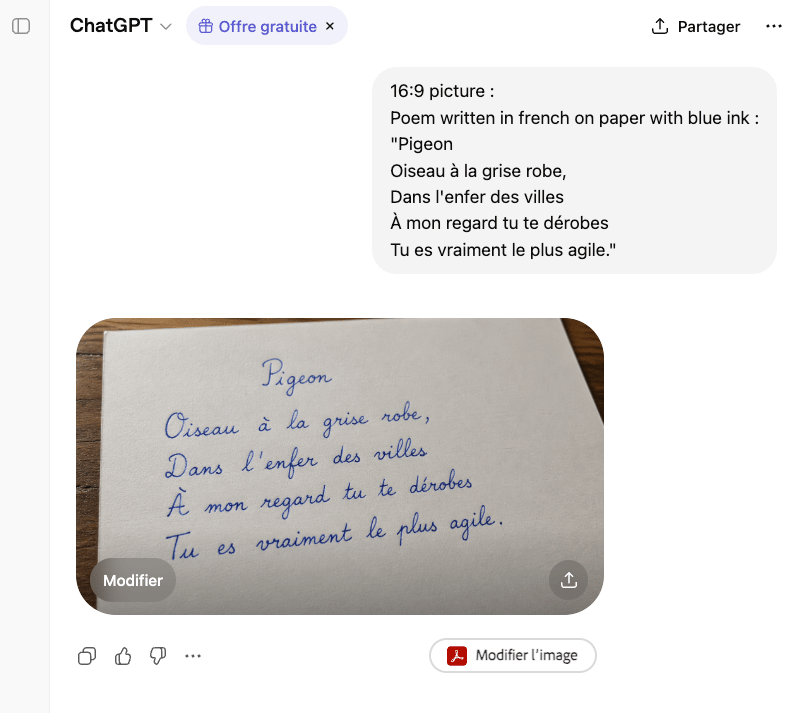
Handwritten French Poem on Paper

Food Delivery App UI Prompt

Premium Sports Magazine Cover Portrait

Cinematic Portrait of a Man in a Dimly Lit Hallway

Rose Garden Travel Postcard Flat Lay

Urban Portrait of Young Man by Brick Wall

Double Exposure Pensive Portrait

Constructivist Anime Poster Art

Sorrowful Night Cinematic Portrait
Browse template categories
Cyberpunk Building Wall Texture questions
How do I use the Cyberpunk Building Wall Texture template?
Add your photo if the template asks for one, edit the prompt if you like — the template's model and format are already selected — and press Generate. Your version opens in PicX Studio.
Can I customize the Cyberpunk Building Wall Texture template?
Yes. You can change the subject, setting, lighting, mood, format, and available model controls before creating your image.
Is the Cyberpunk Building Wall Texture template free?
Opening and editing this template is free. Generating uses credits, shown on the Generate button when you are signed in.
Which AI model should I use?
Start with GPT Image 2, which is the model associated with this template. You can compare another compatible model for a different finish.
Looking for something else? Browse all templates.

Your photo, any look
Thousands of ready templates for every top image and video model, from one credit balance.