How do I use the Monochrome Gothic Twin Portrait template?
Edit the prompt in the box under the preview — the template's model and format are already selected — and press Generate. Your version appears right on this page.
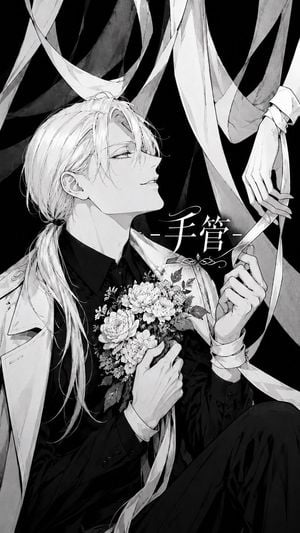
A black-and-white manga fashion portrait of two elegant young men posed back-to-back, ideal for character art or gothic illustration generation.

This template uses your photo — add one with the + button.
Create a monochrome manga-style illustration of two elegant androgynous young men standing back-to-back in a refined fashion portrait. The left figure is taller, shown from mid-thigh up in a white suit jacket over a dark shirt and tie, with long pale hair tied in a low ponytail and loose bangs covering one eye; he holds an open ornate folding fan in front of his mouth and nose, the fan decorated with floral patterns, lace-like black edging, and a single large eye motif near the center. The right figure is slightly shorter, wearing a glossy black suit jacket with a white shirt and dark tie, with tousled pale wavy hair tied into a small low ponytail; he turns his face toward the viewer with delicate lashes and a calm, mysterious expression while adjusting or holding one wrist with slim elegant hands. Use fine black-and-white ink linework, soft grayscale shading, intricate hair strands, delicate facial features, high-fashion gothic elegance, subtle paper texture, and a clean off-white background with a thin double-line rectangular border near the edges. Keep the composition tightly framed, centered, balanced, and text-free, with exactly two characters and one visible folding fan. Allow the figures’ pale hair to remain mostly white with fine graphite shading. Character mood: poised, secretive, beautiful, slightly melancholic. Optional customization: make the left figure’s suit {argument name="left suit color" default="white"}, the right figure’s suit {argument name="right suit color" default="black"}, the characters’ hair {argument name="hair color" default="pale platinum blonde"}, and the fan motif {argument name="fan motif" default="floral pattern with a single large eye"}.
Create a monochrome manga-style illustration of two elegant androgynous young men standing back-to-back in a refined fashion portrait. The left figure is taller, shown from mid-thigh up in a white suit jacket over a dark shirt and tie, with long pale hair tied in a low ponytail and loose bangs covering one eye; he holds an open ornate folding fan in front of his mouth and nose, the fan decorated with floral patterns, lace-like black edging, and a single large eye motif near the center. The right figure is slightly shorter, wearing a glossy black suit jacket with a white shirt and dark tie, with tousled pale wavy hair tied into a small low ponytail; he turns his face toward the viewer with delicate lashes and a calm, mysterious expression while adjusting or holding one wrist with slim elegant hands. Use fine black-and-white ink linework, soft grayscale shading, intricate hair strands, delicate facial features, high-fashion gothic elegance, subtle paper texture, and a clean off-white background with a thin double-line rectangular border near the edges. Keep the composition tightly framed, centered, balanced, and text-free, with exactly two characters and one visible folding fan. Allow the figures’ pale hair to remain mostly white with fine graphite shading. Character mood: poised, secretive, beautiful, slightly melancholic. Optional customization: make the left figure’s suit {argument name="left suit color" default="white"}, the right figure’s suit {argument name="right suit color" default="black"}, the characters’ hair {argument name="hair color" default="pale platinum blonde"}, and the fan motif {argument name="fan motif" default="floral pattern with a single large eye"}.
Edit the prompt in the box under the preview — the template's model and format are already selected — and press Generate. Your version appears right on this page.
Yes. You can change the subject, setting, lighting, mood, format, and available model controls before creating your image.
Opening and editing this template is free. Generating uses credits, shown on the Generate button when you are signed in.
Start with GPT Image 2, which is the model associated with this template. You can compare another compatible model for a different finish.
Follow a topic to a crawlable collection of related PicX Studio templates.