How do I use the Gothic Palace Anime Trio template?
Edit the prompt in the box under the preview — the template's model and format are already selected — and press Generate. Your version appears right on this page.
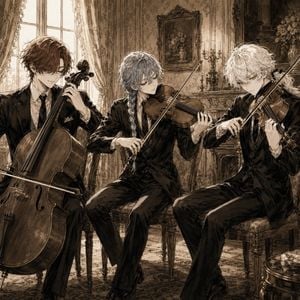
Generates an ornate sepia anime illustration of three elegant male musicians performing in a candlelit baroque palace room.

This template uses your photo — add one with the + button.
Create a tall vertical gothic-romantic anime illustration in an ornate European palace music room, using a refined sepia monochrome palette with warm candlelight, strong dark ink-like outlines, intricate linework, and a slightly simplified but highly elegant manga rendering style. Show exactly 3 beautiful young male musicians: the central figure is {argument name="central musician" default="a tall black-haired violinist"}, standing full body in the foreground from a slightly high camera angle, wearing a long black formal tailcoat with layered vest, tie, chains, jeweled brooches, fitted trousers, and polished boots, playing a violin with bow held diagonally across his body; at lower left is {argument name="left musician" default="a pale curly-haired guitarist"} seated on an ornate chair, holding an acoustic guitar; at right is {argument name="right musician" default="a pale wavy-haired pianist"} seated at a glossy grand piano, hands on the keys, wearing a light formal suit. Set them inside a lavish baroque room with towering arched windows on the left, heavy draped curtains, carved wall panels, floral wall art in a gilded frame, crystal chandelier overhead, candelabras with lit candles, vases of flowers, ornate chairs, reflective patterned marble floor, and blurred foreground flowers near the bottom edge. Emphasize dramatic chiaroscuro, delicate sparkles on jewelry and instruments, soft dust motes, elegant melancholic expressions, aristocratic atmosphere, and dense decorative detail without modern objects, text, logos, or bright colors. Use {argument name="aspect ratio" default="9:16 vertical"} composition, cinematic depth, and poster-quality detail.
Create a tall vertical gothic-romantic anime illustration in an ornate European palace music room, using a refined sepia monochrome palette with warm candlelight, strong dark ink-like outlines, intricate linework, and a slightly simplified but highly elegant manga rendering style. Show exactly 3 beautiful young male musicians: the central figure is {argument name="central musician" default="a tall black-haired violinist"}, standing full body in the foreground from a slightly high camera angle, wearing a long black formal tailcoat with layered vest, tie, chains, jeweled brooches, fitted trousers, and polished boots, playing a violin with bow held diagonally across his body; at lower left is {argument name="left musician" default="a pale curly-haired guitarist"} seated on an ornate chair, holding an acoustic guitar; at right is {argument name="right musician" default="a pale wavy-haired pianist"} seated at a glossy grand piano, hands on the keys, wearing a light formal suit. Set them inside a lavish baroque room with towering arched windows on the left, heavy draped curtains, carved wall panels, floral wall art in a gilded frame, crystal chandelier overhead, candelabras with lit candles, vases of flowers, ornate chairs, reflective patterned marble floor, and blurred foreground flowers near the bottom edge. Emphasize dramatic chiaroscuro, delicate sparkles on jewelry and instruments, soft dust motes, elegant melancholic expressions, aristocratic atmosphere, and dense decorative detail without modern objects, text, logos, or bright colors. Use {argument name="aspect ratio" default="9:16 vertical"} composition, cinematic depth, and poster-quality detail.
Edit the prompt in the box under the preview — the template's model and format are already selected — and press Generate. Your version appears right on this page.
Yes. You can change the subject, setting, lighting, mood, format, and available model controls before creating your image.
Opening and editing this template is free. Generating uses credits, shown on the Generate button when you are signed in.
Start with GPT Image 2, which is the model associated with this template. You can compare another compatible model for a different finish.
Follow a topic to a crawlable collection of related PicX Studio templates.