How do I use the Surreal Opera Score Collage template?
Choose the primary action to open PicX Studio with the available template settings. Review the model and format, personalize the creative direction, and generate when ready.
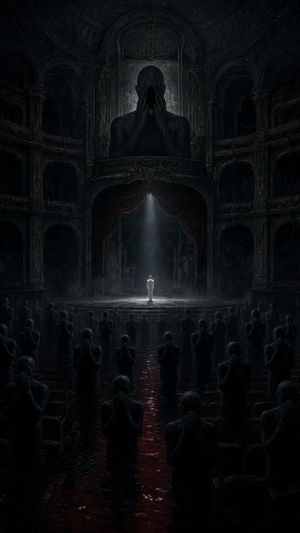
A cinematic magical-realism illustration of an open opera score exploding into theatrical scenes, ideal for music, opera, or fantasy editorial visuals.

Create a wide cinematic surreal opera-fantasy collage in a dark navy, black, antique gold, and crimson palette. In the foreground, show the back silhouette of {argument name="viewer character" default="a curly-haired young composer or conductor"} staring into a huge glowing open musical score at the center bottom; the pages are filled with dense handwritten staff notation, and warm golden light bursts upward from the book. Around the score, depict exactly 6 distinct theatrical-music elements: 1) a large cracked ivory Venetian opera mask floating on the upper left, 2) a female violinist in black performing on the lower left with red paint-like splashes behind her, 3) a ruined baroque opera-house balcony or arched stage scene above the book with a small singer figure, 4) a dramatic female opera singer in a black dress reaching upward beneath flowing crimson curtains near the upper center-right, 5) a moonlit arched window on the upper right showing stormy ocean waves, clouds, and tiny human silhouettes, and 6) a seated chamber ensemble on the lower right with string players and music stands. Fill the composition with sweeping golden musical staff lines, notes, circular orbital arcs, ink splatters, paper textures, small birds or butterflies, and fragments of stage architecture, all radiating from the open score as if the music is creating worlds. Use high-contrast chiaroscuro lighting, painterly digital illustration, detailed engravings, textured brushwork, magical realism, epic opera poster mood, ultra-detailed but no readable title text, no modern UI, no watermark. Aspect ratio 16:9.
Choose the primary action to open PicX Studio with the available template settings. Review the model and format, personalize the creative direction, and generate when ready.
Yes. You can change the subject, setting, lighting, mood, format, and available model controls before creating your image.
This template is free to open and customize. Generation usage is shown in PicX Studio before you create.
Start with GPT Image 2, which is the model associated with this template. You can compare another compatible model for a different finish.
Follow a topic to a crawlable collection of related PicX Studio templates.