How do I use the Hot Pot Restaurant Portrait template?
Choose the primary action to open PicX Studio with the available template settings. Review the model and format, personalize the creative direction, and generate when ready.
A photorealistic vertical portrait prompt for creating a stylish adult woman dining at a modern hot pot restaurant.
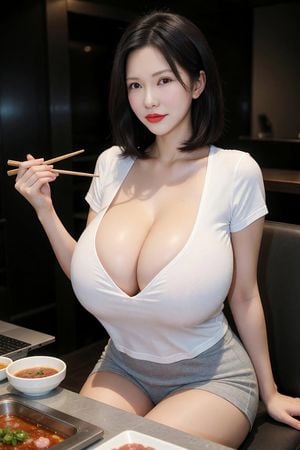
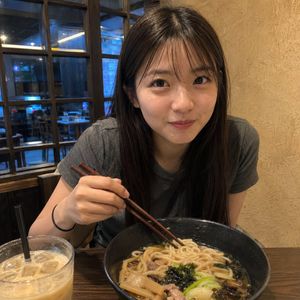
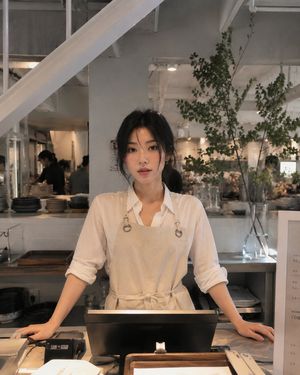
Create a photorealistic vertical portrait of an attractive adult East Asian woman seated at a dark modern hot pot restaurant table, facing the camera with a soft confident smile. She has {argument name="hair style" default="shoulder-length straight black bob with a side part"}, smooth fair skin, subtle eye makeup, and vivid {argument name="lip color" default="red lipstick"}. She wears a {argument name="top" default="tight white deep V-neck short-sleeve top"} and {argument name="bottoms" default="high-waisted gray fitted shorts"}, posed with her right hand holding exactly 1 pair of wooden chopsticks horizontally near shoulder height and her left hand resting on the seat or table edge. The composition is waist-up to mid-thigh, intimate restaurant booth setting, dark black and charcoal background panels, warm overhead lighting, shallow depth of field, glossy realistic skin and fabric texture, high-end smartphone or DSLR look. Include exactly 5 visible table items: 1 built-in rectangular hot pot tray with red spicy broth and garnish in the foreground, 2 small white bowls of red dipping sauce or soup on the left side, 1 open laptop partially visible at the far left edge, and 1 tabletop surface in gray stone or metal. Emphasize a polished social-media food-date aesthetic, realistic anatomy, natural hands, no text, no watermark, no extra people, no extra utensils beyond the single chopstick pair.
Choose the primary action to open PicX Studio with the available template settings. Review the model and format, personalize the creative direction, and generate when ready.
Yes. You can change the subject, setting, lighting, mood, format, and available model controls before creating your image.
This template is free to open and customize. Generation usage is shown in PicX Studio before you create.
Start with GPT Image 2, which is the model associated with this template. You can compare another compatible model for a different finish.
Follow a topic to a crawlable collection of related PicX Studio templates.