How do I use the Golden Hour Footballer Editorial template?
Choose the primary action to open PicX Studio with the available template settings. Review the model and format, personalize the creative direction, and generate when ready.
A cinematic, high-fashion editorial prompt for a professional athlete portrait set in a modern urban environment during golden hour.

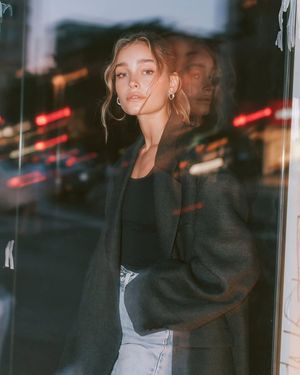
Ultra-cinematic editorial portrait of a {argument name="subject" default="world-famous football superstar"} standing alone on a quiet modern city street during golden hour, wearing a premium {argument name="coat" default="black wool overcoat"} over a black turtleneck, luxury minimalist fashion, clean haircut, serious and contemplative expression, looking into the distance in side profile, soft warm sunlight creating a glowing rim light around the head and shoulders, cinematic lens flare, shallow depth of field, blurred urban storefronts and glass reflections, subtle bokeh lights, muted earthy color grading, natural skin texture, realistic facial details, premium fashion campaign aesthetic, {argument name="style" default="Vogue x GQ magazine cover style"}, emotional and timeless mood, 85mm lens, f/1.4, HDR, ultra-photorealistic, volumetric lighting, film grain, high dynamic range, crisp focus on the face, luxurious atmosphere, masterpiece, 8K, vertical composition, no text, no watermark.
Choose the primary action to open PicX Studio with the available template settings. Review the model and format, personalize the creative direction, and generate when ready.
Yes. You can change the subject, setting, lighting, mood, format, and available model controls before creating your image.
This template is free to open and customize. Generation usage is shown in PicX Studio before you create.
Start with GPT Image 2, which is the model associated with this template. You can compare another compatible model for a different finish.
Follow a topic to a crawlable collection of related PicX Studio templates.