How do I use the Cinematic Triple Exposure Portrait template?
Edit the prompt in the box under the preview — the template's model and format are already selected — and press Generate. Your version appears right on this page.
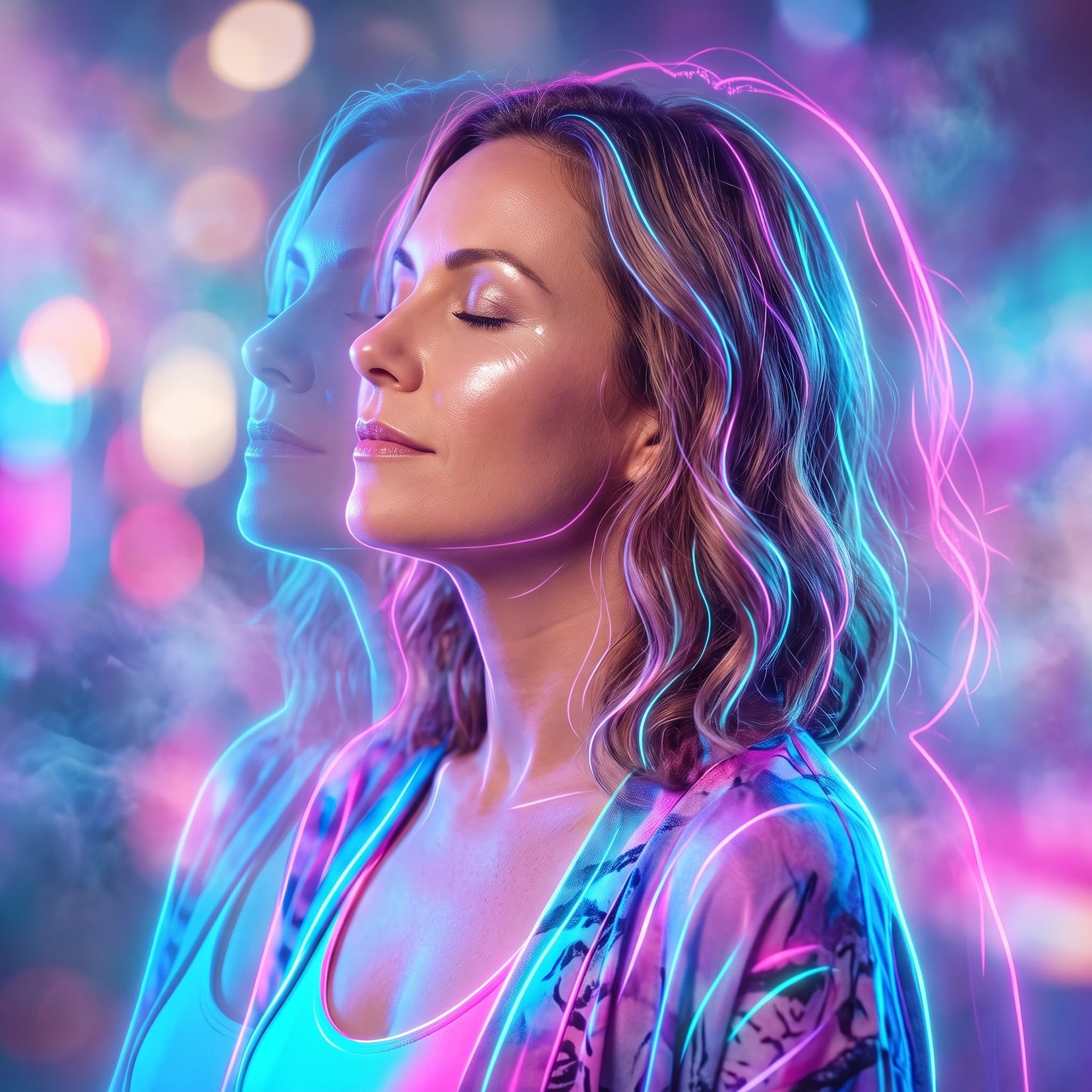
A sophisticated prompt for generating photorealistic portraits with a triple-exposure motion effect, creating a sense of movement through time.

This template uses your photo — add one with the + button.
Create a photorealistic cinematic portrait using the {argument name="subject" default="uploaded person"} as the exact identity. Dress the subject in a {argument name="attire" default="tailored charcoal blazer over a black shirt"}, captured in a dramatic three-quarter profile with a calm, determined expression. Create a striking {argument name="motion effect" default="triple-exposure effect"} by keeping the central face razor-sharp while two semi-transparent duplicates appear on either side with smooth horizontal motion blur, suggesting movement through time.Use a rich crimson background with warm cinematic lighting, subtle rim light, and soft shadows that sculpt the face. Emphasize ultra-realistic skin texture, natural facial details, premium fabric textures, and shallow depth of field. Shoot with an 85mm lens, editorial composition, high-end magazine styling, refined color grading, and ultra-detailed 8K realism.
Create a photorealistic cinematic portrait using the {argument name="subject" default="uploaded person"} as the exact identity. Dress the subject in a {argument name="attire" default="tailored charcoal blazer over a black shirt"}, captured in a dramatic three-quarter profile with a calm, determined expression. Create a striking {argument name="motion effect" default="triple-exposure effect"} by keeping the central face razor-sharp while two semi-transparent duplicates appear on either side with smooth horizontal motion blur, suggesting movement through time.Use a rich crimson background with warm cinematic lighting, subtle rim light, and soft shadows that sculpt the face. Emphasize ultra-realistic skin texture, natural facial details, premium fabric textures, and shallow depth of field. Shoot with an 85mm lens, editorial composition, high-end magazine styling, refined color grading, and ultra-detailed 8K realism.
Edit the prompt in the box under the preview — the template's model and format are already selected — and press Generate. Your version appears right on this page.
Yes. You can change the subject, setting, lighting, mood, format, and available model controls before creating your image.
Opening and editing this template is free. Generating uses credits, shown on the Generate button when you are signed in.
Start with GPT Image 2, which is the model associated with this template. You can compare another compatible model for a different finish.
Follow a topic to a crawlable collection of related PicX Studio templates.