How do I use the Ink and Watercolor Butterfly Portrait template?
Choose the primary action to open PicX Studio with the available template settings. Review the model and format, personalize the creative direction, and generate when ready.
An expressive mixed-media style prompt for GPT Image 2 creating an ink and watercolor portrait of a man holding a delicate butterfly with dynamic, sketchy energ
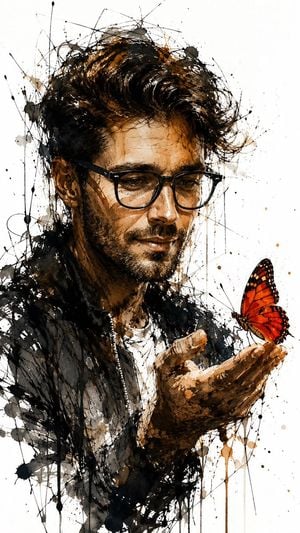
A raw, expressive ink and watercolor portrait of a man (image Uploaded), in three-quarter view, holding a delicate red-orange butterfly on his outstretched hand; frenetic, gestural black ink lines, splatters and drips form rough cross-hatching and scribbled contours, contrasted with warm washes of brown and burnt sienna on skin and hair, the butterfly rendered with vivid red and subtle white highlights for fragile contrast; stark white negative background, high-contrast lighting, tactile mixed-media texture, emotional, contemplative mood, loose sketchy strokes, dynamic energy, fine detail around face and hand, atmospheric, minimalist composition, painterly yet graphic, evocative and melancholic, --ar 9:16
Choose the primary action to open PicX Studio with the available template settings. Review the model and format, personalize the creative direction, and generate when ready.
Yes. You can change the subject, setting, lighting, mood, format, and available model controls before creating your image.
This template is free to open and customize. Generation usage is shown in PicX Studio before you create.
Start with GPT Image 2, which is the model associated with this template. You can compare another compatible model for a different finish.
Follow a topic to a crawlable collection of related PicX Studio templates.