How do I use the Wireframe to High-Fidelity UI Design template?
Edit the prompt in the box under the preview — the template's model and format are already selected — and press Generate. Your version appears right on this page.
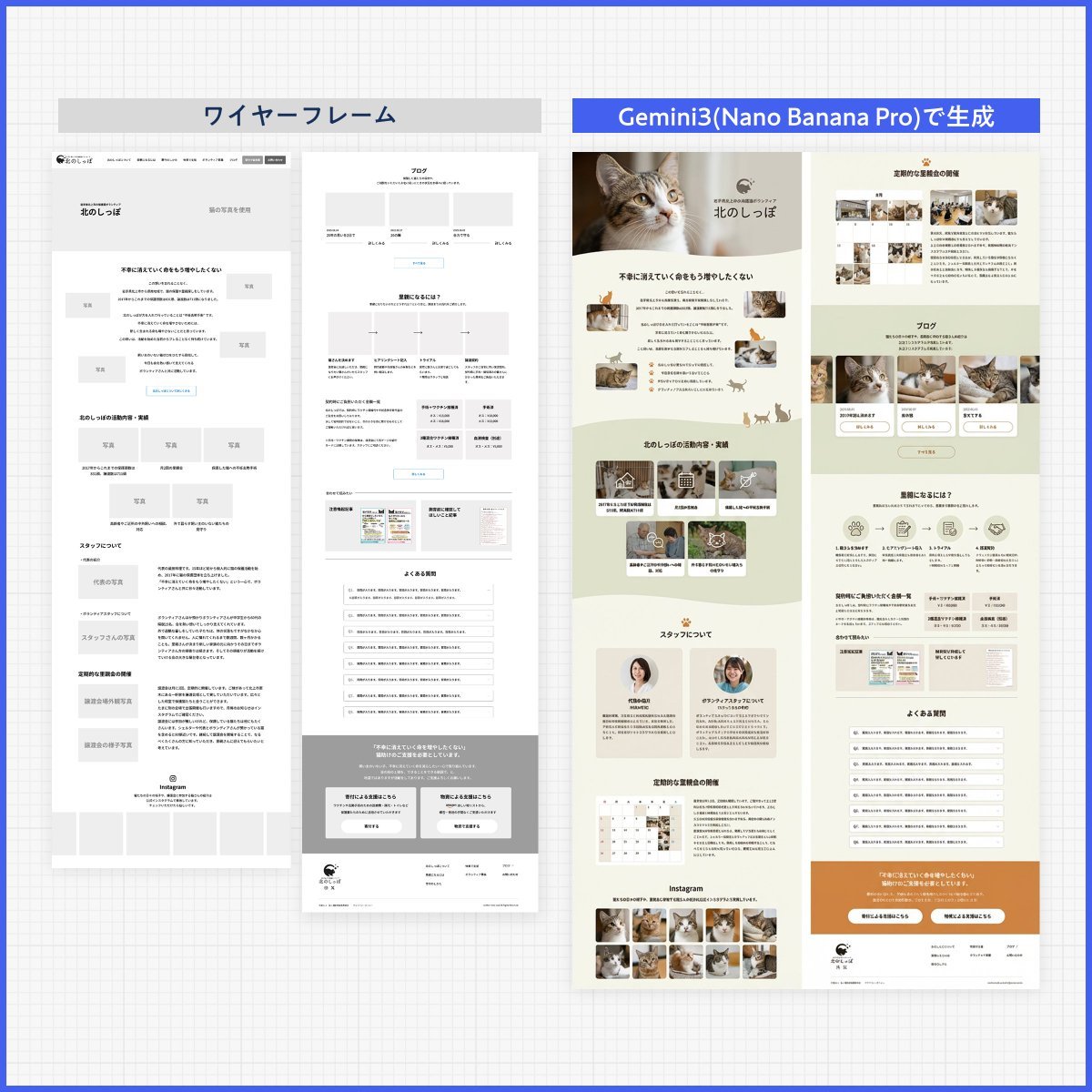
A specialized prompt for GPT-Image-2 that transforms low-fidelity wireframes or prototypes into high-fidelity, presentation-ready design mockups while maintaining the original layout and structure.

This template uses your photo — add one with the + button.
以上传的线框图 / 原型图为参考,生成一张高保真设计稿。 设计类型:【{argument name="设计类型" default="运营活动页 / App界面 / H5页面 / 电商详情页 / 官网页面 / 信息图"}】 要求: 1. 保留原始页面的布局结构、信息层级和模块划分 2. 将线框图中的占位符替换为真实内容 3. 自动补充配色、图片、图标和排版细节 4. 强化页面的视觉层级、留白、对齐和模块关系 5. 整体输出为高完成度的高保真设计稿 视觉风格:【{argument name="视觉风格" default="简约现代 / 科技感 / 轻拟物 / 清新 / 品牌感 / 高级感"}】 主色调:【{argument name="主色调" default="蓝色"}】 辅色:【填写颜色】 画幅比例:【如 9:16 / 4:3 / 16:9】 注意: 保留原始结构,不要随意打乱模块顺序。 重点优化视觉表现和真实内容呈现,使其像一张可用于提案展示的完整设计稿。 保持线框图原有的信息架构不变,只提升视觉完成度与真实感。
以上传的线框图 / 原型图为参考,生成一张高保真设计稿。 设计类型:【{argument name="设计类型" default="运营活动页 / App界面 / H5页面 / 电商详情页 / 官网页面 / 信息图"}】 要求: 1. 保留原始页面的布局结构、信息层级和模块划分 2. 将线框图中的占位符替换为真实内容 3. 自动补充配色、图片、图标和排版细节 4. 强化页面的视觉层级、留白、对齐和模块关系 5. 整体输出为高完成度的高保真设计稿 视觉风格:【{argument name="视觉风格" default="简约现代 / 科技感 / 轻拟物 / 清新 / 品牌感 / 高级感"}】 主色调:【{argument name="主色调" default="蓝色"}】 辅色:【填写颜色】 画幅比例:【如 9:16 / 4:3 / 16:9】 注意: 保留原始结构,不要随意打乱模块顺序。 重点优化视觉表现和真实内容呈现,使其像一张可用于提案展示的完整设计稿。 保持线框图原有的信息架构不变,只提升视觉完成度与真实感。
Wireframe to High-Fidelity UI Design needs input media to work. Open it in the studio and these load alongside the prompt — pick whichever ones your chosen model can take.
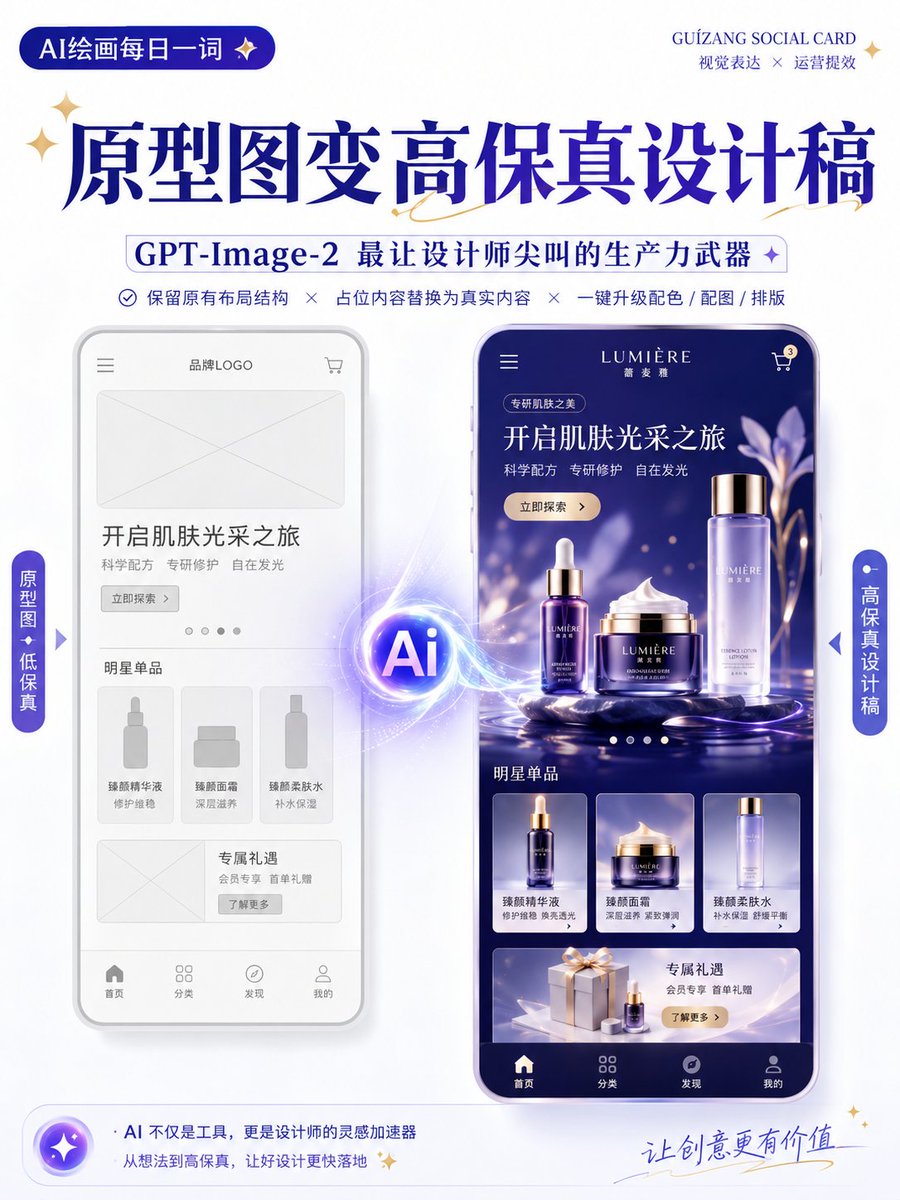
Edit the prompt in the box under the preview — the template's model and format are already selected — and press Generate. Your version appears right on this page.
Yes. You can change the subject, setting, lighting, mood, format, and available model controls before creating your image.
Opening and editing this template is free. Generating uses credits, shown on the Generate button when you are signed in.
Start with GPT Image 2, which is the model associated with this template. You can compare another compatible model for a different finish.
Follow a topic to a crawlable collection of related PicX Studio templates.