
Universe Inside a Tear
A highly descriptive surreal prompt of a miniature universe contained inside a falling tear, set within an abandoned museum.
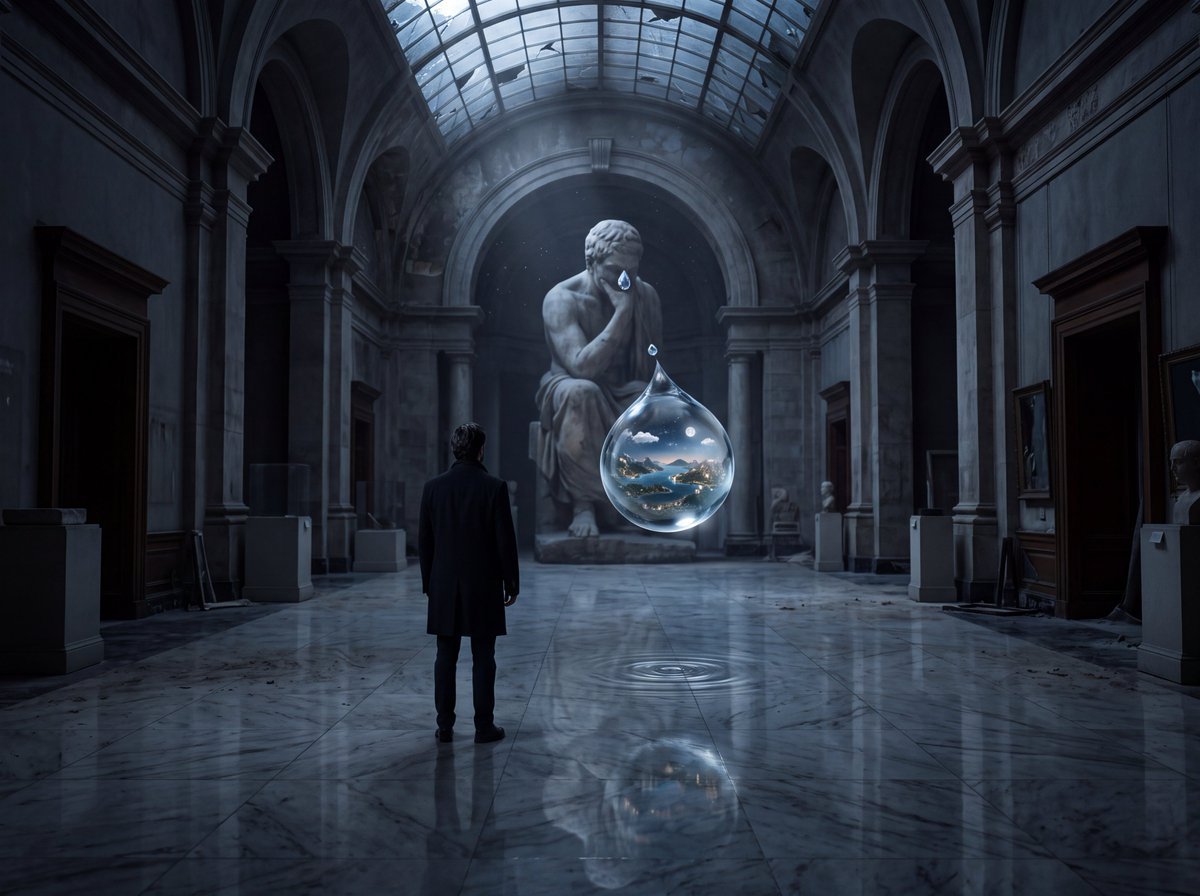
- Prompt included
- Model and format preset
- Free template
The prompt behind this image
Copy the exact prompt behind Universe Inside a Tear, or open it in the studio and make it yours.
Create an extraordinarily detailed, photorealistic cinematic image of a {argument name="subject" default="solitary human figure"} standing completely still in an enormous {argument name="location" default="abandoned museum"} at night. The museum is dark, silent, and architecturally majestic, with towering classical walls, enormous empty frames, marble floors, and faint moonlight entering through a shattered glass ceiling. The person is seen from behind, wearing a simple, elegant black coat. Their face is NOT visible. The central visual phenomenon: a {argument name="visual element" default="single enormous tear"} is falling from one of the eyes of a gigantic stone statue positioned at the far end of the museum. But instead of ordinary liquid, the tear is a perfectly transparent miniature universe. Inside the falling droplet exists an impossibly detailed alternate world — tiny mountains, oceans, cities, thunderstorms, forests, roads filled with microscopic headlights, and a tiny moon — all physically contained inside the spherical tear. The tear is frozen in midair approximately one meter above the marble floor, creating a breathtaking optical illusion. Its surface reflects the entire museum with perfect physical accuracy while the miniature world inside remains alive and illuminated. Hundreds of ordinary museum objects subtly interact with the phenomenon: dust particles suspended in moonlight, fragments of broken glass reflecting tiny galaxies, old paintings whose subjects appear to be looking toward the tear, and shallow ripples forming on the marble beneath it despite the droplet never touching the floor. Make the human figure extremely small compared with the statue and architecture, emphasizing scale and existential wonder. Lighting: realistic moonlight mixed with extremely subtle natural illumination coming from inside the tear. Strong volumetric light rays, physically accurate reflections, realistic refraction through the water, delicate shadows, cinematic contrast, natural atmospheric haze. Camera: low cinematic perspective, 35mm full-frame lens, shallow but controlled depth of field, extremely high dynamic range, carefully composed leading lines directing the eye from the person → statue → floating tear. Aesthetic: surreal concept executed with absolute photorealism. It must look like a real photograph captured by an elite cinematographer, NOT digital art. Ultra-fine skin, fabric, marble, dust, glass and water textures. Physically believable optics. Ray-traced reflections and refractions. Micro-details everywhere. Natural film grain. Subtle lens imperfections. No excessive glow. Composition should feel like a once-in-a-lifetime photograph that makes the viewer stop scrolling and stare. 8K detail, photorealistic, cinematic masterpiece, museum-scale composition, surreal realism, optical illusion, emotionally haunting, sophisticated visual storytelling, award-winning photography.
How to use Universe Inside a Tear in 3 steps
- 1
Open
The prompt is already in the box next to the preview, with the template's model and format selected.
- 2…a portrait of your subject in softgolden-hour light, 85mm…
Personalize
Edit the subject and creative details for your destination.
- 3Generate
Generate
Press Generate — your image is created in PicX Studio, so you can compare it with the original and refine one variable at a time.
More like this
Templates with the same subject, style or setup. Open one to see its prompt.

Creative Character in Pink Office

Avant-Garde Asian Fashion Model

Underwater Macro Face Portrait

Water-level Bridge Modification

Noir Punk Street Portrait

High Contrast Cinematic Face Portrait

Monochrome Studio Portrait with Colored Lens

Ultra-Realistic Yacht Sunset Portrait

Mushroom Still Life Composition

Whimsical Anthropomorphic Friendly Insect

Pop Art Summer Fruit Fashion Illustration
Dark Cinematic Window Lighting Portrait
Make it yours
Universe Inside a Tear works as-is. These are the safest ways to change it without losing the look.
Change one field
Copy a single group, rewrite it, and generate again so you can see what that field is doing.
Keep the frame, change the subject
Hold the composition and light of Universe Inside a Tear, then swap wardrobe, props or the person for a new take.
| If the result… | Why | Fix |
|---|---|---|
| The result drifts from the preview | Too many fields changed at once. | Reuse Universe Inside a Tear as-is first, then change one group — subject, light, or setting. |
| The model over-stylizes the scene | The prose prompt leaves finish and camera underspecified. | Add one camera or lighting sentence and stay on Gemini 3 Pro Image Preview. |
More Gemini 3 Pro Image Preview templates
Other prompts made for Gemini 3 Pro Image Preview.

Cinematic Urban Night Billboard Portrait

Ultra-Realistic iPhone Selfie with Motion Blur

Cinematic Mirror Reflection Portrait

Elegant Men's Twilight Editorial

Coastal Freedom Sunset Portrait

Ergonomic Office Chair E-commerce Mobile Detail Page

Macro Guitar Fret Dressing

Cinematic Black and White Studio Portrait

1980s Retro Salon Portrait

Felt Frog Diorama Beach
More image prompts
Fresh picks from across the catalog.
Y2K Cinematic Portrait in a Convenience Store

Mythological Character Avatar Grid

Skincare Commercial Storyboard

Steampunk Miniature Clockwork Machine
Floating Sky Castle Digital Art Poster Prompt
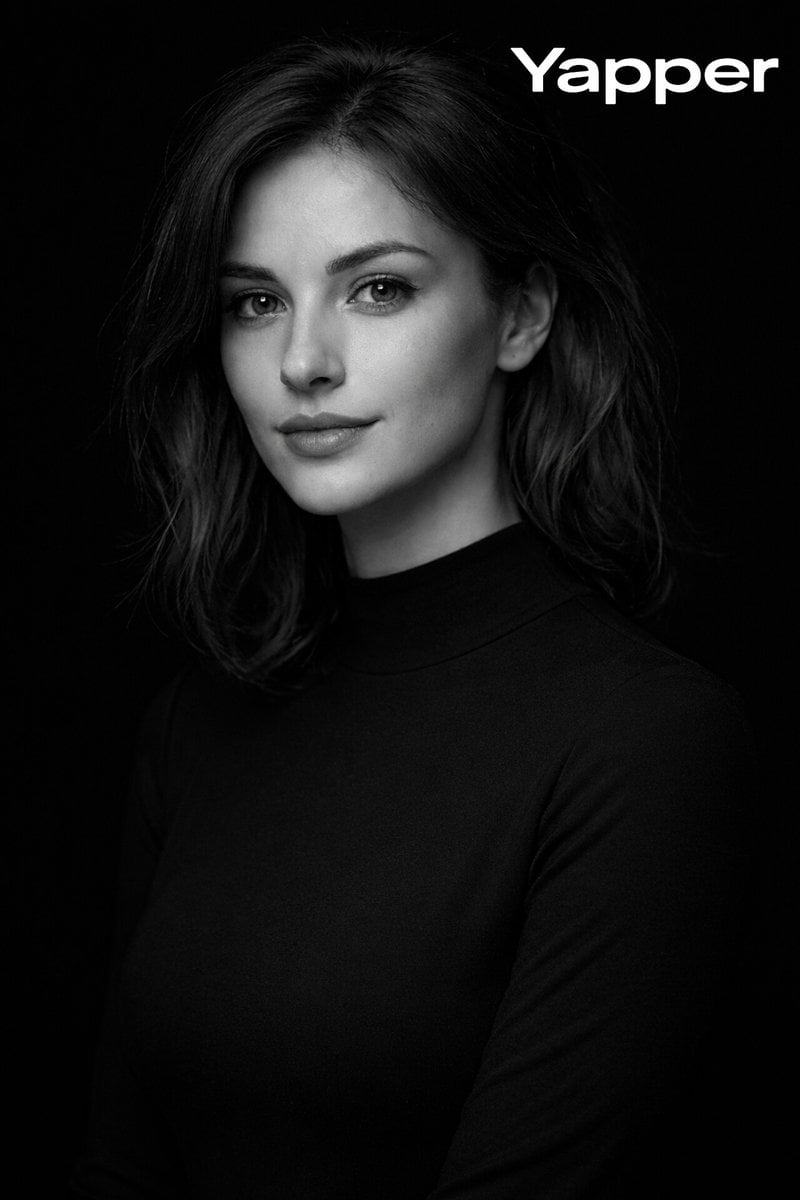
Monochromatic Fine-Art Studio Portrait

Candid Mirror Selfie with Exaggerated Figure and Cluttered Room

Collectible Card in Zip Bag Macro Photography Prompt

Luxury Private Jet Photoshoot Prompt for Stylish Young Woman

Gpt2 E Commerce Main Image Industrial Design Presentation Sheet
Browse template categories
Universe Inside a Tear questions
How do I use the Universe Inside a Tear template?
Add your photo if the template asks for one, edit the prompt if you like — the template's model and format are already selected — and press Generate. Your version opens in PicX Studio.
Can I customize the Universe Inside a Tear template?
Yes. You can change the subject, setting, lighting, mood, format, and available model controls before creating your image.
Is the Universe Inside a Tear template free?
Opening and editing this template is free. Generating uses credits, shown on the Generate button when you are signed in.
Which AI model should I use?
Start with Gemini 3 Pro Image Preview, which is the model associated with this template. You can compare another compatible model for a different finish.
Looking for something else? Browse all templates.

Your photo, any look
Thousands of ready templates for every top image and video model, from one credit balance.