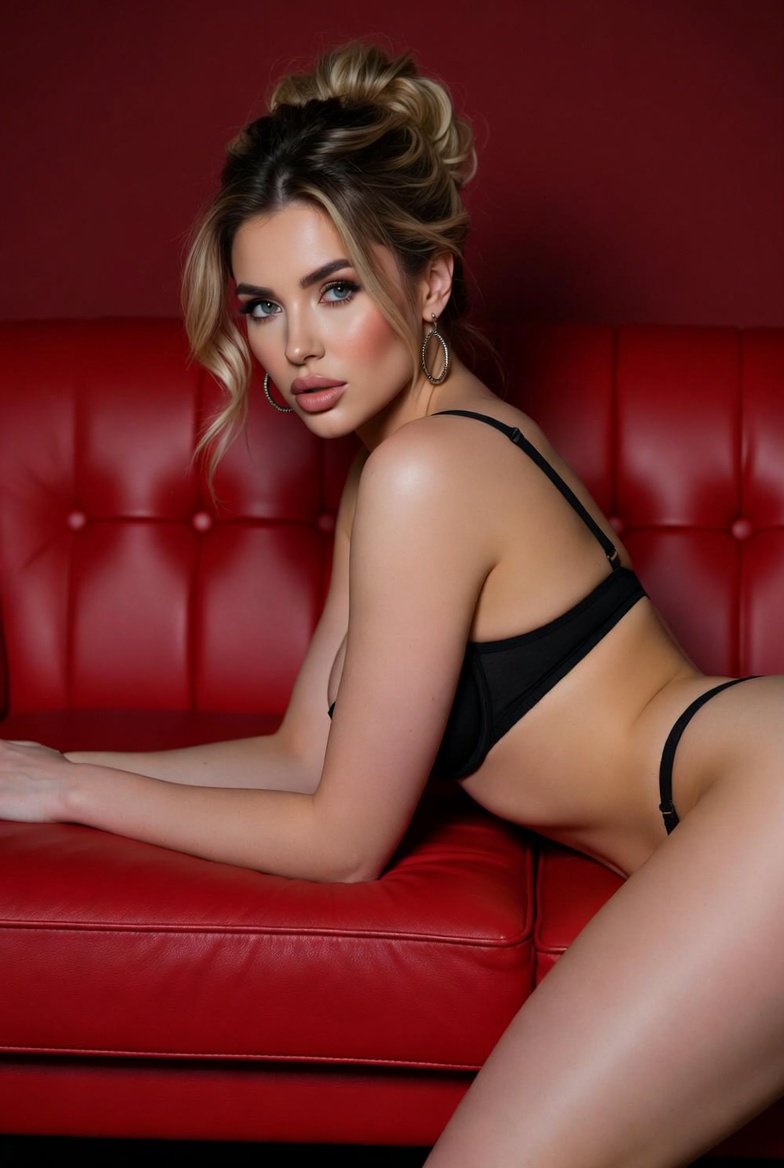
How do I use the Seductive Red Lounge Fashion Portrait template?
Choose the primary action to open PicX Studio with the available template settings. Review the model and format, personalize the creative direction, and generate when ready.
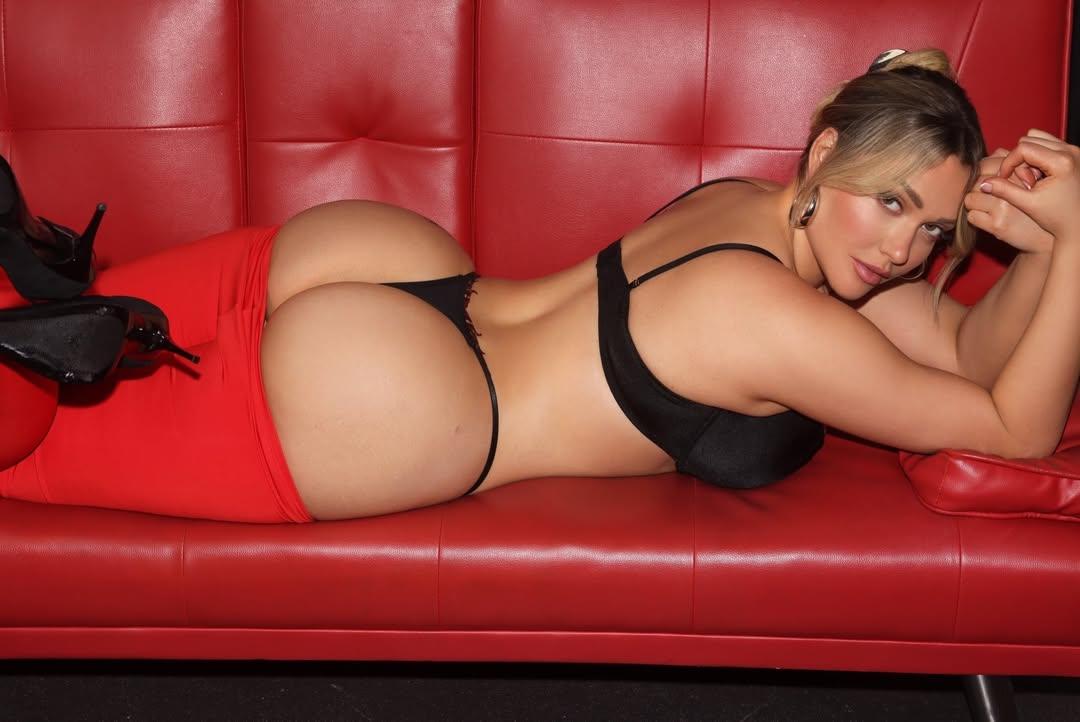
A highly detailed, structured prompt for generating a high-fashion glamour photograph. The scene features a curvy woman in black lingerie and a red mini skirt, lying on a bright red leather couch, emphasizing high contrast, studio lighting, and a seductive mood. (free to use) — Free AI image template on PicX Studio.
{ "title": "Seductive Red Lounge Portrait", "type": "fashion_glamour_photography", "aspect_ratio": "16:9", "subject": { "gender": "female", "age": "adult", "body_type": "curvy, voluptuous", "pose": "lying on stomach on a red leather couch, upper body slightly propped up on forearms, head tilted slightly forward, direct gaze toward camera", "expression": "confident, sultry, relaxed", "hair": { "color": "blonde with darker roots", "style": "loose updo with soft strands framing the face" }, "makeup": { "style": "glamorous", "details": "defined brows, contoured cheeks, soft blush, glossy nude lips, subtle smoky eye" } }, "wardrobe": { "top": "black bra with thin straps", "bottom": "black thong partially visible", "skirt": "tight red mini skirt pulled slightly upward", "footwear": "black high heels with stiletto heel", "accessories": "large metallic hoop earrings" }, "environment": { "location": "studio setting", "furniture": "bright red leather couch with tufted backrest", "background": "solid red padded leather panels", "floor": "dark, minimally visible" }, "lighting": { "type": "studio lighting", "style": "even, soft but directional", "key_light": "front-facing softbox highlighting face and upper body", "fill_light": "subtle fill to reduce harsh shadows", "highlights": "soft sheen on skin and leather surface" }, "camera": { "angle": "side perspective at couch level", "focus": "sharp focus on face and torso", "depth_of_field": "moderate, subject fully in focus", "lens": "85mm portrait lens", "quality": "high resolution, ultra-detailed" }, "color_palette": { "primary_colors": ["red", "black"], "skin_tones": "warm, golden undertones", "contrast": "high contrast between red couch and black clothing" }, "mood": "bold, seductive, high-fashion glamour", "style_keywords": [ "editorial fashion", "luxury glamour", "sensual pose", "studio photography", "high detail", "cinematic lighting", "vibrant red tones", "modern aesthetic" ], "render_settings": { "resolution": "4k", "sharpness": "high", "texture_detail": "enhanced skin texture and leather detail", "post_processing": "color grading emphasizing red saturation and warm skin tones" } }
Use Seductive Red Lounge Fashion Portrait to plan an AI image around nano-banana-2 generation. Match the preview's composition first, then personalize the subject, setting, and mood for your own project.
Use the primary action to load the template settings in PicX Studio.
Adjust the subject and creative details for your destination.
Create the image, compare the result with the preview, and refine one variable at a time.
A continuous mix — similar concepts first, woven with same-model prompts and fresh picks from the catalog.
Choose the primary action to open PicX Studio with the available template settings. Review the model and format, personalize the creative direction, and generate when ready.
Yes. You can change the subject, setting, lighting, mood, format, and available model controls before creating your image.
This template is free to open and customize. Generation usage is shown in PicX Studio before you create.
Start with nano-banana-2, which is the model associated with this template. You can compare another compatible model for a different finish.
Follow a topic to a crawlable collection of related PicX Studio templates.
39,155 public templates available. Verified via the PicX Studio public templates API; refreshed hourly.
A continuous mix — similar concepts first, woven with same-model prompts and fresh picks from the catalog.