
Classic Camaro Desert Powerslide
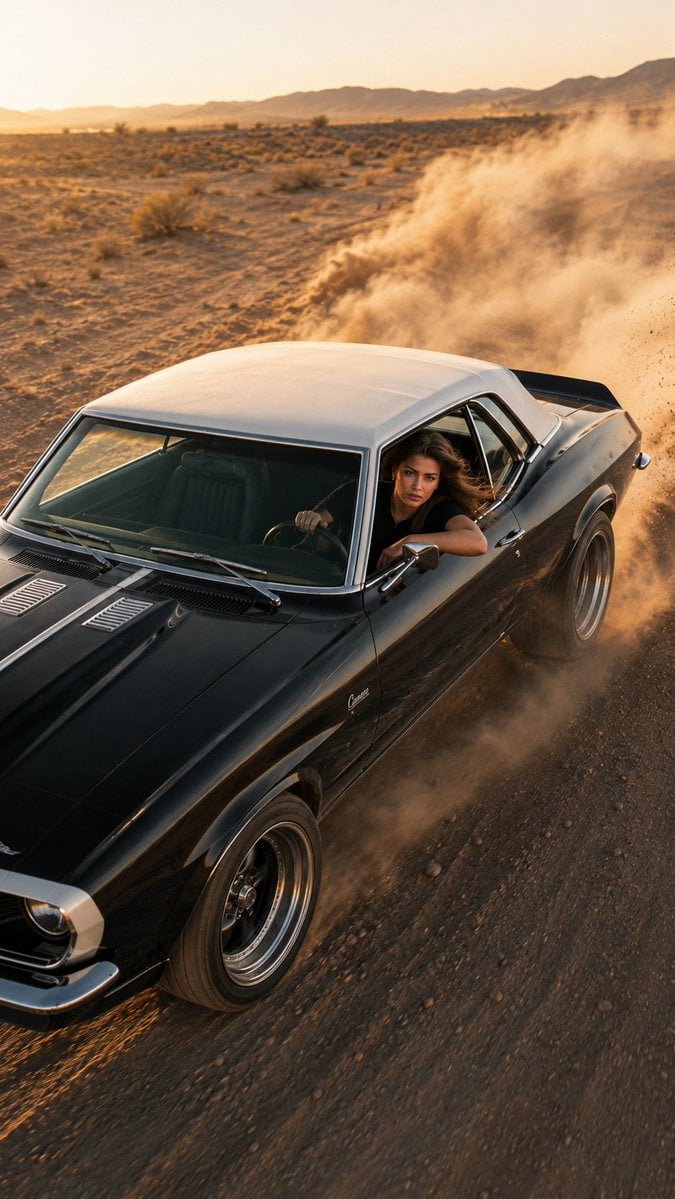
A high-octane editorial automotive photograph of a 1969 Chevrolet Camaro drifting in the desert at sunset, featuring realistic dust simulation and motion blur.
- Prompt included
- Model and format preset
- Free template
The prompt behind this image
Copy the exact prompt behind Classic Camaro Desert Powerslide, or open it in the studio and make it yours.
Create an ultra-photorealistic 8K UHD RAW HDR automotive editorial photograph of a {argument name="car model" default="1969 first-generation Chevrolet Camaro"}, {argument name="car color" default="glossy black body with a clean white roof"}, performing an aggressive high-speed powerslide on an open desert dirt road. Thick realistic dust erupts from the rear tires with natural turbulence, flying gravel and sharp tire tracks conveying extreme speed. A {argument name="driver" default="young female driver"} leans slightly toward the open window, left arm casually resting on the door, right hand gripping the wheel. Her face is clearly visible, sharp and unobstructed, eyes focused forward, calm confident expression, windblown hair, natural skin texture. No reflections, shadows, or glass obstructing his face. Composition: vertical 9:16, dramatic high-angle aerial front 3/4 view from approximately 45–70° above, as if tracked by a drone. Car fills 75–80% of frame, white roof clearly visible, massive dust trail behind it, slight negative space ahead to emphasize motion. Lighting: golden-hour sunset, warm directional light on the car and driver, subtle natural rim light, realistic glossy reflections, long dramatic shadows, perfectly balanced facial exposure. Look: premium automotive editorial photography, cinematic Kodak Portra 400 aesthetic, warm earthy tones, golden highlights, slightly cool shadows, natural saturation, medium contrast, high dynamic range, subtle analog film grain. Vehicle: authentic 1969 Camaro proportions, pristine glossy black paint, white roof, classic five-spoke racing wheels, realistic torque deformation on rear tires, dust on lower body, crisp chrome and body-line details. Camera: Sony A1 II, FE 50mm f/1.2 GM, 50mm, f/2.8, 1/2500s, ISO 200, continuous AF, tracking/panning. Ultra-sharp focus on driver’s face, hands, roof and front body; natural motion blur only on wheels and dust. Environment: vast barren desert landscape, clear warm sky, unobstructed horizon, cinematic atmospheric dust. Quality: physically accurate lighting, realistic reflections, natural skin, authentic vehicle materials, realistic dust simulation, true-to-life motion physics, hyper-detailed, cinematic, premium editorial, IMAX-quality realism. Negative: CGI, cartoon, anime, AI artifacts, low resolution, oversaturated colors, overprocessed HDR, blurry/obscured face, reflective glass over face, distorted car, warped panels, duplicated wheels, unrealistic dust, deformed hands/face, plastic skin, excessive sharpening, watermark, text, logo, cropped vehicle, out of frame, compression artifacts, ghosting.
How to use Classic Camaro Desert Powerslide in 3 steps
- 1
Open
The prompt is already in the box next to the preview, with the template's model and format selected.
- 2…a portrait of your subject in softgolden-hour light, 85mm…
Personalize
Edit the subject and creative details for your destination.
- 3Generate
Generate
Press Generate — your image is created in PicX Studio, so you can compare it with the original and refine one variable at a time.
More like this
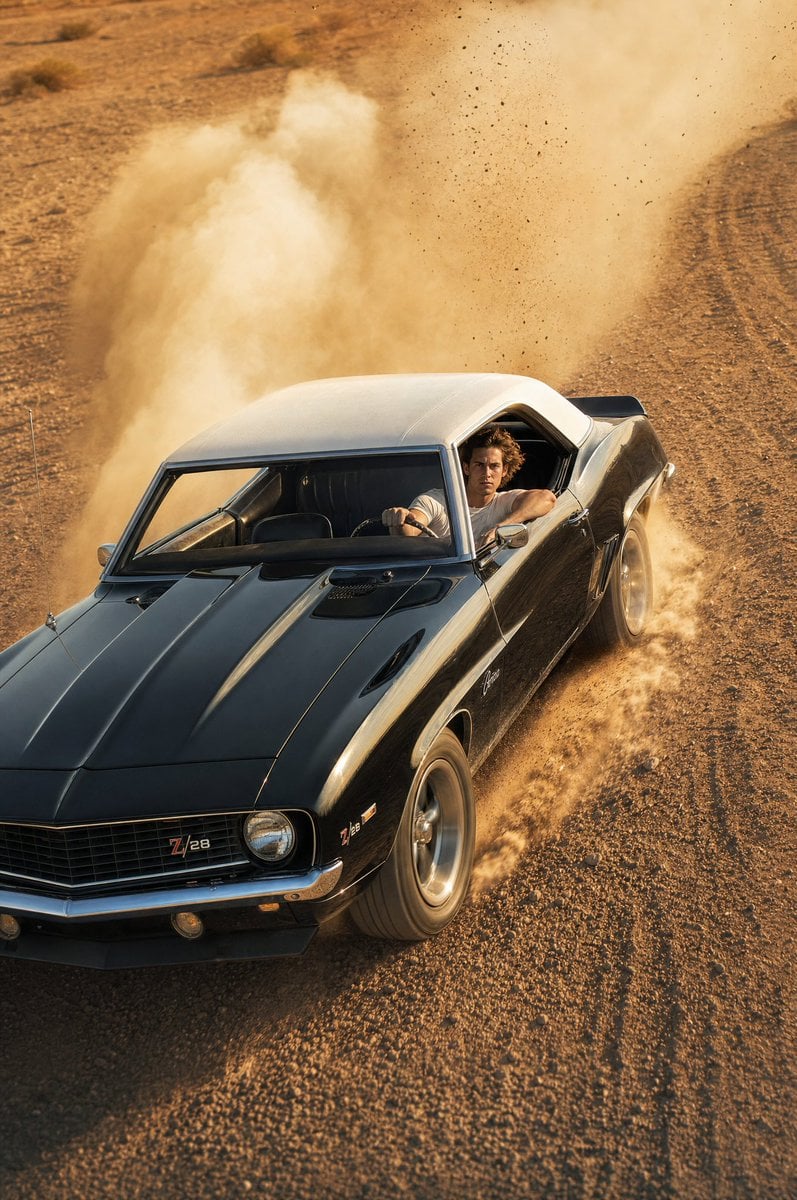
Templates with the same subject, style or setup. Open one to see its prompt.











Make it yours
Classic Camaro Desert Powerslide works as-is. These are the safest ways to change it without losing the look.
Change one field
Copy a single group, rewrite it, and generate again so you can see what that field is doing.
Keep the frame, change the subject
Hold the composition and light of Classic Camaro Desert Powerslide, then swap wardrobe, props or the person for a new take.
| If the result… | Why | Fix |
|---|---|---|
| The result drifts from the preview | Too many fields changed at once. | Reuse Classic Camaro Desert Powerslide as-is first, then change one group — subject, light, or setting. |
| The model over-stylizes the scene | The prose prompt leaves finish and camera underspecified. | Add one camera or lighting sentence and stay on GPT Image 2. |
More GPT Image 2 templates
Other prompts made for GPT Image 2.

Six VTuber Japanese Logo Sheet

Realistic Portrait of Woman and Deer

The Vista Modular Condo Poster

AI Model Routing Comparison Infographic

2.5D Anime Art Board

Isometric Productivity Desk Scene

New York Double Exposure Poster

Four-Panel AI Landscape Comparison

Japanese Tatami Lifestyle Magazine Cover

NESCAFÉ Coffee Map Poster
More image prompts
Fresh picks from across the catalog.
Chibi Rabbit OpenPose Diagram
Futuristic Noir Cinematic Portrait
Moody Censored Elderly Man Portrait
untitled
Anonymous Male Editorial Contact Sheet
Nano Banana Pro prompt for a photorealistic image of a woman in a cafe
Luxury Bilingual Tasting Menu Photo
Surreal Anthropomorphic Lemon Still Life Prompt
Multilingual Gym Scene Prompts (Hindi/Urdu)
Cinematic Editorial Portrait Prompt
Browse template categories
Classic Camaro Desert Powerslide questions
How do I use the Classic Camaro Desert Powerslide template?
Add your photo if the template asks for one, edit the prompt if you like — the template's model and format are already selected — and press Generate. Your version opens in PicX Studio.
Can I customize the Classic Camaro Desert Powerslide template?
Yes. You can change the subject, setting, lighting, mood, format, and available model controls before creating your image.
Is the Classic Camaro Desert Powerslide template free?
Opening and editing this template is free. Generating uses credits, shown on the Generate button when you are signed in.
Which AI model should I use?
Start with GPT Image 2, which is the model associated with this template. You can compare another compatible model for a different finish.
Looking for something else? Browse all templates.

Your photo, any look
Thousands of ready templates for every top image and video model, from one credit balance.