How do I use the Pop Anime Street Sketch Transformation template?
Choose the primary action to open PicX Studio with the available template settings. Review the model and format, personalize the creative direction, and generate when ready.
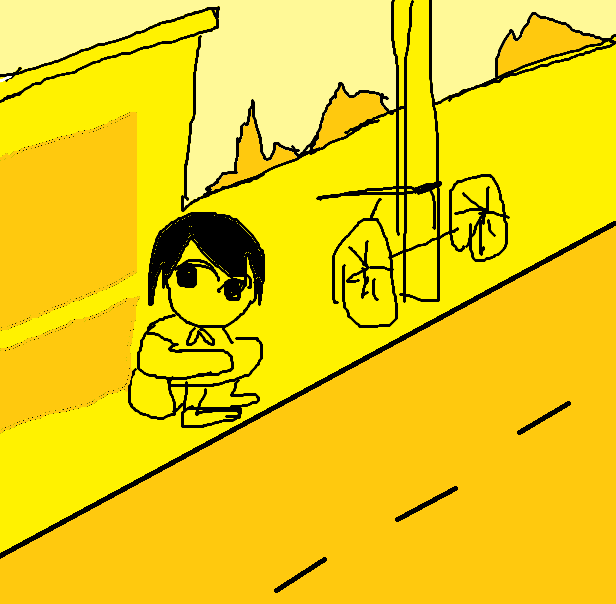
Transforms a rough street-side sketch into a polished high-contrast yellow and pink anime illustration with a seated chibi girl and bicycle.
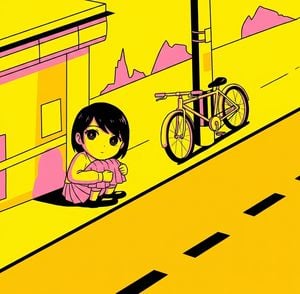
Using the provided rough sketch as the composition reference, transform it into a polished stylized anime illustration. Keep the same overall scene: a small girl sitting on the sidewalk at the lower left, a sloping street on the right, a wall and building behind her, a utility pole near the center-right, a bicycle leaning beside the pole, and jagged distant hills behind the wall. Refine the child into a cute chibi/anime girl with a quiet, slightly sad expression, sitting curled up and hugging her knees. Convert the crude lines into clean bold black outlines and flat cel-shaded color. Use an intense limited palette dominated by bright yellow, black, and hot pink, with pink accents on the building trim, shadows, hills, bicycle details, and the girl’s clothing. Add graphic road markings: exactly 3 black rectangular dash marks on the road plus 2 thin diagonal road lines farther back. Make the bicycle detailed but still simplified, with two visible wheels, frame, handlebar, seat, pedals, and fenders. Style the final image like a high-contrast pop-anime album-cover illustration, clean, sharp, saturated, and poster-like, while preserving the reference layout and perspective.
Pop Anime Street Sketch Transformation needs input media to work. Open it in the studio and these load alongside the prompt — pick whichever ones your chosen model can take.
Choose the primary action to open PicX Studio with the available template settings. Review the model and format, personalize the creative direction, and generate when ready.
Yes. You can change the subject, setting, lighting, mood, format, and available model controls before creating your image.
This template is free to open and customize. Generation usage is shown in PicX Studio before you create.
Start with GPT Image 2, which is the model associated with this template. You can compare another compatible model for a different finish.
Follow a topic to a crawlable collection of related PicX Studio templates.