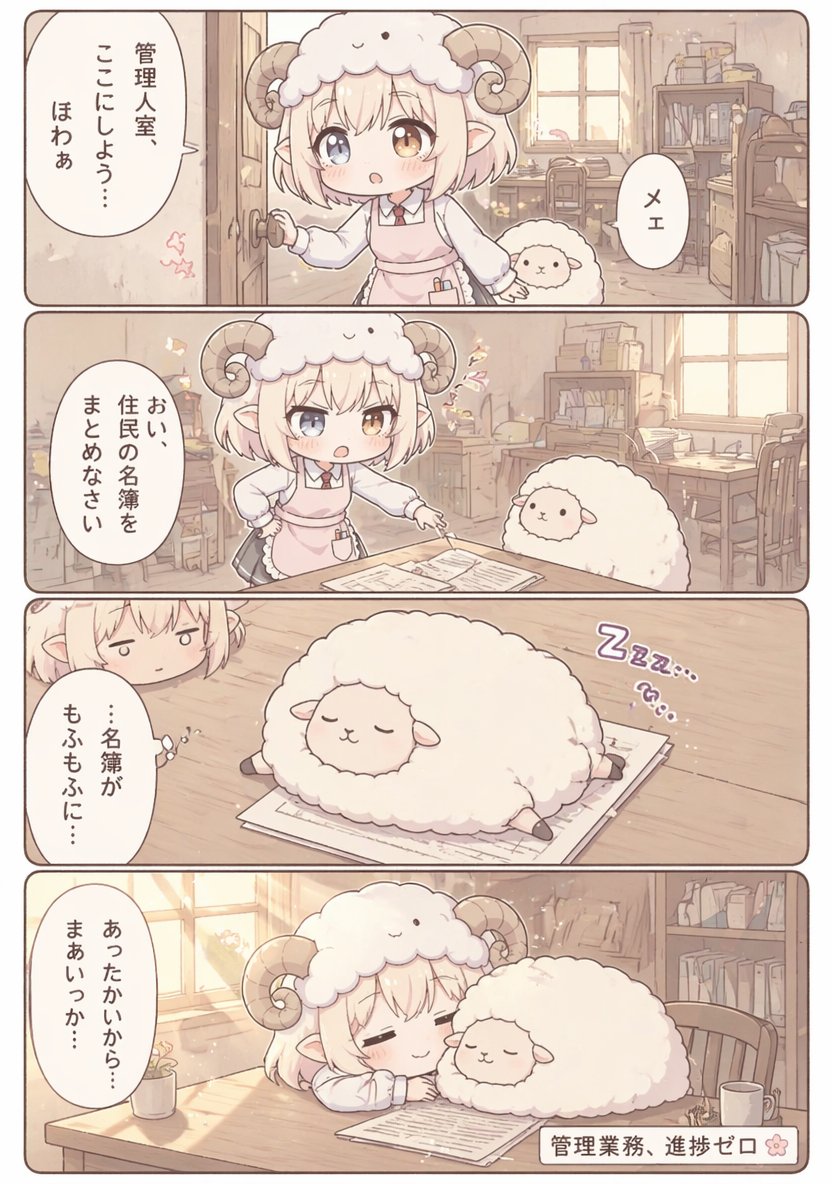
Cute Sheep Girl Office Manga Page
{"type":"four-panel manga page","style":"soft pastel anime chibi, warm beige and cream palette, gentle morning light, rounded panel borders, clean readable Japanese dialogue, cozy comedic fantasy office slice-of-life","page":{"orientation":"vertical","panel_count":4,"gutter":"thin white spacing","border":"rounded brown outlines"},"setting":{"location":"small management office interior","details":["wooden floor","sunlit window","desk with papers","wooden chairs","bookshelves full of files and books","stacked boxes and office supplies","soft dust motes and sparkles in the light"]},"characters":[{"role":"main character","appearance":"tiny chibi sheep girl clerk with short fluffy blond bob hair, one blue eye and one amber eye, small elf-like ears, large curled ram horns, fluffy sheep hood shaped like a sheep face, white blouse, red necktie, pale pink apron dress, small pen in apron pocket"},{"role":"secondary character","appearance":"round fluffy white sheep with tiny face and short legs, very plush and cloud-like"}],"layout":{"sections":[{"title":"panel 1","position":"top","count":3,"labels":["sheep girl opening the office door and looking inside","small sheep peeking beside her","one oval speech bubble on the left and one small oval bubble on the right"]},{"title":"panel 2","position":"upper middle","count":3,"labels":["sheep girl standing by a desk with one hand on hip and one hand pointing to documents","small sheep sitting by the desk","single large oval speech bubble on the left"]},{"title":"panel 3","position":"lower middle","count":3,"labels":["sleeping fluffy sheep sprawled on top of paperwork","partial close-up of the sheep girl peeking in from the upper left with a tired expression","purple sleeping sound effect text on the right"]},{"title":"panel 4","position":"bottom","count":4,"labels":["sheep girl asleep at the desk with closed eyes and a faint smile","fluffy sheep sleeping beside her on the paperwork","warm sunlight streaming from the left window","small rectangular caption box at bottom right"]}]},"text":{"language":"Japanese","elements":[{"kind":"speech bubble","panel":1,"text":"管理人室、ここにしよう… ほわあ"},{"kind":"speech bubble","panel":1,"text":"メェ"},{"kind":"speech bubble","panel":2,"text":"おい、住民の名簿をまとめなさい"},{"kind":"speech bubble","panel":3,"text":"…名簿が もふもふに…"},{"kind":"sound effect","panel":3,"text":"Zzz…"},{"kind":"speech bubble","panel":4,"text":"あったかいから… まあいっか…"},{"kind":"caption","panel":4,"text":"{argument name="caption text" default="管理業務、進捗ゼロ"}"}]},"composition":"keep all four panels in the same office for continuity; emphasize cute facial expressions, fluffy textures, and the joke that office work stops because the sheep and clerk fall asleep together on the paperwork; make the documents clearly visible in panels 2 through 4; preserve a calm, sleepy, heartwarming tone"}





![69-untitled — FORMAT: 15s / 145 BPM / 14 SHOTS
SUBJECT: @[image1]
WARDROBE: Clean modern outfit
ENVIRONMENT: Street / indoor transitions
MOOD: Discovery → contr](/_next/image?url=https%3A%2F%2Fcdn.picxstudio.com%2Fuploads%2Fpost69_img0_d45faecf-38c3-4bcb-81a4-f6eb1cf42bb2.jpg&w=828&q=100)











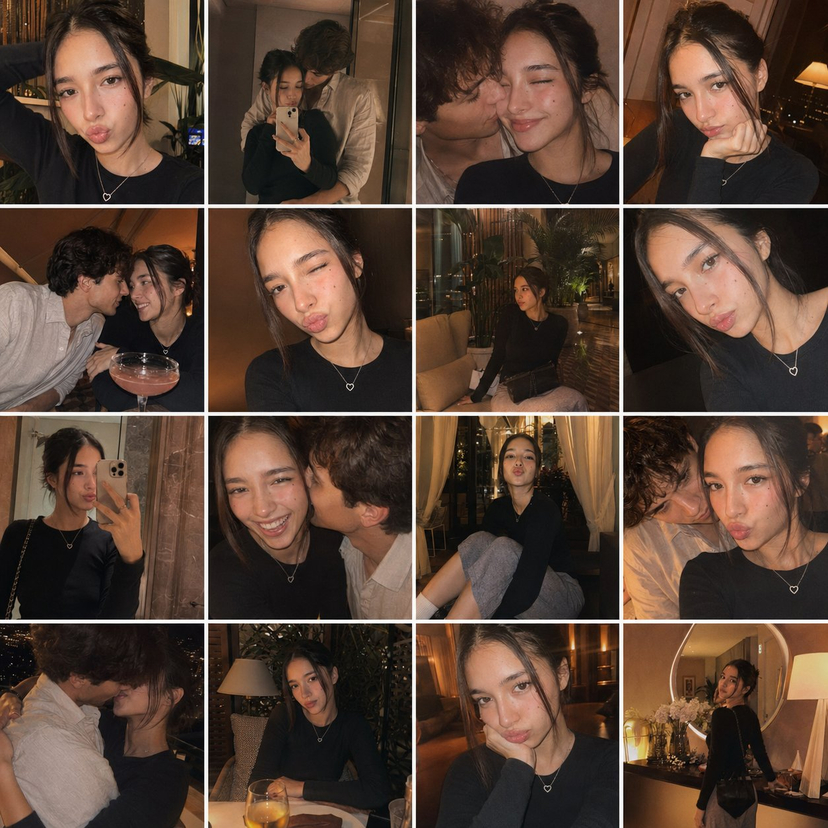



![118-google-nano-banana-pro-skincare-product- — A professional skincare shot of a [product container] with [cap/lid], labeled [brand, product, descriptor, volume](/_next/image?url=https%3A%2F%2Fcdn.picxstudio.com%2Fuploads%2Fpost118_img0_332898b8-29ea-42a9-87ab-9ed746a3f944.jpg&w=828&q=100)


![Naive doodle-style subject illustration — A doodle-style {argument name="subject" default="[subject]"}, naive lines, humorous shape exaggeration](https://pbs.twimg.com/media/G6Wl2YxbsAARB2b.jpg)



















![Summer Beach Portrait with Coconut — [인물의 포즈 및 표정]
하얀 모래사장 위에 쪼그려 앉아 한 손으로 커다란 {argument name="음료" default="초록색 생코코넛"}을 들고 빨대로 음료를 마시는 듯한 포즈를 취하고 있습니다. 카메라를 정면](https://cms-assets.youmind.com/media/1780822692209_n7bzi0_HKAfK4XagAAVDJx.jpg)