How do I use the Futuristic Car Commercial Prompt (Y - Drive the Future) template?
Edit the prompt in the box under the preview — the template's model and format are already selected — and press Generate. Your version appears right on this page.
A detailed, multi-shot prompt for a 15-second Hollywood-style commercial for a futuristic vehicle 'Y', featuring a transformation sequence from ground traffic to vertical flight in a cyberpunk, rainy night setting.
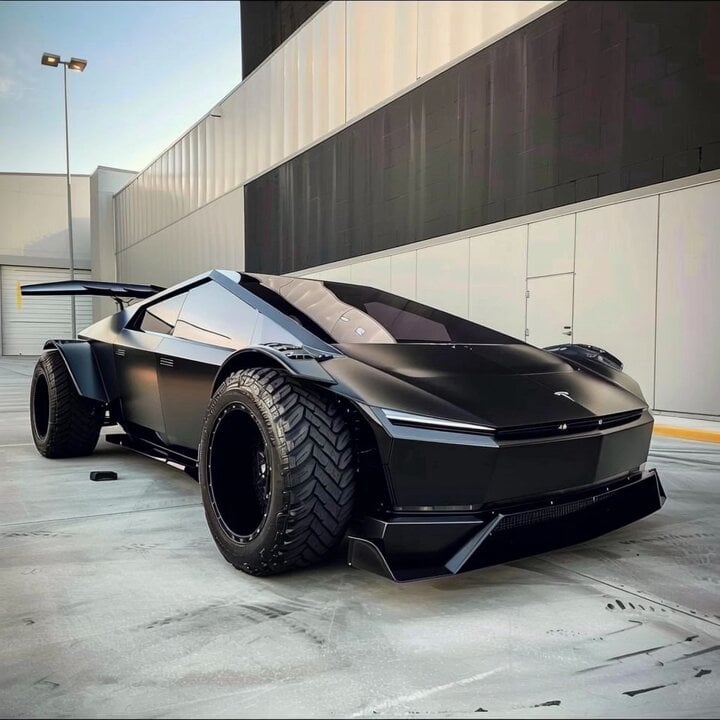
Brand Y · The Future Has Arrived (15 Seconds · Hollywood Commercial Blockbuster Edition) Core concept Gridlocked ground traffic (real-world struggle) -> mechanical transformation (tech highlight) -> vertical takeoff (freedom and the future). Style Top-tier car commercial texture (High-end Car Commercial). A cyberpunk future city, a cold rainy night, neon light and shadow. 8K ultra-HD, Transformers-level mechanical detail, a sense of extreme-speed streaking light. Storyboard Breakdown Shot 1: Gridlocked on the Ground Frame: close-up. A sleek, streamlined silver supercar, "Y," sits motionless on a gridlocked, neon-lit, rainy street at night. Rain slides down its glossy paintwork, reflecting the red taillights. Detail: the minimalist glowing "Y" logo on the hood pulses faintly like a breathing light. Around it, the noise of honking horns fills the air; the protagonist (the car) appears calm and elegant. Shot 2: Mechanical Awakening Frame: extreme macro close-up (Extreme Macro). Action: the drive mode switches. Precise mechanical meshing sounds come from inside the wheels, the tires rotate 90 degrees downward, revealing internal thruster vents. Effect: pale blue plasma thrusters ignite instantly, flash-evaporating the rainwater on the road into white mist. The car's body rises smoothly into a stable vertical hover amid the crowd's gasps of amazement. Shot 3: Soaring Into the Future Frame: wide-angle tracking shot. Action: from a standstill, it accelerates instantly. The car "Y" becomes a bolt of silver lightning, rising vertically and weaving at extreme speed between skyscrapers, leaving the red river of ground traffic far below. Final freeze-frame: the car flies toward a massive full moon, a silver metallic 3D logo appearing at the center of the frame: "Y - Drive the Future."
Brand Y · The Future Has Arrived (15 Seconds · Hollywood Commercial Blockbuster Edition) Core concept Gridlocked ground traffic (real-world struggle) -> mechanical transformation (tech highlight) -> vertical takeoff (freedom and the future). Style Top-tier car commercial texture (High-end Car Commercial). A cyberpunk future city, a cold rainy night, neon light and shadow. 8K ultra-HD, Transformers-level mechanical detail, a sense of extreme-speed streaking light. Storyboard Breakdown Shot 1: Gridlocked on the Ground Frame: close-up. A sleek, streamlined silver supercar, "Y," sits motionless on a gridlocked, neon-lit, rainy street at night. Rain slides down its glossy paintwork, reflecting the red taillights. Detail: the minimalist glowing "Y" logo on the hood pulses faintly like a breathing light. Around it, the noise of honking horns fills the air; the protagonist (the car) appears calm and elegant. Shot 2: Mechanical Awakening Frame: extreme macro close-up (Extreme Macro). Action: the drive mode switches. Precise mechanical meshing sounds come from inside the wheels, the tires rotate 90 degrees downward, revealing internal thruster vents. Effect: pale blue plasma thrusters ignite instantly, flash-evaporating the rainwater on the road into white mist. The car's body rises smoothly into a stable vertical hover amid the crowd's gasps of amazement. Shot 3: Soaring Into the Future Frame: wide-angle tracking shot. Action: from a standstill, it accelerates instantly. The car "Y" becomes a bolt of silver lightning, rising vertically and weaving at extreme speed between skyscrapers, leaving the red river of ground traffic far below. Final freeze-frame: the car flies toward a massive full moon, a silver metallic 3D logo appearing at the center of the frame: "Y - Drive the Future."
Edit the prompt in the box under the preview — the template's model and format are already selected — and press Generate. Your version appears right on this page.
Yes. You can change the subject, setting, lighting, mood, format, and available model controls before creating your video.
Opening and editing this template is free. Generating uses credits, shown on the Generate button when you are signed in.
Start with Seedance 2.0, which is the model associated with this template. You can compare another compatible model for a different finish.
Follow a topic to a crawlable collection of related PicX Studio templates.