How do I use the Vintage Lo-Fi Poster Design with CRT TV template?
Choose the primary action to open PicX Studio with the available template settings. Review the model and format, personalize the creative direction, and generate when ready.
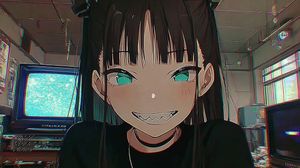
A detailed prompt for Nano Banana to create a vintage lo-fi poster design featuring a dark, retro living room, a glowing 90s CRT TV displaying a video game, and large typography, shot on 35mm film with heavy grain. (free to use) — Free AI image template on PicX Studio.
A vintage lo-fi poster design featuring a dark, retro living room. The main focus is a glowing 90s CRT TV displaying a retro soccer video game. Overlaid in the center is large, prominent typography: the word "OLD" in a hollow outline font, stacked above the word "DAYS" in a thick, solid white retro font. Small text reading "Ganerate with AI" is beneath it. In the extreme blurred foreground, out-of-focus retro video game controllers sit on a textured cushion. The TV rests on a wooden media stand cluttered with old game cases. The atmosphere is an intimate, late-night nostalgic memory. The physical lighting consists almost entirely of the greenish-white glow emitting from the TV screen, casting warm, moody shadows into the room. Shot on 35mm film with a low angle, featuring heavy film grain, dust, scratches, and a very shallow depth of field. Underexposed, vintage print texture, 9:16 aspect ratio.
Use Vintage Lo-Fi Poster Design with CRT TV to plan an AI image around nano-banana-2 generation. Match the preview's composition first, then personalize the subject, setting, and mood for your own project.
Use the primary action to load the template settings in PicX Studio.
Adjust the subject and creative details for your destination.
Create the image, compare the result with the preview, and refine one variable at a time.
A continuous mix — similar concepts first, woven with same-model prompts and fresh picks from the catalog.
Choose the primary action to open PicX Studio with the available template settings. Review the model and format, personalize the creative direction, and generate when ready.
Yes. You can change the subject, setting, lighting, mood, format, and available model controls before creating your image.
This template is free to open and customize. Generation usage is shown in PicX Studio before you create.
Start with nano-banana-2, which is the model associated with this template. You can compare another compatible model for a different finish.
Follow a topic to a crawlable collection of related PicX Studio templates.
39,157 public templates available. Verified via the PicX Studio public templates API; refreshed hourly.
A continuous mix — similar concepts first, woven with same-model prompts and fresh picks from the catalog.