How do I use the Sunlit Streetwear Jacket Portrait template?
Choose the primary action to open PicX Studio with the available template settings. Review the model and format, personalize the creative direction, and generate when ready.
This prompt generates a realistic fashion editorial image of a woman modeling an oversized varsity bomber jacket in a warm modern loft, ideal for apparel ads and streetwear product visuals. Change the subject, setting, or lighting one variable at a time.
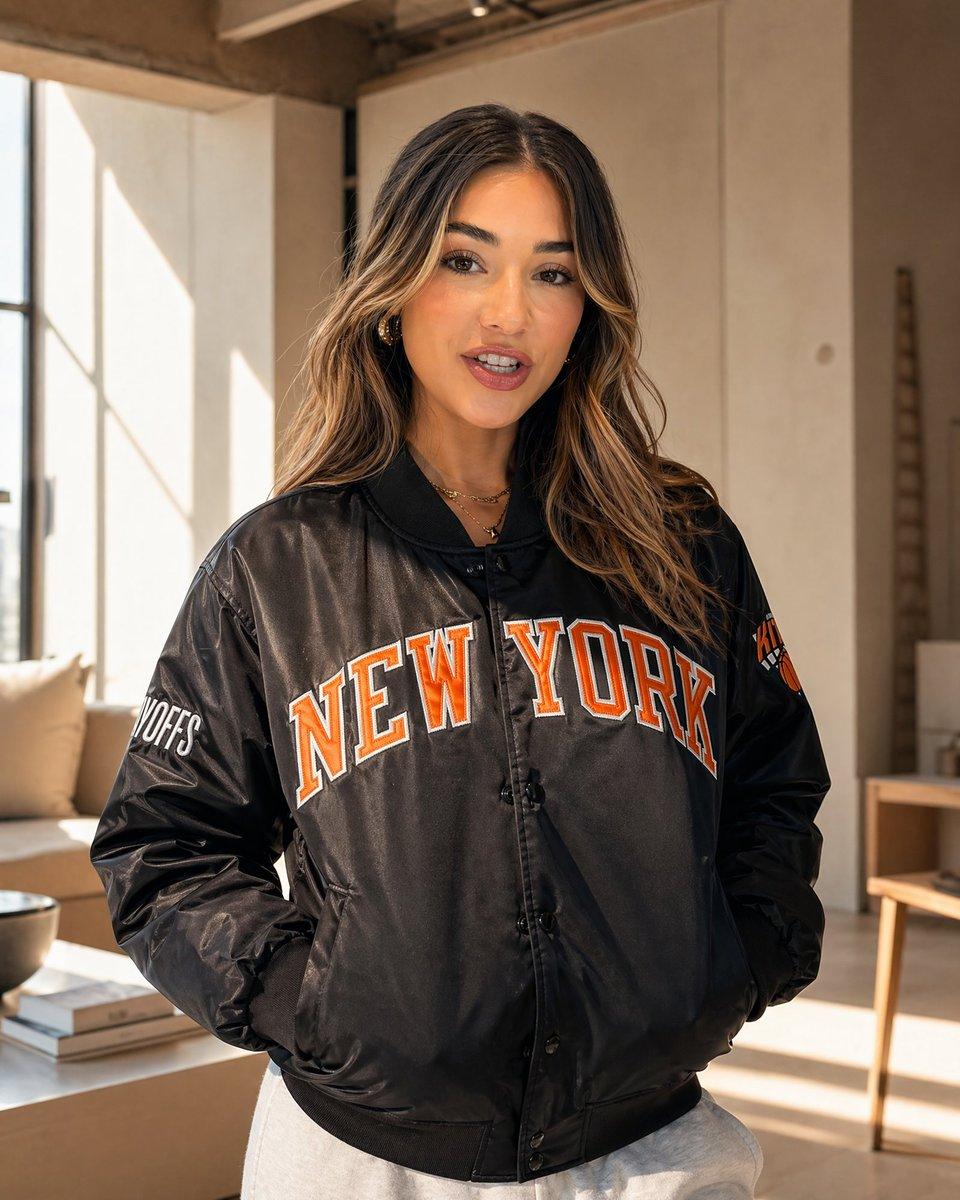
A realistic lifestyle fashion photo of a woman standing indoors in a warm, sunlit modern loft living room, framed from mid-thigh up, facing the camera with her hands tucked into the pockets of an oversized black satin varsity-style bomber jacket. The jacket is the clear focus: glossy black fabric, ribbed collar and hem, snap-button front, slightly puffed sleeves, and large collegiate lettering across the chest that reads {argument name="front text" default="NEW YORK"} in bold orange letters with white outlines. Add a smaller orange-and-white sports patch on the upper sleeve and white block text on the opposite sleeve for an authentic team-jacket feel. Style the model with long, loose, softly wavy balayage hair in {argument name="hair color" default="dark brown with caramel highlights"}, minimal jewelry including layered gold necklaces, and light gray sweatpants visible at the bottom of frame. Keep the face intentionally obscured with a centered rectangular blur block for privacy. The setting is a minimalist beige interior with tall industrial windows on the left casting strong morning sunlight and geometric shadows, a cream sofa with a pillow, a low coffee table with 3 stacked books and a dark bowl, pale walls, and a simple wooden side table in the background. Shoot in a high-end editorial e-commerce style with natural golden light, soft shadows, sharp jacket detail, shallow depth of field, neutral warm tones, and a clean premium streetwear aesthetic.
Choose the primary action to open PicX Studio with the available template settings. Review the model and format, personalize the creative direction, and generate when ready.
Yes. You can change the subject, setting, lighting, mood, format, and available model controls before creating your image.
This template is free to open and customize. Generation usage is shown in PicX Studio before you create.
Start with GPT Image 2, which is the model associated with this template. You can compare another compatible model for a different finish.
© 2026 PicX Studio. All rights reserved.

Follow a topic to a crawlable collection of related PicX Studio templates.
43,474 public templates available. Verified via the PicX Studio public templates API; refreshed hourly.



![118-google-nano-banana-pro-skincare-product- — A professional skincare shot of a [product container] with [cap/lid], labeled [brand, product, descriptor, volume](/_next/image?url=https%3A%2F%2Fcdn.picxstudio.com%2Fuploads%2Fpost118_img0_332898b8-29ea-42a9-87ab-9ed746a3f944.jpg&w=828&q=100)




![69-untitled — FORMAT: 15s / 145 BPM / 14 SHOTS
SUBJECT: @[image1]
WARDROBE: Clean modern outfit
ENVIRONMENT: Street / indoor transitions
MOOD: Discovery → contr](/_next/image?url=https%3A%2F%2Fcdn.picxstudio.com%2Fuploads%2Fpost69_img0_d45faecf-38c3-4bcb-81a4-f6eb1cf42bb2.jpg&w=828&q=100)















![Minimalist Flat Vector Travel Poster — Premium minimalist flat-vector travel poster for {argument name="city name" default="[CITY_NAME]"}, 3:4 vertical format.](https://cms-assets.youmind.com/media/1787917359711_3ug846_HQX205cbMAA6F6S-300x400.jpg)