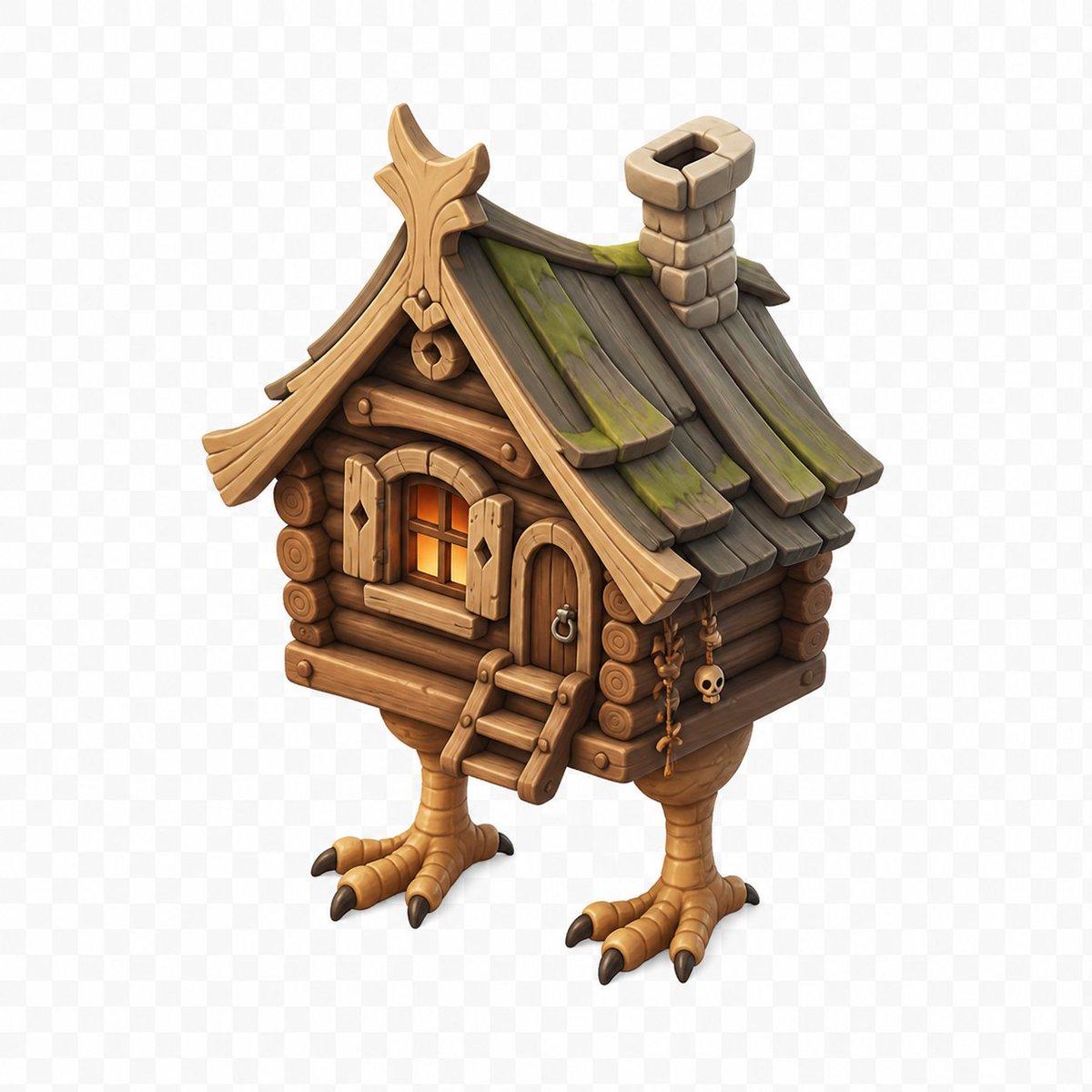
How do I use the Stylized Baba Yaga Hut template?
Choose the primary action to open PicX Studio with the available template settings. Review the model and format, personalize the creative direction, and generate when ready.
Generates a polished isometric 3D fantasy game asset of a wooden Baba Yaga hut standing on chicken legs. (free to use) — Free AI image template on PicX Studio.
Create a high-quality stylized 3D game asset of {argument name="subject" default="a Baba Yaga chicken-leg hut"}, centered on a transparent checkerboard background. The hut is an isometric three-quarter view facing slightly left, built from warm brown rounded log walls with visible circular log ends, a small arched wooden door on the front-right with a metal ring handle, and a small front window glowing orange from inside with open plank shutters. Add a short wooden ladder with three steps leading to the entrance. The roof is steep and whimsical, made of dark weathered wooden planks with green moss patches, curved golden-brown carved trim, an ornate peaked gable, and a chunky stone chimney near the back-right. The house stands on exactly two large bird-like legs with tan scaly texture, each ending in three forward toes and one rear toe with dark claws. Include small hanging charms on the right wall, including beads, bones, and a tiny skull. Use a polished fantasy miniature style, rounded shapes, hand-painted textures, soft ambient occlusion, subtle shadows, warm lighting, crisp edges, and no text.
Use Stylized Baba Yaga Hut to plan an AI image around gpt-image-2 generation, themes such as en and gpt-image-2. Match the preview's composition first, then personalize the subject, setting, and mood for your own project.
Use the primary action to load the template settings in PicX Studio.
Adjust the subject and creative details for your destination.
Create the image, compare the result with the preview, and refine one variable at a time.
A continuous mix — similar concepts first, woven with same-model prompts and fresh picks from the catalog.
Choose the primary action to open PicX Studio with the available template settings. Review the model and format, personalize the creative direction, and generate when ready.
Yes. You can change the subject, setting, lighting, mood, format, and available model controls before creating your image.
This template is free to open and customize. Generation usage is shown in PicX Studio before you create.
Start with gpt-image-2, which is the model associated with this template. You can compare another compatible model for a different finish.
A continuous mix — similar concepts first, woven with same-model prompts and fresh picks from the catalog.
Follow a topic to a crawlable collection of related PicX Studio templates.
36,410 public templates available. Verified via the PicX Studio public templates API; refreshed hourly.