
Chinese Tomato Nutrition Poster
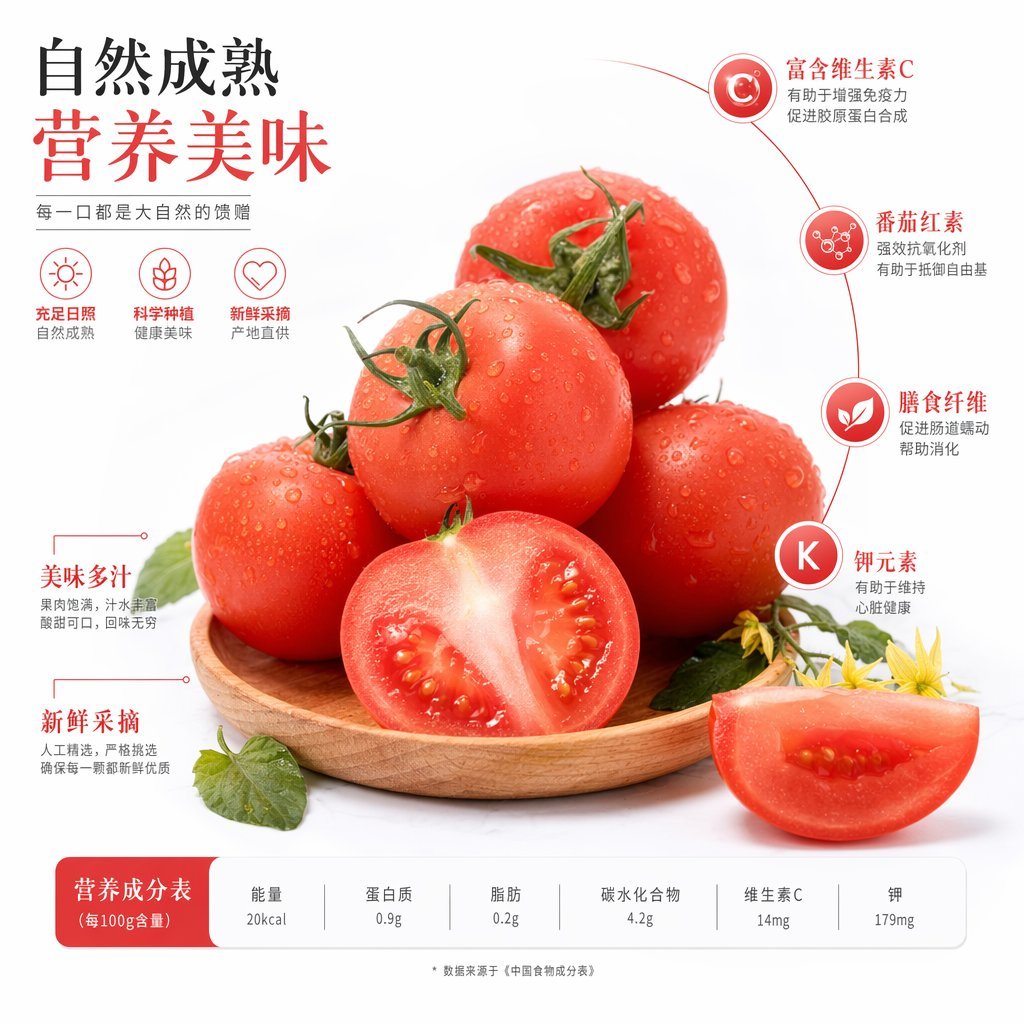
A polished Chinese produce advertisement showing fresh tomatoes with nutritional callouts and a bottom nutrition table, ideal for grocery, packaging, or food marketing visuals.
- Prompt included
- Model and format preset
- Free template
The prompt behind this image
Copy the exact prompt behind Chinese Tomato Nutrition Poster, or open it in the studio and make it yours.
A clean premium food advertisement poster on a light gray-white studio background, featuring {argument name="fruit name" default="tomatoes"} as the hero subject. In the center, show exactly 7 tomato pieces arranged on a shallow round wooden plate: 5 whole ripe red tomatoes stacked in a natural pyramid, 1 halved tomato standing upright at the front center with glossy flesh and visible seeds, and 1 wedge slice placed at the lower right foreground. The tomatoes are fresh, vivid red, covered with realistic water droplets, with green stems attached to most whole fruits. Add a few green leaves and two small yellow tomato blossoms near the lower right edge for freshness accents. Use soft commercial lighting, gentle shadows, sharp focus, and highly realistic texture, in a polished supermarket-poster style. Design the layout as a Chinese nutrition and freshness infographic poster. In the upper left, place a large two-line Chinese headline with strong typographic hierarchy: the first line in black reads {argument name="headline line 1" default="自然成熟"}, the second line in large warm red reads {argument name="headline line 2" default="营养美味"}. Below it, add a smaller gray Chinese slogan: {argument name="slogan text" default="每一口都是大自然的馈赠"}. Under the slogan, place exactly 3 simple red line icons in a horizontal row with short Chinese labels and gray sublabels beneath each: 1) a sun icon with text "充足日照" and subtext "自然成熟", 2) a sprout or leaf icon with text "科学种植" and subtext "健康美味", 3) a heart outline icon with text "新鲜采摘" and subtext "产地直供". On the right side, create a thin curved red guide line framing the tomatoes, with exactly 4 circular nutrient callouts stacked vertically from top to bottom. Each callout is a red or red-orange gradient circle with a white symbol or letter inside, connected to the curve. Use these Chinese labels and explanatory text: 1) top callout with "C" and title "富含维生素C", description "有助于增强免疫力 促进胶原蛋白合成"; 2) second callout with a molecular icon and title "番茄红素", description "强效抗氧化剂 有助于抵御自由基"; 3) third callout with a leaf icon and title "膳食纤维", description "促进肠道蠕动 帮助消化"; 4) bottom callout with "K" and title "钾元素", description "有助于维持 心脏健康". On the left lower side of the tomatoes, add exactly 2 red text feature callouts with fine red leader lines: the upper one titled "美味多汁" with smaller gray text "果肉饱满,汁水丰富 酸甜可口,回味无穷"; the lower one titled "新鲜采摘" with smaller gray text "人工精选,严格挑选 确保每一颗都新鲜优质". Across the bottom, place a rounded rectangular nutrition table bar in white with light gray dividers. On the left end, add a solid red rounded label block containing the Chinese title {argument name="table title" default="营养成分表(每100g含量)"}. To its right, show exactly 6 nutrient columns with gray headings and darker values beneath: "能量" "20kcal"; "蛋白质" "0.9g"; "脂肪" "0.2g"; "碳水化合物" "4.2g"; "维生素C" "14mg"; "钾" "179mg". Center a tiny gray footnote below the table: "* 数据来源于《中国食物成分表》". Overall style: elegant Chinese fresh-produce marketing poster, balanced whitespace, red-accented infographic design, realistic product photography blended with clean vector UI elements.
How to use Chinese Tomato Nutrition Poster in 3 steps
- 1Upload ImagePNG, JPG or paste
Add your photo
Upload the photo the template builds on. The prompt, model and format are already set.
- 2…a portrait of your subject in softgolden-hour light, 85mm…
Personalize
Edit the subject and creative details for your destination.
- 3Generate
Generate
Press Generate — your image is created in PicX Studio, so you can compare it with the original and refine one variable at a time.
More like this
Templates with the same subject, style or setup. Open one to see its prompt.

Japan Travel Brochure Poster

Cartoon TV Show Poster Pack

Trendy Cafe Drink Promo Poster

Urban Fashion Editorial Collage Streetwear Poster

Premium Fashion Editorial Cover Layout System

Polo Ralph Lauren Luxury American Heritage Fashion Campaign

Monochrome Halftone Editorial Fashion Poster

Retro Mirror Luxury Fashion Campaign Poster

Luxury Fashion Campaign Typography Poster System

Premium Fashion Editorial Campaign Poster System

Ultra-Stylized High-Fashion Streetwear Poster

Urban Fashion Editorial Collage Poster
Make it yours
Chinese Tomato Nutrition Poster works as-is. These are the safest ways to change it without losing the look.
Change one field
Copy a single group, rewrite it, and generate again so you can see what that field is doing.
Keep the frame, change the subject
Hold the composition and light of Chinese Tomato Nutrition Poster, then swap wardrobe, props or the person for a new take.
| If the result… | Why | Fix |
|---|---|---|
| The result drifts from the preview | Too many fields changed at once. | Reuse Chinese Tomato Nutrition Poster as-is first, then change one group — subject, light, or setting. |
| The model over-stylizes the scene | The prose prompt leaves finish and camera underspecified. | Add one camera or lighting sentence and stay on GPT Image 2. |
More GPT Image 2 templates
Other prompts made for GPT Image 2.

Six VTuber Japanese Logo Sheet

Realistic Portrait of Woman and Deer

The Vista Modular Condo Poster

AI Model Routing Comparison Infographic

2.5D Anime Art Board

Isometric Productivity Desk Scene

New York Double Exposure Poster

Four-Panel AI Landscape Comparison

Japanese Tatami Lifestyle Magazine Cover

NESCAFÉ Coffee Map Poster
More image prompts
Fresh picks from across the catalog.
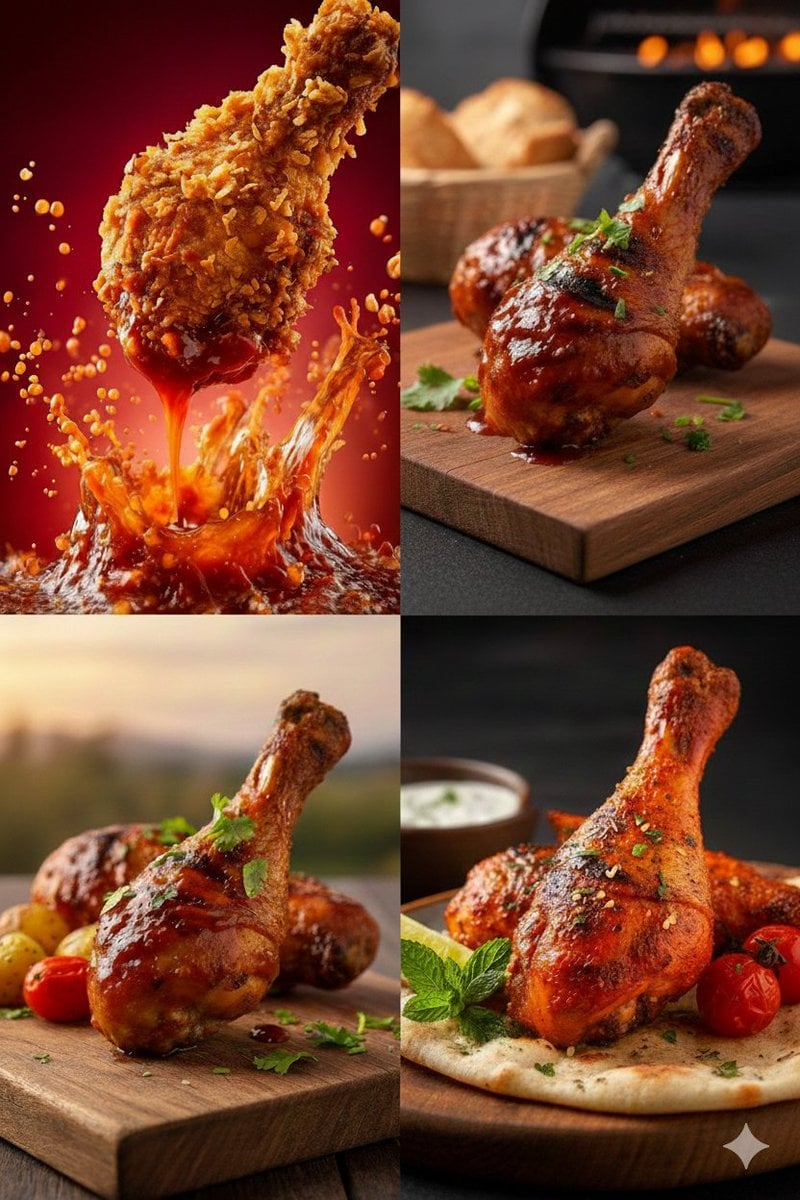
High-Definition Culinary Photography: Chicken Drumsticks

Char-Inspired Red Kakigori Café Photo

Cyber Elf and Biomech Dragon

Hyper-Realistic Chill-out Cinematic Poster

Luis Miguel as K-Pop Star in Gangnam

Nano Banana 2 Photo Booth Story

Modern Moe Anime Illustration of a Teenage Girl's Eyes
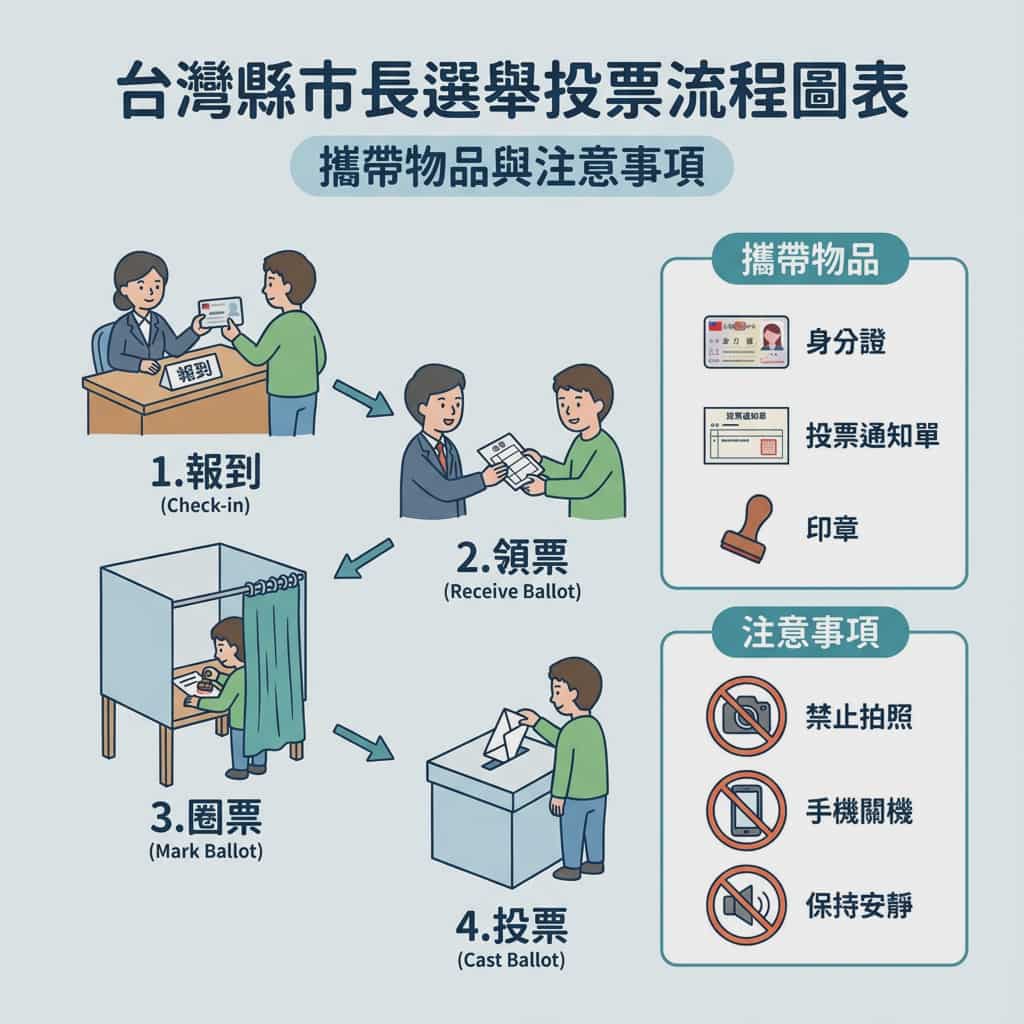
Taiwan election voting flowchart in Traditional Chinese

Image Restoration and Enhancement Prompt
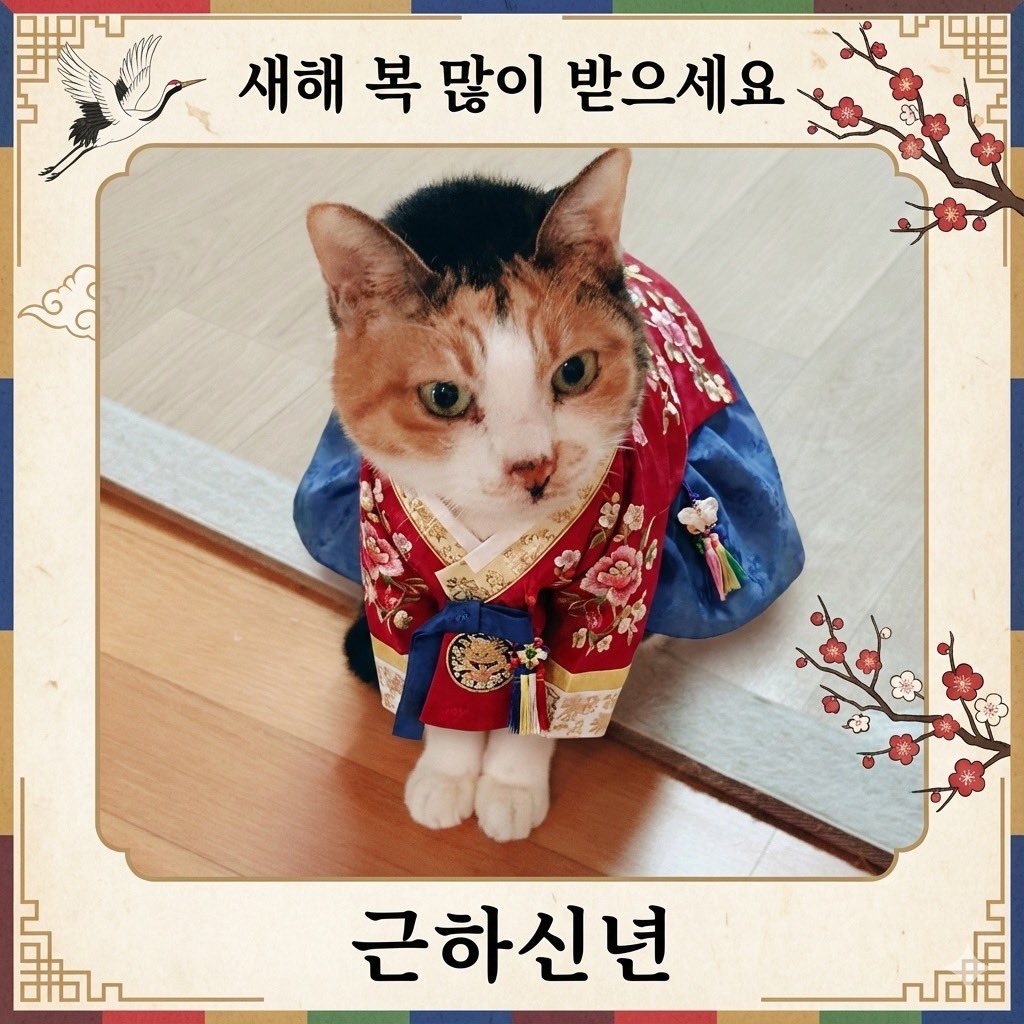
Cat Hanbok New Year's Card Generation Prompt
Browse template categories
Chinese Tomato Nutrition Poster questions
How do I use the Chinese Tomato Nutrition Poster template?
Add your photo if the template asks for one, edit the prompt if you like — the template's model and format are already selected — and press Generate. Your version opens in PicX Studio.
Can I customize the Chinese Tomato Nutrition Poster template?
Yes. You can change the subject, setting, lighting, mood, format, and available model controls before creating your image.
Is the Chinese Tomato Nutrition Poster template free?
Opening and editing this template is free. Generating uses credits, shown on the Generate button when you are signed in.
Which AI model should I use?
Start with GPT Image 2, which is the model associated with this template. You can compare another compatible model for a different finish.
Looking for something else? Browse all templates.

Your photo, any look
Thousands of ready templates for every top image and video model, from one credit balance.