How do I use the Atmospheric Tea Alley Street Scene template?
Choose the primary action to open PicX Studio with the available template settings. Review the model and format, personalize the creative direction, and generate when ready.
This prompt generates a richly detailed photorealistic hidden tea-lane alley scene, ideal for cinematic street photography, travel visuals, or mood-driven edito
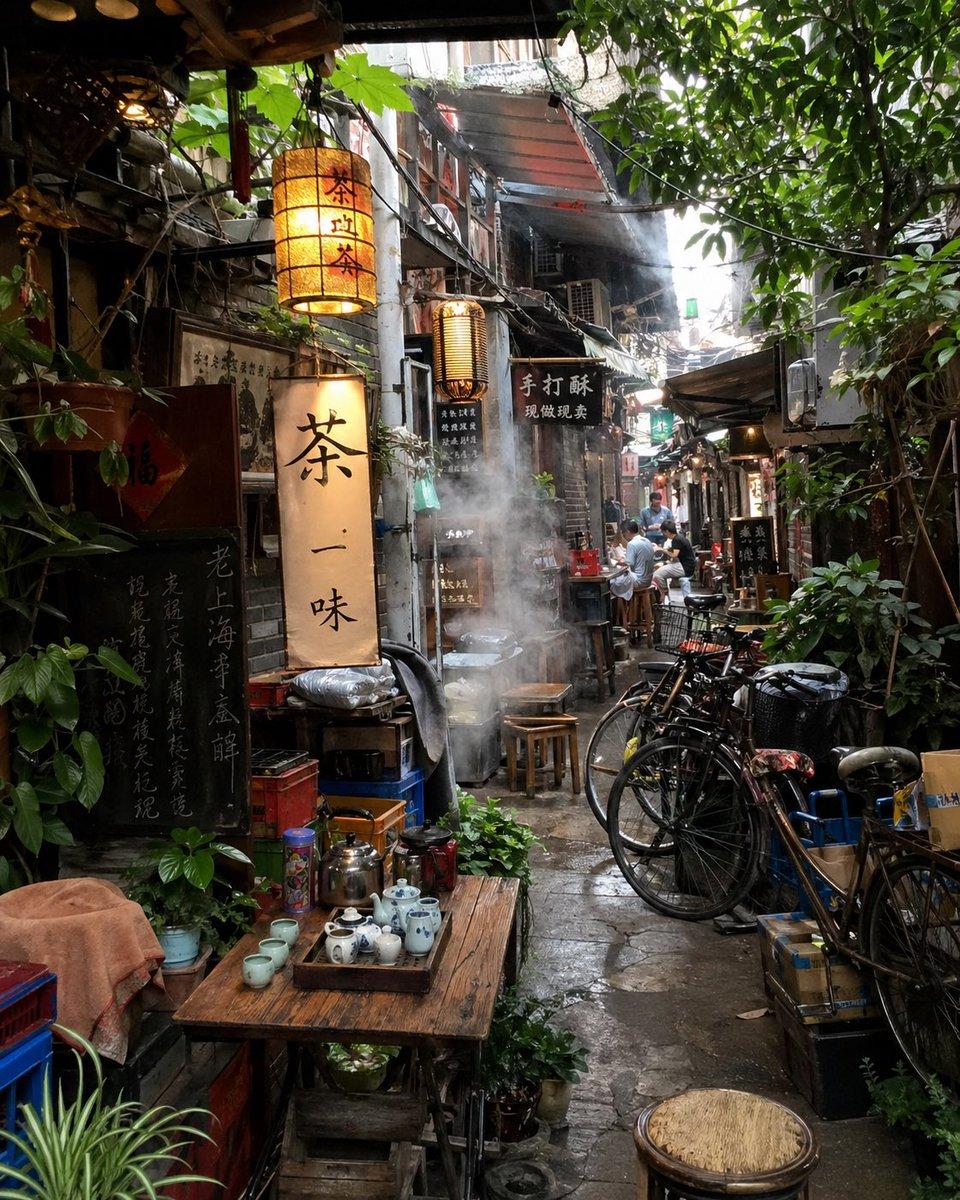
A photorealistic narrow old alley tea-house scene in a dense East Asian neighborhood, shot at eye level with a slightly telephoto street-photography composition. The lane is cramped, damp, and richly layered with lived-in details: weathered storefronts, aged concrete and brick walls, tangled overhead wires, metal awnings, exposed pipes, hanging signs, and lush green vines and tree branches spilling in from above and along both sides. In the left foreground, place a rustic wooden table set for tea with exactly 1 metal kettle, 1 teapot, 1 tray of small blue-and-white porcelain teacups and small vessels, plus a few extra cups nearby; surround it with potted plants and stacked containers. Above and behind the table, hang exactly 3 illuminated vertical lantern-style signs with black Chinese calligraphy on warm cream paper, the largest reading 茶一味 and the others styled similarly, plus several darker wooden signboards with gold or light lettering. In the center of the alley, show white steam rising dramatically from a pot or food stall, partially obscuring stools and the passageway. On the right side, line up exactly 4 bicycles parked close together beside crates, baskets, and a black trash bin. Deeper in the alley, include exactly 4 visible people sitting or standing casually near tiny tables and stools, adding scale without dominating the image. The stone pavement should look wet and reflective, suggesting recent rain or humid weather. Lighting is soft natural daylight filtering from the bright opening at the far end of the alley, mixed with warm lantern glow, creating a moody cinematic contrast. Emphasize texture, authenticity, atmospheric depth, subtle haze, documentary realism, and a cozy hidden-gem tea-street feeling in {argument name="city style" default="an old Chinese lane"}.
Choose the primary action to open PicX Studio with the available template settings. Review the model and format, personalize the creative direction, and generate when ready.
Yes. You can change the subject, setting, lighting, mood, format, and available model controls before creating your image.
This template is free to open and customize. Generation usage is shown in PicX Studio before you create.
Start with GPT Image 2, which is the model associated with this template. You can compare another compatible model for a different finish.
© 2026 PicX Studio. All rights reserved.

Follow a topic to a crawlable collection of related PicX Studio templates.