How do I use the Manga Art Style Comparison template?
Edit the prompt in the box under the preview — the template's model and format are already selected — and press Generate. Your version appears right on this page.
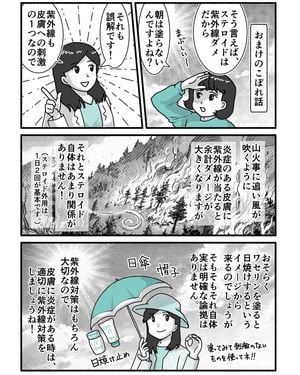
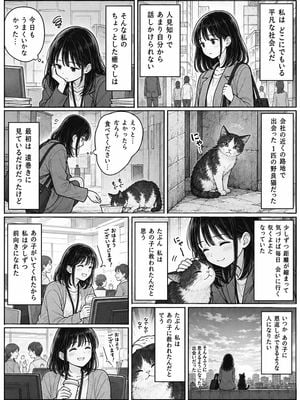
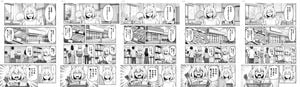
Creates a side-by-side classroom manga comparison showing a generic anime comic transformed into a distinctive gag-manga style.

This template uses your photo — add one with the + button.
{"type":"side-by-side comparison graphic showing the importance of manga art style","canvas":"16:9 horizontal composition with a solid vivid red background","main_elements":{"count":3,"items":["left manga page in generic polished anime style","large yellow arrow pointing from left to right in the center","right manga page in a distinctive simple gag-manga style"]},"left_page":{"position":"left third of canvas","panel_count":7,"style":"modern clean school manga, soft shading, semi-realistic anime proportions, detailed classroom backgrounds, beige and brown palette, thin panel gutters, speech bubbles filled with Japanese text, classmates in navy uniforms, teacher at chalkboard, multiple student faces intentionally blurred with mosaic/soft blur to anonymize them","subject":"a transfer student girl in a tan cardigan, white shirt, red bow, navy skirt, medium brown bob hair, standing and introducing herself in class, then sitting at a desk among classmates","visible_sound_effects_count":9,"visible_sound_effects":["ドキ","ドキ","パチパチ","パチパチ","ガヤガヤ","ニコニコ","スタスタ","スタスタ","パチパチパチ"],"overall_impression":"competent but generic, no distinctive visual identity"},"right_page":{"position":"right third of canvas","panel_count":5,"style":"highly distinctive retro children’s gag manga, thick uneven black outlines, flat saturated colors, intentionally simple faces, exaggerated expressions, hand-drawn panel borders, bold katakana sound effects, energetic composition, looks like a unique personal comic style rather than generic anime","subject":"a black-haired elementary school transfer girl wearing a blue shirt with the number 2 introduces herself to a classroom; classmates react enthusiastically and clap","character_design":"round face, straight black hair with blunt bangs, dot eyes or simple oval eyes, wide open pink mouth, tiny simplified body, very thick ink lines","color_palette":"hot pink, cyan blue, yellow, green, white, black, high contrast","visible_sound_effects_count":6,"visible_sound_effects":["ドキドキ","おおー","じゃんっ","ペコリ","パチ パチ パチ","よろしく!"],"speech_bubble_text_count":7,"speech_bubble_text":["みなさん はじめまして!","今日からこのクラスに転校してきました","わたしの名前はさくらです!","えがおで楽しくがんばるのでよろしくお願いします!","ありがとうございます!","よろしく!","今日から転校してきました!"]},"center_arrow":{"position":"center between pages","color":"bright yellow","shape":"large thick right-pointing arrow","meaning":"transformation from no art-style specification to a specified distinctive style"},"composition_notes":"Both manga pages are shown as complete rectangular pages with white margins and black gutters, slightly separated on the red background. The left page should look like an ordinary AI manga output; the right page should clearly feel more memorable, stylized, and original. Do not include extra captions outside the manga pages and arrow.","customizable_text":{"comparison theme":"{argument name=\"comparison theme\" default=\"AI manga is 90% art style\"}","left style":"{argument name=\"left style\" default=\"generic polished anime school manga\"}","right style":"{argument name=\"right style\" default=\"distinctive retro children’s gag manga\"}","transfer student name":"{argument name=\"transfer student name\" default=\"さくら\"}","background color":"{argument name=\"background color\" default=\"vivid red\"}"}}
Edit the prompt in the box under the preview — the template's model and format are already selected — and press Generate. Your version appears right on this page.
Yes. You can change the subject, setting, lighting, mood, format, and available model controls before creating your image.
Opening and editing this template is free. Generating uses credits, shown on the Generate button when you are signed in.
Start with GPT Image 2, which is the model associated with this template. You can compare another compatible model for a different finish.
Follow a topic to a crawlable collection of related PicX Studio templates.