How do I use the Watercolor Flower Shop Portrait template?
Choose the primary action to open PicX Studio with the available template settings. Review the model and format, personalize the creative direction, and generate when ready.
Generates a soft anime watercolor portrait of a young woman outside a vintage French florist storefront, useful for romantic illustration concepts.
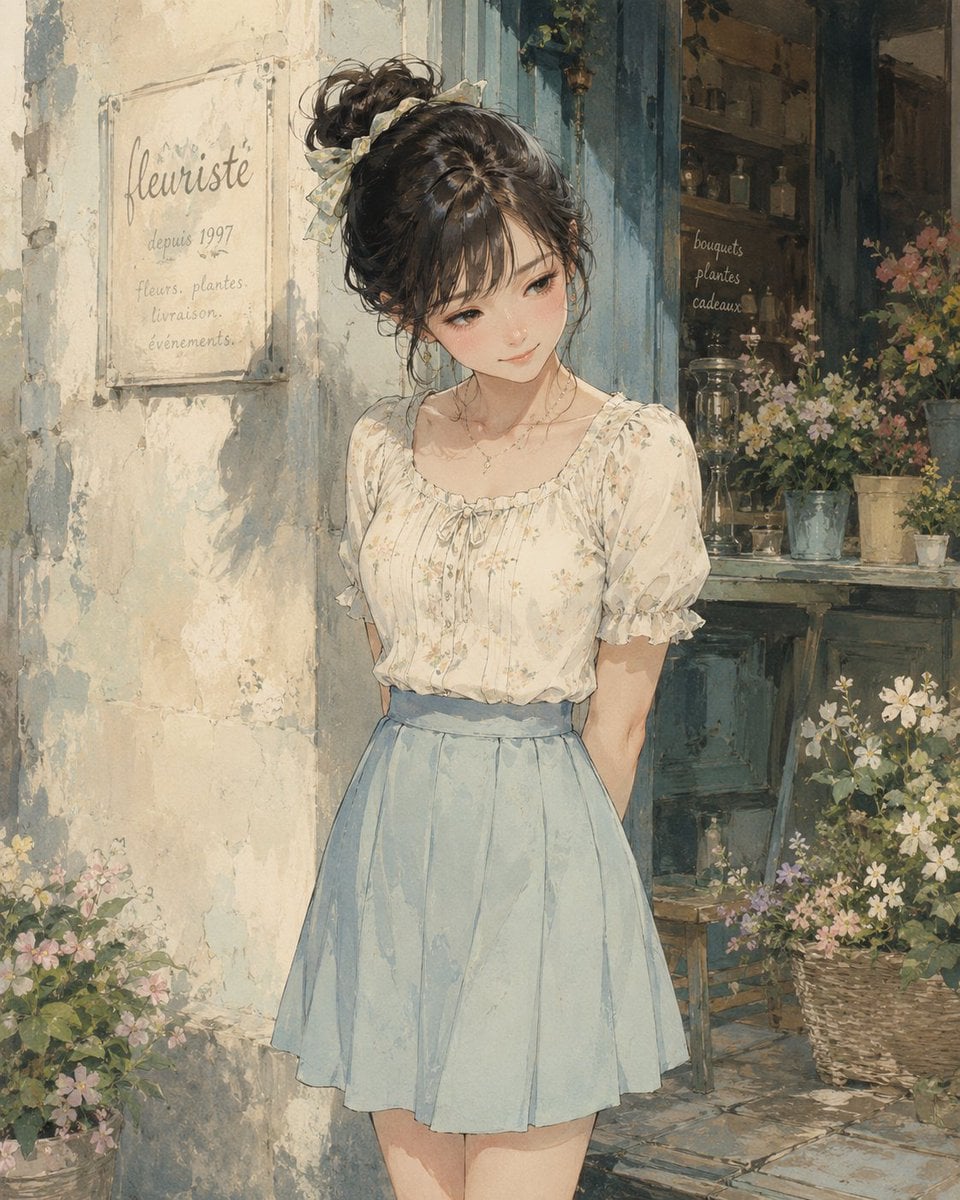
Create a romantic watercolor-style anime illustration of {argument name="character description" default="a young woman with dark brown hair in a messy high bun tied with a pale ribbon"} standing in front of a quaint vintage French flower shop. She wears {argument name="outfit" default="a cream floral puff-sleeve blouse with a gathered neckline and a high-waisted pale blue pleated skirt"}, with a delicate necklace, soft feminine posture, and her hands held behind her back. Her face is intentionally covered by a centered opaque square censor block in a warm brown skin-tone gradient, obscuring all facial features while leaving the hair, neck, outfit, and body visible. The setting is a sunlit, weathered plaster storefront with peeling paint, muted blue wooden trim, an open shop window full of potted flowers, glass bottles, shelves, and rustic decor. On the left wall is a translucent sign reading “fleuriste”, “depuis 1997”, and “fleurs. plantes. livraison. événements.”; inside the shop window, small handwritten text reads “bouquets”, “plantes”, “cadeaux”. Surround the entrance with baskets and pots of wildflowers in soft pink, white, yellow, and green. Use {argument name="art style" default="delicate hand-painted watercolor and gouache anime realism"}, soft natural daylight, warm beige and powder-blue palette, textured paper grain, loose painterly edges, gentle shadows, nostalgic European street atmosphere, vertical portrait composition, highly detailed flowers and fabric folds, no modern objects.
Choose the primary action to open PicX Studio with the available template settings. Review the model and format, personalize the creative direction, and generate when ready.
Yes. You can change the subject, setting, lighting, mood, format, and available model controls before creating your image.
This template is free to open and customize. Generation usage is shown in PicX Studio before you create.
Start with GPT Image 2, which is the model associated with this template. You can compare another compatible model for a different finish.
Follow a topic to a crawlable collection of related PicX Studio templates.