How do I use the Semi-Pixel Armored Warrior template?
Edit the prompt in the box under the preview — the template's model and format are already selected — and press Generate. Your version appears right on this page.
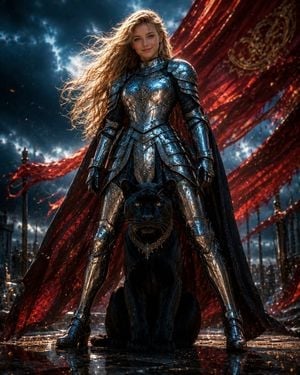
Generates a vertical semi-pixel dark fantasy illustration of an ornate wing-framed armored warrior with a cute shoulder companion.

This template uses your photo — add one with the + button.
Create a vertical semi-pixel-art fantasy character illustration of {argument name="character name" default="a mysterious armored warrior"} standing front-facing in the center, full body, imposing and symmetrical. The warrior wears ornate polished {argument name="armor color" default="silver and white"} plate armor with gold filigree trim, layered pauldrons, gauntlets, greaves, a dark cape, and a horned wing-like helmet with a black visor and small glowing amber eyes. The hands are clasped over the pommel of a huge vertical greatsword planted point-down in front of the body; the sword has an elaborate crossguard and a blue jewel near the lower ornament. Add exactly one small cute {argument name="shoulder companion" default="hamster"} perched on the warrior’s right shoulder, creating a humorous contrast with the intimidating armor. Surround the figure with a tall ornate gothic frame made of curling gold metalwork and exactly four large silver feathered wing ornaments: two at the upper left and upper right, and two at the lower left and lower right. Place a decorative crest at the top center and another at the bottom center aligned with the sword. Background: a dark gothic cathedral or fantasy city interior with arched windows, towers, balconies, warm lantern lights, misty blue shadows, and deep navy-gray tones. Style: detailed 16-bit / semi-pixel challenge aesthetic, crisp pixel edges, high-detail sprite shading, dramatic metallic highlights, symmetrical composition, dark fantasy mood with elegant beauty, no text, no watermark. Use a vertical smartphone-like composition, {argument name="aspect ratio" default="9:16"}.
Create a vertical semi-pixel-art fantasy character illustration of {argument name="character name" default="a mysterious armored warrior"} standing front-facing in the center, full body, imposing and symmetrical. The warrior wears ornate polished {argument name="armor color" default="silver and white"} plate armor with gold filigree trim, layered pauldrons, gauntlets, greaves, a dark cape, and a horned wing-like helmet with a black visor and small glowing amber eyes. The hands are clasped over the pommel of a huge vertical greatsword planted point-down in front of the body; the sword has an elaborate crossguard and a blue jewel near the lower ornament. Add exactly one small cute {argument name="shoulder companion" default="hamster"} perched on the warrior’s right shoulder, creating a humorous contrast with the intimidating armor. Surround the figure with a tall ornate gothic frame made of curling gold metalwork and exactly four large silver feathered wing ornaments: two at the upper left and upper right, and two at the lower left and lower right. Place a decorative crest at the top center and another at the bottom center aligned with the sword. Background: a dark gothic cathedral or fantasy city interior with arched windows, towers, balconies, warm lantern lights, misty blue shadows, and deep navy-gray tones. Style: detailed 16-bit / semi-pixel challenge aesthetic, crisp pixel edges, high-detail sprite shading, dramatic metallic highlights, symmetrical composition, dark fantasy mood with elegant beauty, no text, no watermark. Use a vertical smartphone-like composition, {argument name="aspect ratio" default="9:16"}.
Edit the prompt in the box under the preview — the template's model and format are already selected — and press Generate. Your version appears right on this page.
Yes. You can change the subject, setting, lighting, mood, format, and available model controls before creating your image.
Opening and editing this template is free. Generating uses credits, shown on the Generate button when you are signed in.
Start with GPT Image 2, which is the model associated with this template. You can compare another compatible model for a different finish.
Follow a topic to a crawlable collection of related PicX Studio templates.