How do I use the Anime AI Image Update Banner template?
Choose the primary action to open PicX Studio with the available template settings. Review the model and format, personalize the creative direction, and generate when ready.
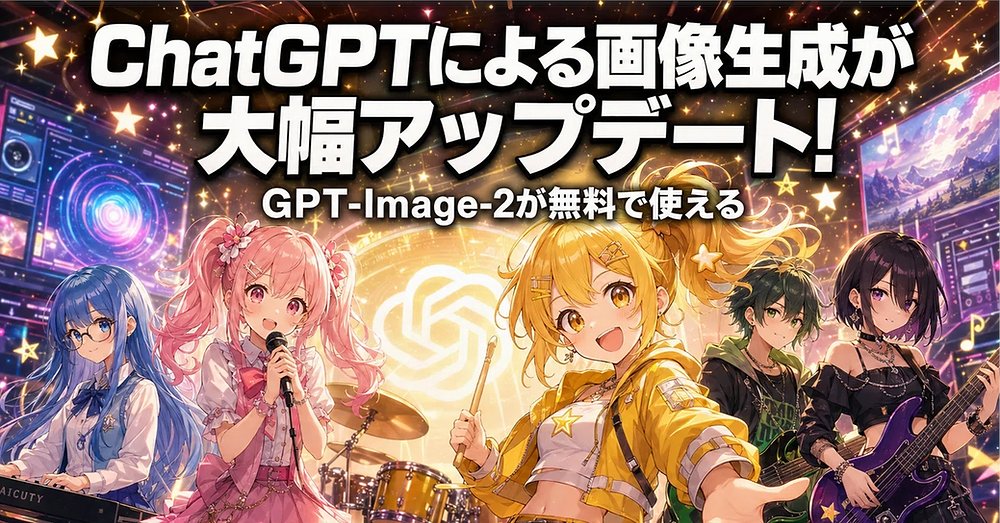
A vibrant Japanese anime concert-style web banner announcing a ChatGPT image generation update for promotional articles or social posts.
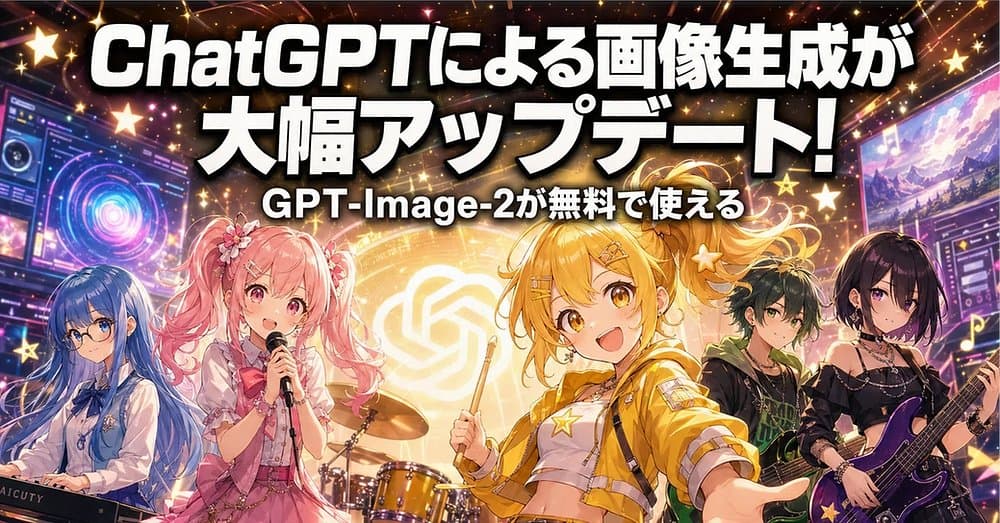
Goal: Create a high-energy Japanese promotional banner for a tech update about AI image generation, styled like an anime idol rock concert poster. Canvas: Wide horizontal web banner, 2:1 aspect ratio, approximately 1000×500 px. Use a dense, colorful composition with cinematic lighting, sparkles, stars, lens flares, and a festive concert-stage atmosphere. Main text: Place large bold Japanese headline text across the top in thick white letters with a heavy black drop shadow: {argument name="headline text" default="ChatGPTによる画像生成が\n大幅アップデート!"}. Under it, centered in smaller bold white text with black outline: {argument name="subtitle text" default="GPT-Image-2が無料で使える"}. Make the typography oversized, glossy, and attention-grabbing, occupying the upper third of the banner. Layout and subjects: Show exactly 5 anime-style band members across the bottom half, arranged left to right: 1. A blue-haired keyboard player on the far left, long blue hair, white blouse, sitting or standing behind a keyboard/synth, face covered by a soft rectangular blur mask. 2. A pink twin-tail idol singer left of center, frilly pink outfit, flower hair accessories, holding a microphone, cheerful expression, fully visible face. 3. A central golden-yellow-haired drummer/front idol, bright yellow cropped jacket and star accessories, holding drumsticks, smiling widely toward the viewer, most prominent character, positioned in front of a drum kit. 4. A dark green-haired bassist/guitarist right of center, black and green outfit, holding a guitar, face covered by a soft rectangular blur mask. 5. A black-haired purple-themed guitarist on the far right, gothic black outfit with straps and accessories, holding a purple electric guitar, face covered by a soft rectangular blur mask. Background: Put a glowing OpenAI-style knot logo in the center behind the characters, surrounded by a golden circular light halo. Add futuristic monitor panels on both far sides: left monitor with neon interface rings and control panels, right monitor with colorful image-generation style artwork and UI panels. Include stage lights, musical notes, star icons, confetti-like sparkles, bokeh dots, and diagonal light streaks throughout. Visual style: Vibrant anime illustration, glossy digital art, concert poster energy, saturated pink, gold, purple, and blue palette, dramatic backlighting, high contrast, crisp outlines, polished promotional thumbnail style. Constraints: Use exactly 5 band members and exactly 2 lines of headline/subtitle text. Keep the Japanese text readable and dominant. Do not add extra logos except the abstract OpenAI-style glowing emblem. No watermark.
Choose the primary action to open PicX Studio with the available template settings. Review the model and format, personalize the creative direction, and generate when ready.
Yes. You can change the subject, setting, lighting, mood, format, and available model controls before creating your image.
This template is free to open and customize. Generation usage is shown in PicX Studio before you create.
Start with GPT Image 2, which is the model associated with this template. You can compare another compatible model for a different finish.
© 2026 PicX Studio. All rights reserved.

Follow a topic to a crawlable collection of related PicX Studio templates.