
Building Pyramids in Excel Poster
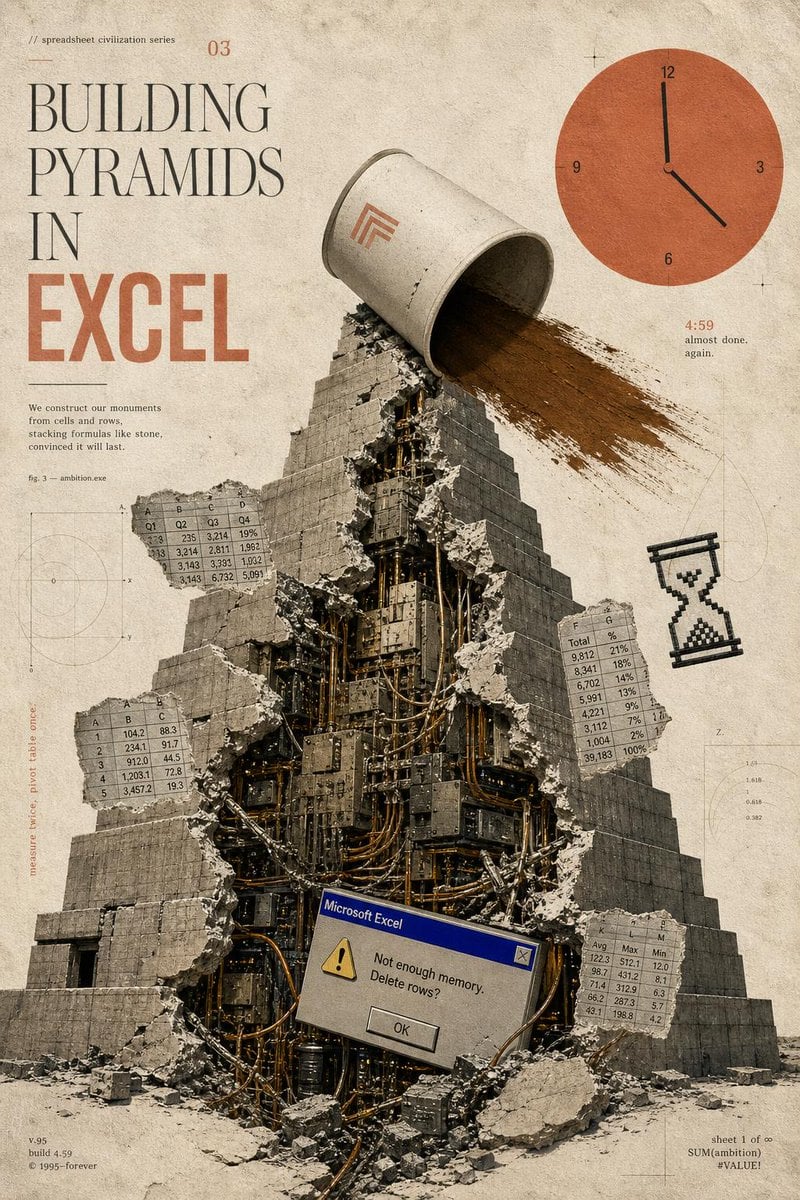
A surreal vintage poster prompt depicting a cracked mechanical pyramid built from spreadsheet culture, ideal for editorial art or satirical tech prints.
- Prompt included
- Model and format preset
- Free template
The prompt behind this image
Copy the exact prompt behind Building Pyramids in Excel Poster, or open it in the studio and make it yours.
Goal: Create a surreal vintage editorial poster for a fictional “spreadsheet civilization series” about {argument name="headline concept" default="BUILDING PYRAMIDS IN EXCEL"}, combining ancient monumental architecture with obsolete office software anxiety. Canvas: Vertical poster, 2:3 ratio, aged cream paper background with stains, dust, scratches, faint technical drafting marks, thin registration crosses, and muted sepia tones. Use a distressed printed-magazine texture, like an archival science pamphlet mixed with brutalist collage art. Layout: Large typography occupies the upper-left quadrant. A monumental stepped pyramid fills the center and lower half, viewed from slightly below, with rubble at the base. The upper-right quadrant contains a large flat orange clock graphic. Small spreadsheet tables, diagrams, and marginal notes float around the pyramid like technical annotations. Main subject: A massive gray stone stepped pyramid, cracked open vertically down the front. The broken opening reveals a dense mechanical interior made of dark metal panels, cables, pipes, servers, wires, and industrial machinery. Concrete chunks and debris scatter outward. At the top of the pyramid, a large tipped-over off-white bucket or cylindrical container pours a wide stream of brown sand or dirt down the right side of the pyramid. Put a small minimalist orange geometric logo on the bucket. Typography and visible text: Upper-left small text reads “// spreadsheet civilization series” and a small issue number “03”. The main title is stacked in tall elegant serif type: “BUILDING” then “PYRAMIDS” then “IN”, with “EXCEL” below in very large bold condensed orange block letters. Add a small paragraph under the title: “We construct our monuments from cells and rows, stacking formulas like stone, convinced it will last.” Add “fig. 3 — ambition.exe” nearby. Bottom-left small footer text: “v.95”, “build 4.59”, “© 1995–forever”. Bottom-right small footer text: “sheet 1 of ∞”, “SUM(ambition)”, “#VALUE!”. Near the clock, include “4:59” in orange and the tiny caption “almost done. again.” Add a vertical margin note on the left that reads “measure twice, pivot table once.” Discrete elements to include exactly: 1 central broken pyramid; 1 tipped bucket pouring sand; 1 orange clock in the upper right with numbers 12, 3, 6, 9 and black hands indicating roughly 4:59; 1 pixelated black hourglass icon on the right side; 1 Microsoft Excel-style error dialog near the lower center of the pyramid; 4 floating spreadsheet table fragments. The 4 spreadsheet fragments are: a top-left fragment labeled with columns A, B, C, D and rows of decimal values; a left-middle fragment with columns A, B, C and rows 1–5; a right-middle fragment with columns F, G and rows labeled “Total” plus percentages; a bottom-right fragment with columns K, L, M and labels like Avg, Max, Min. Error dialog detail: Make the dialog look like an old Windows 95 Microsoft Excel alert box with a blue title bar reading “Microsoft Excel”, a yellow warning triangle, the message “Not enough memory. Delete rows?”, and a centered “OK” button. Visual style: Analog collage, photoreal stone and rubble mixed with flat vector UI elements, muted beige-gray-black palette with burnt orange accents, high grain, slight ink misregistration, soft shadows, worn paper texture, thin drafting lines and faint circular graph diagrams in the background. Constraints: Keep the composition clean and poster-like, with no modern glossy interface, no people, no extra logos besides the small bucket mark and the Excel dialog, and no additional major objects beyond the counted elements.
How to use Building Pyramids in Excel Poster in 3 steps
- 1Upload ImagePNG, JPG or paste
Add your photo
Upload the photo the template builds on. The prompt, model and format are already set.
- 2…a portrait of your subject in softgolden-hour light, 85mm…
Personalize
Edit the subject and creative details for your destination.
- 3Generate
Generate
Press Generate — your image is created in PicX Studio, so you can compare it with the original and refine one variable at a time.
More like this
Templates with the same subject, style or setup. Open one to see its prompt.

Japan Travel Brochure Poster

Cartoon TV Show Poster Pack

Trendy Cafe Drink Promo Poster

Urban Fashion Editorial Collage Streetwear Poster

Premium Fashion Editorial Cover Layout System

Polo Ralph Lauren Luxury American Heritage Fashion Campaign

Monochrome Halftone Editorial Fashion Poster

Retro Mirror Luxury Fashion Campaign Poster

Luxury Fashion Campaign Typography Poster System

Premium Fashion Editorial Campaign Poster System

Ultra-Stylized High-Fashion Streetwear Poster

Urban Fashion Editorial Collage Poster
Make it yours
Building Pyramids in Excel Poster works as-is. These are the safest ways to change it without losing the look.
Change one field
Copy a single group, rewrite it, and generate again so you can see what that field is doing.
Keep the frame, change the subject
Hold the composition and light of Building Pyramids in Excel Poster, then swap wardrobe, props or the person for a new take.
| If the result… | Why | Fix |
|---|---|---|
| The result drifts from the preview | Too many fields changed at once. | Reuse Building Pyramids in Excel Poster as-is first, then change one group — subject, light, or setting. |
| The model over-stylizes the scene | The prose prompt leaves finish and camera underspecified. | Add one camera or lighting sentence and stay on GPT Image 2. |
More GPT Image 2 templates
Other prompts made for GPT Image 2.

Six VTuber Japanese Logo Sheet

Realistic Portrait of Woman and Deer

The Vista Modular Condo Poster

AI Model Routing Comparison Infographic

2.5D Anime Art Board

Isometric Productivity Desk Scene

New York Double Exposure Poster

Four-Panel AI Landscape Comparison

Japanese Tatami Lifestyle Magazine Cover

NESCAFÉ Coffee Map Poster
More image prompts
Fresh picks from across the catalog.

Golden Hour Ferrari Interior Fashion Prompt

Sakura Cyclist With Pastel Road Bike

Crashed Orbital Ring Segment Concept Art

Censored Night Bus Window Scene

Hyper-Real Macro Studio Shot of a LEGO Technic Kitbash

Luxury Sneaker Advertisement Photography

Anime Car Personification Tribute Poster
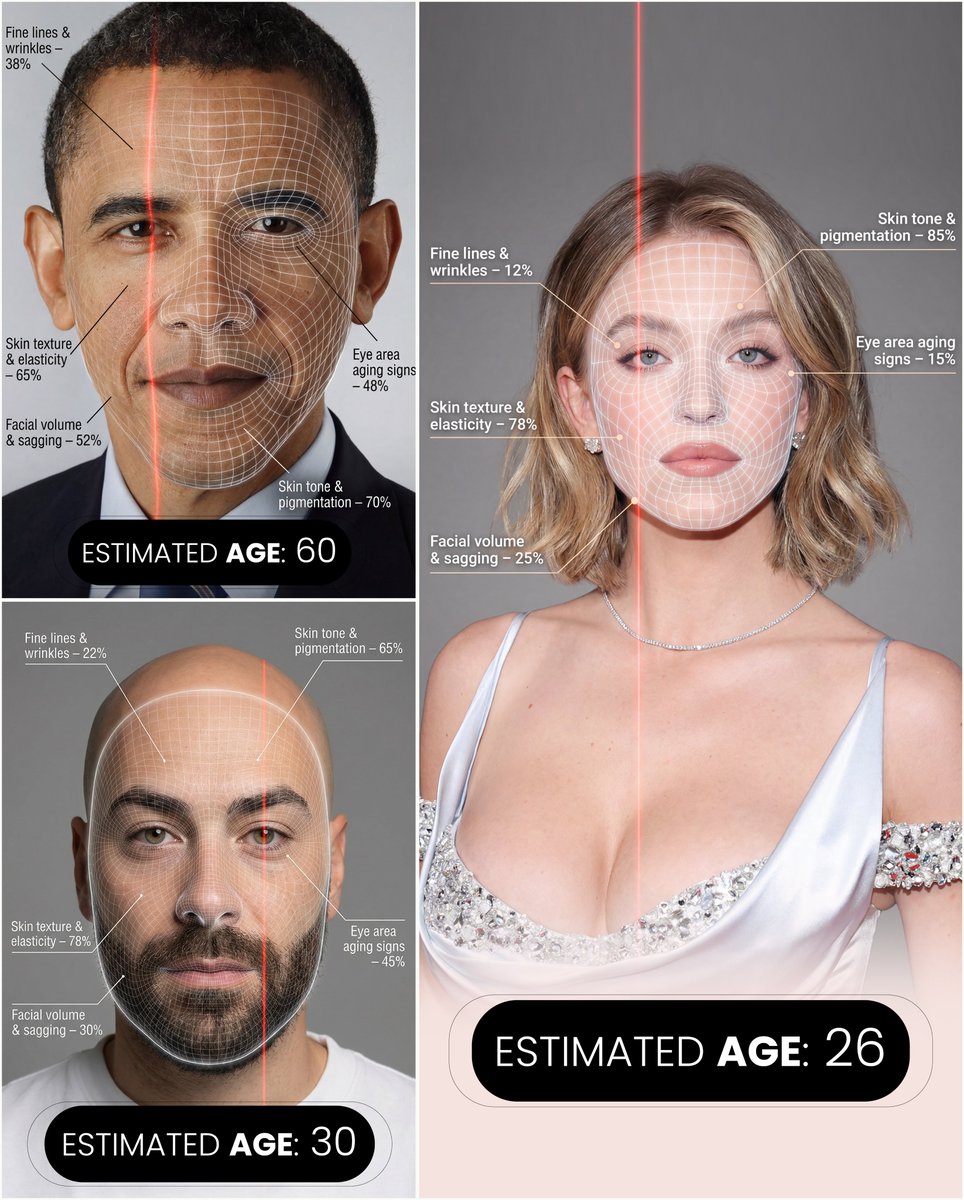
Futuristic facial age-checker infographic portrait

Cinematic Overhead Portrait with Wide-Angle Distortion

Korean Style Makeup Analysis Chart
Browse template categories
Building Pyramids in Excel Poster questions
How do I use the Building Pyramids in Excel Poster template?
Add your photo if the template asks for one, edit the prompt if you like — the template's model and format are already selected — and press Generate. Your version opens in PicX Studio.
Can I customize the Building Pyramids in Excel Poster template?
Yes. You can change the subject, setting, lighting, mood, format, and available model controls before creating your image.
Is the Building Pyramids in Excel Poster template free?
Opening and editing this template is free. Generating uses credits, shown on the Generate button when you are signed in.
Which AI model should I use?
Start with GPT Image 2, which is the model associated with this template. You can compare another compatible model for a different finish.
Looking for something else? Browse all templates.

Your photo, any look
Thousands of ready templates for every top image and video model, from one credit balance.