How do I use the Watercolor Fantasy Heroine at Pasta Cafe template?
Choose the primary action to open PicX Studio with the available template settings. Review the model and format, personalize the creative direction, and generate when ready.
This prompt generates a romantic shoujo manga-style watercolor portrait of a fantasy armored woman eating spaghetti in a cozy Italian restaurant, ideal for anime illustration and stylized character art. Change the subject, setting, or lighting one variable at a time.
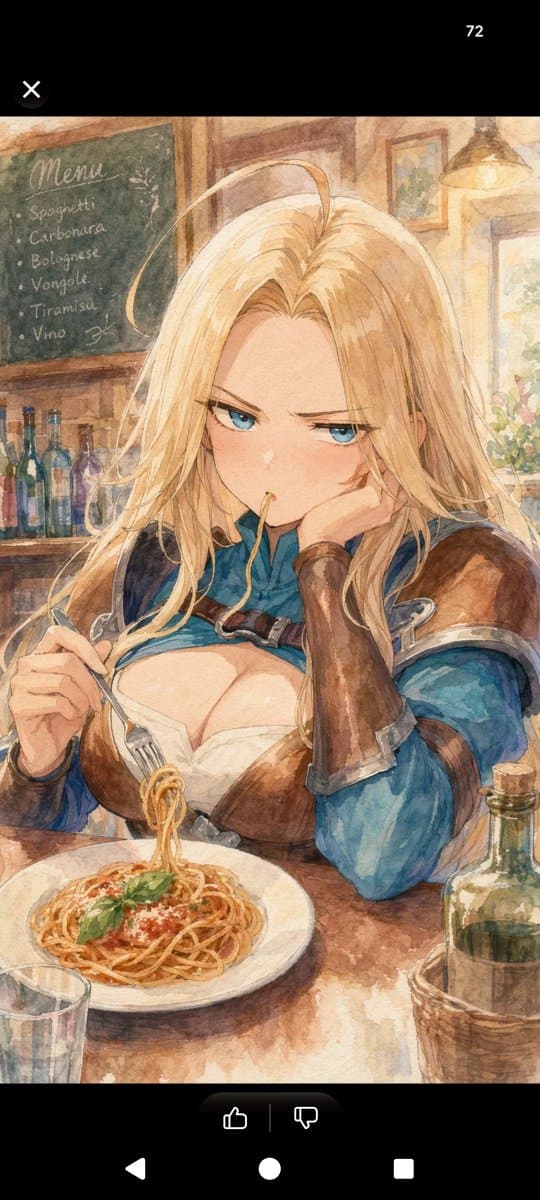
A soft watercolor shoujo manga-style illustration of a beautiful adult female fantasy adventurer dining alone in a cozy rustic Italian restaurant. She is shown from the waist up at a wooden table, centered in the frame, with long flowing {argument name="hair color" default="golden blonde"} hair, delicate features, and a dreamy romantic expression, resting her cheek against one gloved hand while holding a fork in the other. She wears blue fantasy clothing with brown leather armor on the shoulders and chest, fitted long sleeves, and a low-cut white inner garment, styled like an RPG heroine but painted with elegant, feminine shoujo manga sensibility. In front of her is a white plate of spaghetti with tomato sauce, grated cheese, and exactly 2 basil leaves on top, with a small forkful of noodles lifted upward. On the table there is exactly 1 white pasta plate, exactly 1 drinking glass in the lower left foreground, and exactly 1 greenish wine bottle in a wicker holder on the lower right. The background is a warm sunlit trattoria interior rendered in loose transparent watercolor washes, with exactly 1 chalkboard menu on the left reading {argument name="menu board text" default="Menu\nSpaghetti\nCarbonara\nBolognese\nVongole\nTiramisu\nVino"}, exactly 5 colored bottles on a shelf beneath it, exactly 2 framed wall pictures, exactly 1 hanging lamp in the upper right, and a bright window area with flowers. Use textured paper grain, soft sepia outlines, warm beige and honey lighting, gentle painterly bleed, romantic atmosphere, vertical composition, and the polished look of a high-end少女漫画 watercolor illustration.
Choose the primary action to open PicX Studio with the available template settings. Review the model and format, personalize the creative direction, and generate when ready.
Yes. You can change the subject, setting, lighting, mood, format, and available model controls before creating your image.
This template is free to open and customize. Generation usage is shown in PicX Studio before you create.
Start with GPT Image 2, which is the model associated with this template. You can compare another compatible model for a different finish.
© 2026 PicX Studio. All rights reserved.

Follow a topic to a crawlable collection of related PicX Studio templates.
43,474 public templates available. Verified via the PicX Studio public templates API; refreshed hourly.












![Minimalist Flat Vector Travel Poster — Premium minimalist flat-vector travel poster for {argument name="city name" default="[CITY_NAME]"}, 3:4 vertical format.](https://cms-assets.youmind.com/media/1787917359711_3ug846_HQX205cbMAA6F6S-300x400.jpg)