How do I use the Blue-Haired Bunny Hood Anime Girl template?
Choose the primary action to open PicX Studio with the available template settings. Review the model and format, personalize the creative direction, and generate when ready.
This prompt generates a polished anime-style fantasy character portrait with a bunny hood, plush rabbit, and glowing cathedral background, suitable for key art or character splash illustrations. Change the subject, setting, or lighting one variable at a time.
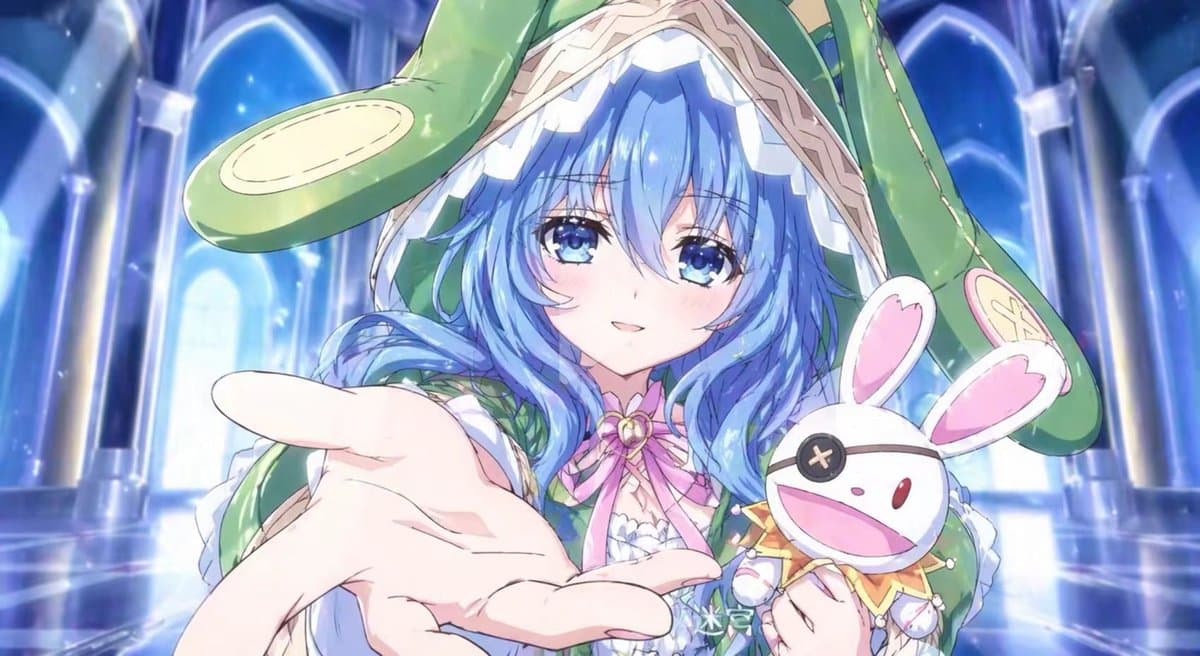
A close-up anime fantasy illustration of a cute young girl in a luminous cathedral-like hall, reaching one hand toward the viewer in strong foreshortened perspective as if inviting them forward. She has long wavy {argument name="hair color" default="light blue"} hair spilling from under an oversized glossy green bunny-eared hood, with one ear flopping across the top left and the other hanging down on the right. Her face is mostly obscured by her hair and the hood, creating a mysterious, shy composition. She wears an elaborate frilly outfit in white, green, and pastel pink, with lace trim, ribbons, and a pink bow at the collar. In her other arm she holds 1 plush toy: a white rabbit doll with pink inner ears, a wide open smile, one button X eye, and a small jester-like collar with tiny bells. The background is a grand blue crystal palace interior with tall glowing arches, soft bloom lighting, reflective floors, sparkling particles, and dreamy ethereal atmosphere. Highly polished anime game key art style, vibrant cool tones, soft highlights, delicate linework, glossy fabric textures, cinematic depth, centered composition, portrait cropped at the chest, whimsical and magical mood.
Choose the primary action to open PicX Studio with the available template settings. Review the model and format, personalize the creative direction, and generate when ready.
Yes. You can change the subject, setting, lighting, mood, format, and available model controls before creating your image.
This template is free to open and customize. Generation usage is shown in PicX Studio before you create.
Start with GPT Image 2, which is the model associated with this template. You can compare another compatible model for a different finish.
Follow a topic to a crawlable collection of related PicX Studio templates.
43,474 public templates available. Verified via the PicX Studio public templates API; refreshed hourly.















![Minimalist Flat Vector Travel Poster — Premium minimalist flat-vector travel poster for {argument name="city name" default="[CITY_NAME]"}, 3:4 vertical format.](https://cms-assets.youmind.com/media/1787917359711_3ug846_HQX205cbMAA6F6S-300x400.jpg)





















![Professional Infographic Generation Prompt — 根据以下主题[{argument name="主题" default="精品咖啡的产地与风味地图"}],创建一张专业的知识信息图。要求:1)提取3-5个核心知识点;2)使用图标、…](https://pbs.twimg.com/media/G70EbwOaMAAoQOJ.jpg)