
Cute Bunny Hiragana Poster
A whimsical Japanese hiragana learning chart with 40 bunny-illustrated cells, ideal for classroom decor, children's materials, or playful presentation covers.
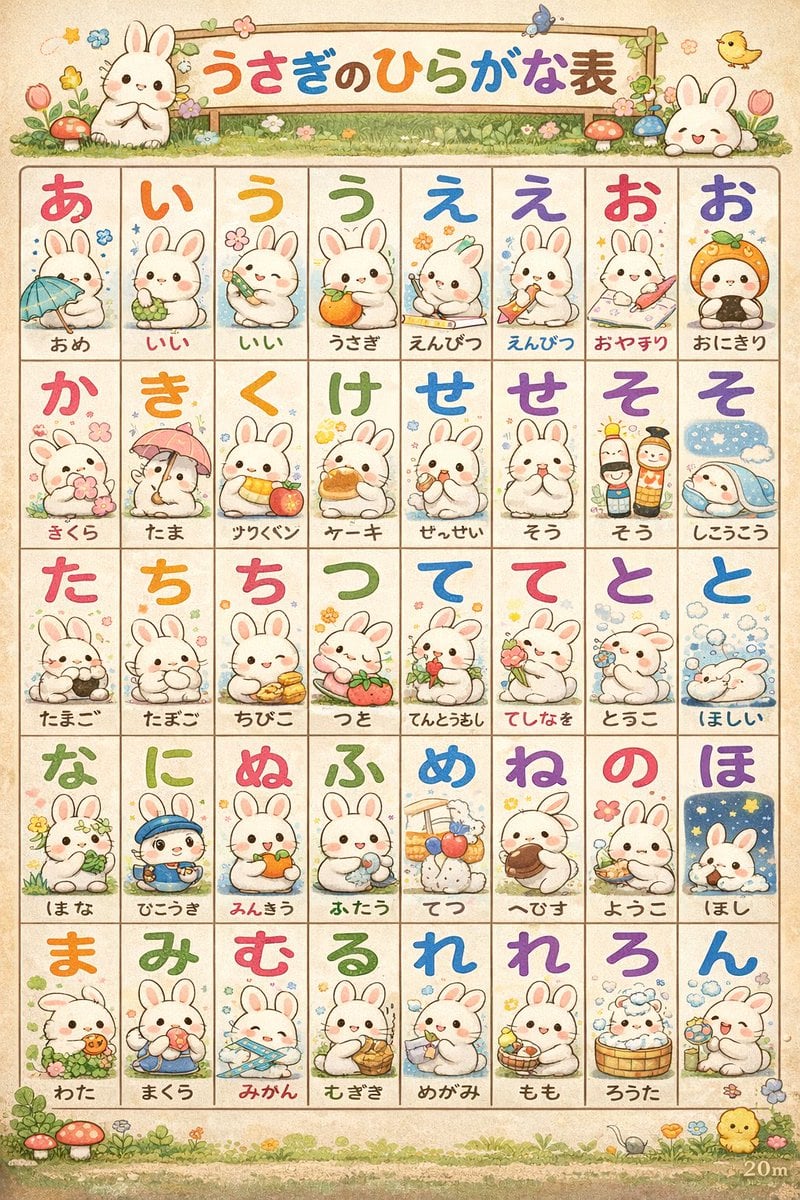
- Prompt included
- Model and format preset
- Free template
The prompt behind this image
Copy the exact prompt behind Cute Bunny Hiragana Poster, or open it in the studio and make it yours.
Create a cute Japanese preschool hiragana poster in a soft watercolor storybook style on warm textured parchment paper. The composition is a vertical educational chart with a whimsical spring border of grass, flowers, mushrooms, butterflies, and tiny chicks, designed like a children's classroom learning sheet. At the top, place a wooden signboard header with colorful rounded Japanese text reading {argument name="headline text" default="うさぎのひらがな表"}, decorated with 2 white bunny mascots, one sitting on the left and one peeking from the right, plus small flowers and leaves around the sign. Below the header, arrange a clean 5-row by 8-column grid for a total of 40 square cells, each cell outlined in thin brown lines on a cream background. In every cell, place one large brightly colored hiragana character near the top and one small kawaii rabbit illustration below it, each rabbit acting out or holding an object associated with the word written underneath. Use a different cheerful color for many of the hiragana characters, including reds, oranges, yellows, greens, blues, and purples, with a hand-painted rounded font. Keep the text and illustrations exactly as follows, left to right by row: row 1 has 8 cells labeled あ, い, う, う, え, え, お, お with the words あめ, いい, いい, うさぎ, えんぴつ, えんぴつ, おやすり, おにぎり; row 2 has 8 cells labeled か, き, く, け, せ, せ, そ, そ with the words きくら, たま, サベツン, ケーキ, せんせい, そう, そう, しょうこう; row 3 has 8 cells labeled た, ち, ち, つ, て, て, と, と with the words たまご, たまご, ちびこ, つと, てんとうむし, てしなを, とうこ, ほしい; row 4 has 8 cells labeled な, に, ぬ, ふ, め, ね, の, ほ with the words まな, ひこうき, みんきう, ふたう, てつ, へびす, ようこ, ほし; row 5 has 8 cells labeled ま, み, む, る, れ, れ, ろ, ん with the words わた, まくら, みかん, むぎぎ, めがみ, もも, ろうた, ん. The bunny illustrations should be varied and adorable: examples include holding an umbrella, cuddling grapes, drawing with a pencil, eating a rice ball, sitting with cherry blossoms, standing under an umbrella, holding fruit, eating cake, dressed as a teacher, holding flowers, sleeping under a blue blanket, carrying eggs, hugging a tomato, holding strawberries, blowing bubbles, wearing a blue cap, holding an orange, sitting with cotton, bathing in a wooden tub, and holding candy. Maintain a gentle pastel palette, soft shading, round faces, rosy cheeks, and subtle ink outlines. The overall feeling should be nostalgic, charming, educational, highly detailed, and perfect for a nursery wall chart or a cute slide cover for a Japanese learning presentation.
How to use Cute Bunny Hiragana Poster in 3 steps
- 1Upload ImagePNG, JPG or paste
Add your photo
Upload the photo the template builds on. The prompt, model and format are already set.
- 2…a portrait of your subject in softgolden-hour light, 85mm…
Personalize
Edit the subject and creative details for your destination.
- 3Generate
Generate
Press Generate — your image is created in PicX Studio, so you can compare it with the original and refine one variable at a time.
More like this
Templates with the same subject, style or setup. Open one to see its prompt.
Cute Hiragana Chart Poster

Japan Travel Brochure Poster

Cartoon TV Show Poster Pack

Trendy Cafe Drink Promo Poster

Urban Fashion Editorial Collage Streetwear Poster

Premium Fashion Editorial Cover Layout System

Polo Ralph Lauren Luxury American Heritage Fashion Campaign

Monochrome Halftone Editorial Fashion Poster

Retro Mirror Luxury Fashion Campaign Poster

Luxury Fashion Campaign Typography Poster System

Premium Fashion Editorial Campaign Poster System

Ultra-Stylized High-Fashion Streetwear Poster
Make it yours
Cute Bunny Hiragana Poster works as-is. These are the safest ways to change it without losing the look.
Change one field
Copy a single group, rewrite it, and generate again so you can see what that field is doing.
Keep the frame, change the subject
Hold the composition and light of Cute Bunny Hiragana Poster, then swap wardrobe, props or the person for a new take.
| If the result… | Why | Fix |
|---|---|---|
| The result drifts from the preview | Too many fields changed at once. | Reuse Cute Bunny Hiragana Poster as-is first, then change one group — subject, light, or setting. |
| The model over-stylizes the scene | The prose prompt leaves finish and camera underspecified. | Add one camera or lighting sentence and stay on GPT Image 2. |
More GPT Image 2 templates
Other prompts made for GPT Image 2.

Six VTuber Japanese Logo Sheet

Realistic Portrait of Woman and Deer

The Vista Modular Condo Poster

AI Model Routing Comparison Infographic

2.5D Anime Art Board

Isometric Productivity Desk Scene

New York Double Exposure Poster

Four-Panel AI Landscape Comparison

Japanese Tatami Lifestyle Magazine Cover

NESCAFÉ Coffee Map Poster
More image prompts
Fresh picks from across the catalog.
Scientific Macro Documentary Photography Prompt for Water Droplet on Leaf

Cinematic Night Portrait with Teal-Green Grading

Amateur Apple Store Photography
Cyberpunk High-Fashion Model in Shinjuku
Image Generation Prompt for Shocked Young Woman
Pastel Dust World Landmarks
3D Isometric Miniature Models of Western TV Characters
Chun-Li Digital vs Real Poster
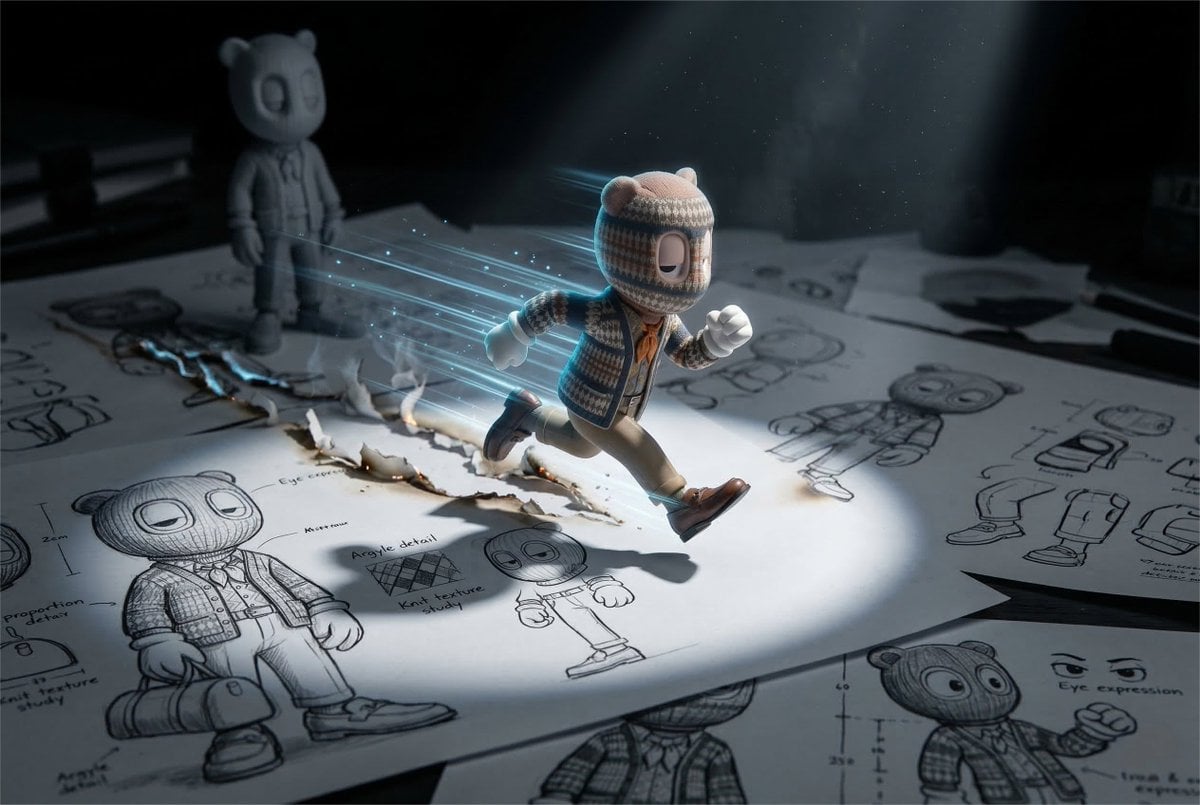
Cinematic Macro Toy Photography of a Sprinting Character

Modern Geometric Polygon Portrait
Browse template categories
Cute Bunny Hiragana Poster questions
How do I use the Cute Bunny Hiragana Poster template?
Add your photo if the template asks for one, edit the prompt if you like — the template's model and format are already selected — and press Generate. Your version opens in PicX Studio.
Can I customize the Cute Bunny Hiragana Poster template?
Yes. You can change the subject, setting, lighting, mood, format, and available model controls before creating your image.
Is the Cute Bunny Hiragana Poster template free?
Opening and editing this template is free. Generating uses credits, shown on the Generate button when you are signed in.
Which AI model should I use?
Start with GPT Image 2, which is the model associated with this template. You can compare another compatible model for a different finish.
Looking for something else? Browse all templates.

Your photo, any look
Thousands of ready templates for every top image and video model, from one credit balance.