
Chinese Vmess Protocol Infographic
A polished Chinese-language tech infographic poster explaining the Vmess protocol, suitable for educational social posts, brochures, and cybersecurity knowledge cards.
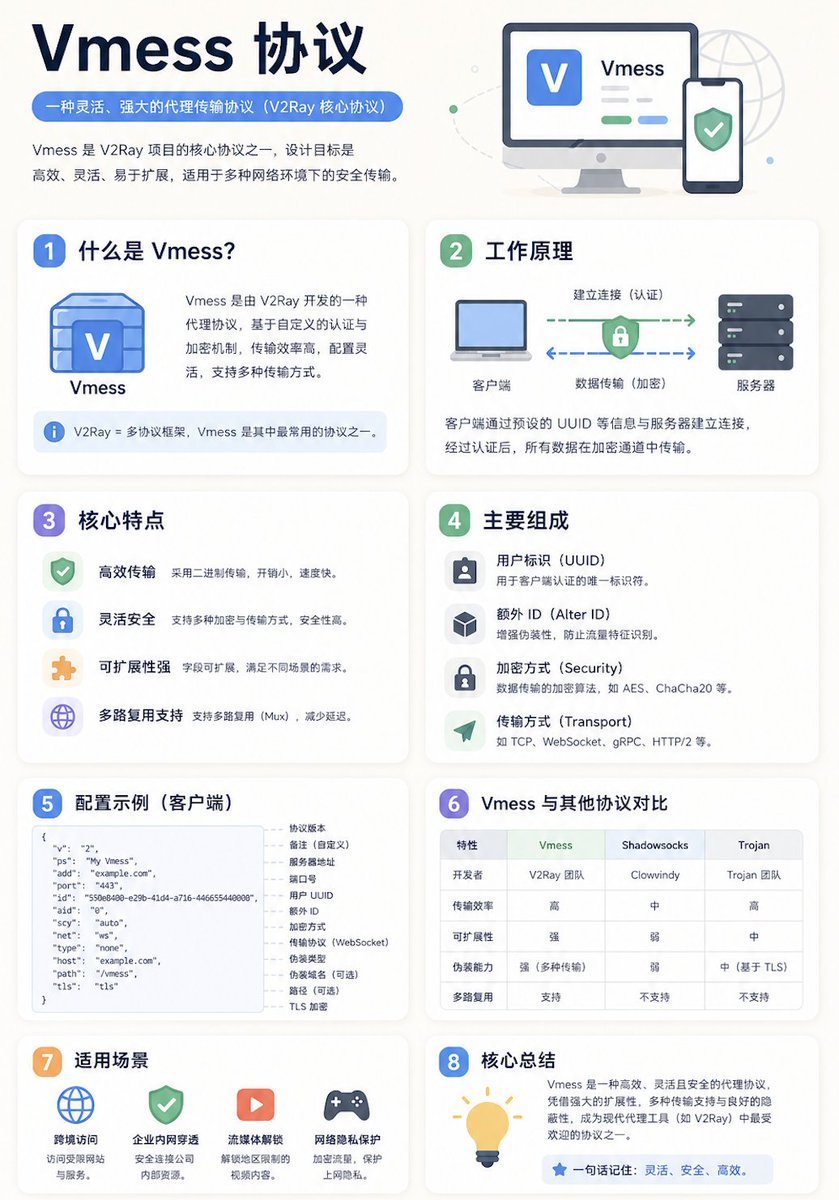
- Prompt included
- Model and format preset
- Free template
The prompt behind this image
Copy the exact prompt behind Chinese Vmess Protocol Infographic, or open it in the studio and make it yours.
- Type
- modern Chinese infographic poster
- Topic
- {argument name="topic title" default="Vmess 协议"}
- Style › Overall
- clean tech explainer, polished brochure-like educational poster, minimalist flat illustration, soft shadows, rounded white cards, blue-and-green cybersecurity color palette
- Style › Background
- warm off-white with faint geometric dots, subtle globe line art, and light decorative curves
- Style › Aspect Ratio
- 4:5 vertical
- Header › Title
- {argument name="main title" default="Vmess 协议"}
- Header › Subtitle
- {argument name="subtitle text" default="一种灵活、强大的代理传输协议(V2Ray 核心协议)"}
- Header › Intro
- Vmess 是 V2Ray 项目的核心协议之一,设计目标是高效、灵活、易于扩展,适用于多种网络环境下的安全传输。
- Header › Hero Illustration
- desktop monitor showing a blue V app icon and the word Vmess, beside a smartphone with a green shield checkmark
- Layout › Grid
- 2 columns, 4 rows of rounded content cards below the header
- Layout › Sections › 0 › Number
- 1
- Layout › Sections › 0 › Title
- 什么是 Vmess?
- Layout › Sections › 0 › Position
- row 1 left
- Layout › Sections › 0 › Count
- 3
- Layout › Sections › 0 › Labels
- Vmess, V2Ray = 多协议框架,Vmess 是其中最常用的协议之一。, Vmess 是由 V2Ray 开发的一种代理协议,基于自定义的认证与加密机制,传输效率高,配置灵活,支持多种传输方式。
- Layout › Sections › 0 › Visual
- blue cube-like Vmess icon with a large V
- Layout › Sections › 1 › Number
- 2
- Layout › Sections › 1 › Title
- 工作原理
- Layout › Sections › 1 › Position
- row 1 right
- Layout › Sections › 1 › Count
- 5
- Layout › Sections › 1 › Labels
- 客户端, 建立连接(认证), 数据传输(加密), 服务器, 客户端通过预设的 UUID 等信息与服务器建立连接,经过认证后,所有数据在加密通道中传输。
- Layout › Sections › 1 › Visual
- laptop on the left, server stack on the right, green dashed arrow forward, blue dashed arrow backward, central lock-and-shield symbol
- Layout › Sections › 2 › Number
- 3
- Layout › Sections › 2 › Title
- 核心特点
Raw JSON
{"type":"modern Chinese infographic poster","topic":"{argument name=\"topic title\" default=\"Vmess 协议\"}","style":{"overall":"clean tech explainer, polished brochure-like educational poster, minimalist flat illustration, soft shadows, rounded white cards, blue-and-green cybersecurity color palette","background":"warm off-white with faint geometric dots, subtle globe line art, and light decorative curves","aspect_ratio":"4:5 vertical"},"header":{"title":"{argument name=\"main title\" default=\"Vmess 协议\"}","subtitle":"{argument name=\"subtitle text\" default=\"一种灵活、强大的代理传输协议(V2Ray 核心协议)\"}","intro":"Vmess 是 V2Ray 项目的核心协议之一,设计目标是高效、灵活、易于扩展,适用于多种网络环境下的安全传输。","hero_illustration":"desktop monitor showing a blue V app icon and the word Vmess, beside a smartphone with a green shield checkmark"},"layout":{"grid":"2 columns, 4 rows of rounded content cards below the header","sections":[{"number":1,"title":"什么是 Vmess?","position":"row 1 left","count":3,"labels":["Vmess","V2Ray = 多协议框架,Vmess 是其中最常用的协议之一。","Vmess 是由 V2Ray 开发的一种代理协议,基于自定义的认证与加密机制,传输效率高,配置灵活,支持多种传输方式。"],"visual":"blue cube-like Vmess icon with a large V"},{"number":2,"title":"工作原理","position":"row 1 right","count":5,"labels":["客户端","建立连接(认证)","数据传输(加密)","服务器","客户端通过预设的 UUID 等信息与服务器建立连接,经过认证后,所有数据在加密通道中传输。"],"visual":"laptop on the left, server stack on the right, green dashed arrow forward, blue dashed arrow backward, central lock-and-shield symbol"},{"number":3,"title":"核心特点","position":"row 2 left","count":4,"labels":["高效传输","灵活安全","可扩展性强","多路复用支持"],"details":["采用二进制传输,开销小,速度快。","支持多种加密与传输方式,安全性高。","字段可扩展,满足不同场景的需求。","支持多路复用(Mux),减少延迟。"],"visual":"4 vertically stacked feature rows with green, blue, orange, and purple icons"},{"number":4,"title":"主要组成","position":"row 2 right","count":4,"labels":["用户标识(UUID)","额外 ID(Alter ID)","加密方式(Security)","传输方式(Transport)"],"details":["用于客户端认证的唯一标识符。","增强伪装性,防止流量特征识别。","数据传输的加密算法,如 AES、ChaCha20 等。","如 TCP、WebSocket、gRPC、HTTP/2 等。"],"visual":"4 vertically stacked rows with square icons for user, cube, lock, and paper airplane"},{"number":5,"title":"配置示例(客户端)","position":"row 3 left","count":2,"labels":["JSON configuration code block","field annotations list"],"visual":"left-side rounded code panel showing JSON with keys v, ps, add, port, id, aid, scy, net, type, host, path, tls; right-side vertical notes explaining each field"},{"number":6,"title":"Vmess 与其他协议对比","position":"row 3 right","count":4,"labels":["特性","Vmess","Shadowsocks","Trojan"],"visual":"comparison table with 6 rows: 开发者, 传输效率, 可扩展性, 伪装能力, 多路复用, plus the header row","table_notes":"Vmess column highlighted in soft green; other columns in neutral tones"},{"number":7,"title":"适用场景","position":"row 4 left","count":4,"labels":["跨境访问","企业内网穿透","流媒体解锁","网络隐私保护"],"details":["访问受限网站与服务。","安全连接公司内部资源。","解锁地区限制的视频内容。","加密流量,保护上网隐私。"],"visual":"4 evenly spaced icon-and-caption items: globe, shield, play button, game controller"},{"number":8,"title":"核心总结","position":"row 4 right","count":2,"labels":["summary paragraph","一句话记住:灵活、安全、高效。"],"visual":"large yellow light bulb icon on the left, text on the right in a blue rounded quote bar","summary_text":"Vmess 是一种高效、灵活且安全的代理协议,凭借强大的扩展性、多种传输支持与良好的隐藏性,成为现代代理工具(如 V2Ray)中最受欢迎的协议之一。"}]},"typography":{"title_style":"large bold sans-serif in dark navy","section_title_style":"bold Chinese sans-serif with colored numbered badges","body_style":"compact readable Chinese UI font","emphasis":"blue pill subtitle, colored icons, green and blue accents"},"color_palette":{"navy":"#14264a","blue":"#5b8ff9","light_blue":"#eaf2ff","green":"#67c587","light_green":"#eaf8ef","purple":"#8c7cf3","orange":"#f3b35f","card":"#ffffff","border":"#e8ebf2","background":"#f7f5f2"}}How to use Chinese Vmess Protocol Infographic in 3 steps
- 1Upload ImagePNG, JPG or paste
Add your photo
Upload the photo the template builds on. The prompt, model and format are already set.
- 2…a portrait of your subject in softgolden-hour light, 85mm…
Personalize
Edit the subject and creative details for your destination.
- 3Generate
Generate
Press Generate — your image is created in PicX Studio, so you can compare it with the original and refine one variable at a time.
More like this
Templates with the same subject, style or setup. Open one to see its prompt.

博物馆图鉴式汉服拆解图 — GPT-image-2

Japan Travel Brochure Poster

Isometric Process Educational Diorama

Isometric Vehicle Teardown Infographic Template

Gpt2 E Commerce Main Image Earbuds E Commerce Infographic

Gpt2 Infographic Edu Visual Alishan One Day Travel Poster

Gpt2 Infographic Edu Visual Ethnographic Plate for Tibetan Ceremonial Hat

Gpt2 Infographic Edu Visual Earth Signs Zodiac Character Poster

Gpt2 Infographic Edu Visual Water Signs Zodiac Character Poster

Gpt2 Infographic Edu Visual Ink Wash Tribute Poster for Chen Uen

Gpt2 Infographic Edu Visual Vintage Claude Shannon Infographic Poster

Gpt2 Infographic Edu Visual Taoist Three Souls Seven Po Poster
Make it yours
Chinese Vmess Protocol Infographic works as-is. These are the safest ways to change it without losing the look.
Swap the setting
Keep the rest of the prompt and replace the location block. The current setting is “warm off-white with faint geometric dots, subtle globe line art, and light decor”.
Swap the light
One lighting change is enough to compare takes. Current light: “#eaf2ff”.
Change one field
Copy a single group, rewrite it, and generate again so you can see what that field is doing.
| If the result… | Why | Fix |
|---|---|---|
| The result drifts from the preview | Too many fields changed at once. | Reuse Chinese Vmess Protocol Infographic as-is first, then change one group — subject, light, or setting. |
| GPT Image 2 ignores part of the JSON | Some models flatten or skip nested keys. | Keep the same values and paste them as a short paragraph instead. |
More GPT Image 2 templates
Other prompts made for GPT Image 2.

Six VTuber Japanese Logo Sheet

Realistic Portrait of Woman and Deer

The Vista Modular Condo Poster

AI Model Routing Comparison Infographic

2.5D Anime Art Board

Isometric Productivity Desk Scene

New York Double Exposure Poster

Four-Panel AI Landscape Comparison

Japanese Tatami Lifestyle Magazine Cover

NESCAFÉ Coffee Map Poster
More image prompts
Fresh picks from across the catalog.

High-End Studio Fashion Portrait Prompt for Nano Banana 2
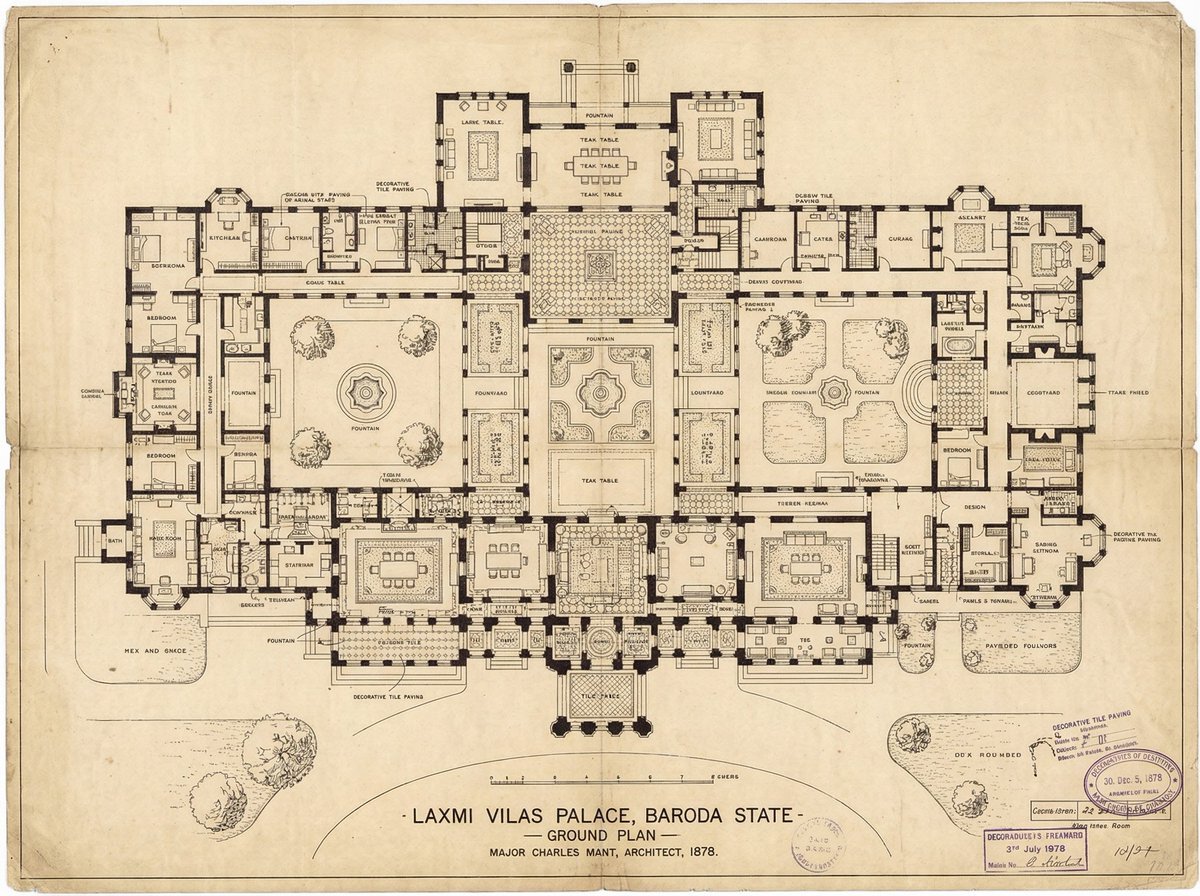
Generate detailed construction plan of Laxmi Vilas Palace from image

Cozy, Intimate Bedroom Portrait with High Angle Selfie Aesthetic

Wide-Angle Car Selfie with Panoramic Sunroof

Playful 8K Selfie of Young Woman Winking

Serene Sunlit Garden Reading Scene

Movie Poster Style Ad Generation Prompt

Japanese Woman in Hallstatt Travel Portrait

Sloth, Tuna, and F-15E in Eastman Color Style
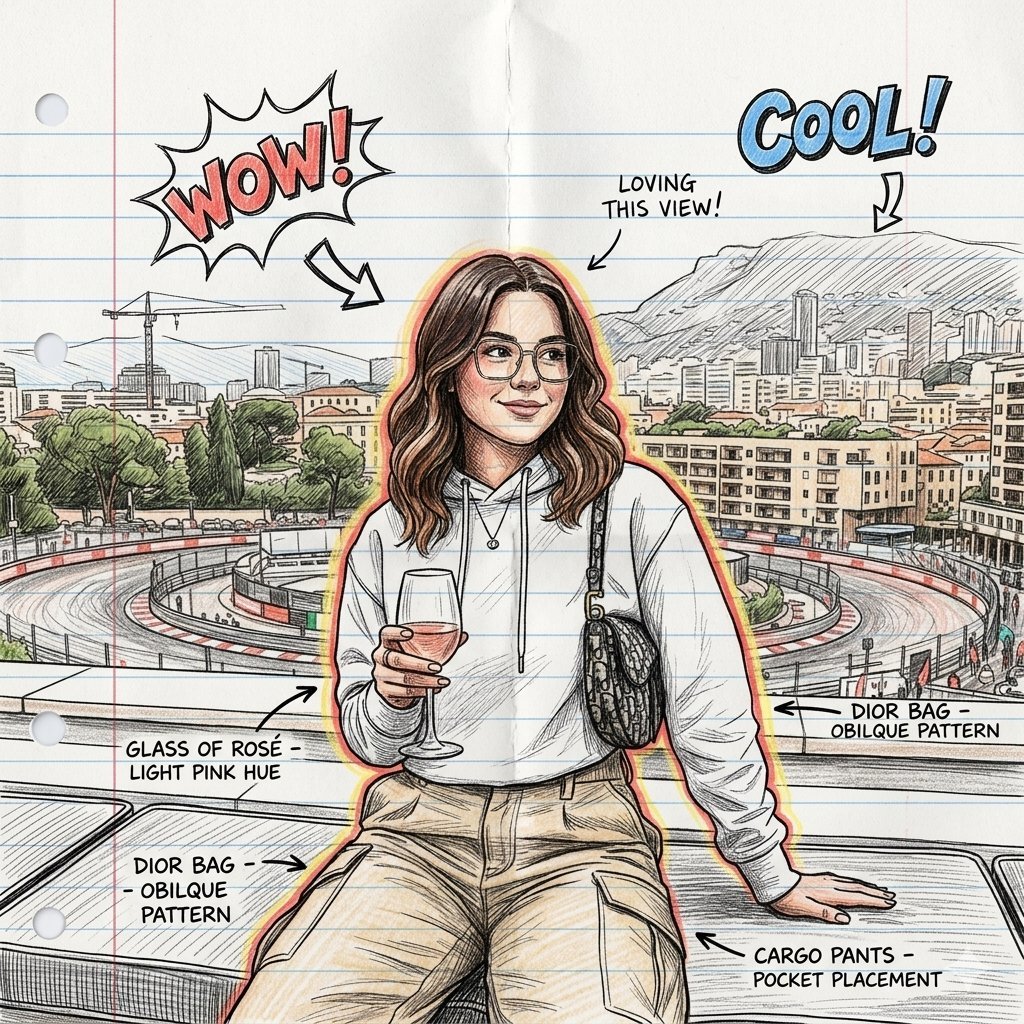
Gemini Nano Banana 2
Browse template categories
Chinese Vmess Protocol Infographic questions
How do I use the Chinese Vmess Protocol Infographic template?
Add your photo if the template asks for one, edit the prompt if you like — the template's model and format are already selected — and press Generate. Your version opens in PicX Studio.
Can I customize the Chinese Vmess Protocol Infographic template?
Yes. You can change the subject, setting, lighting, mood, format, and available model controls before creating your image.
Is the Chinese Vmess Protocol Infographic template free?
Opening and editing this template is free. Generating uses credits, shown on the Generate button when you are signed in.
Which AI model should I use?
Start with GPT Image 2, which is the model associated with this template. You can compare another compatible model for a different finish.
Looking for something else? Browse all templates.

Your photo, any look
Thousands of ready templates for every top image and video model, from one credit balance.