How do I use the Dramatic High Contrast Studio Portrait template?
Edit the prompt in the box under the preview — the template's model and format are already selected — and press Generate. Your version appears right on this page.
A professional studio portrait prompt for generating intense, moody character studies with vibrant backdrops and directional lighting.

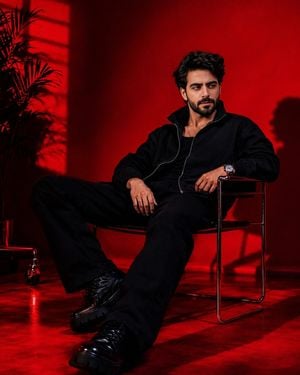
A dramatic, high-contrast studio portrait of a {argument name="subject description" default="man with dark messy hair and a well groomed beard"}, wearing {argument name="eyewear" default="black rectangular glasses"} and a {argument name="shirt color" default="dark olive-green"} collared shirt. He is leaning forward over the curved backrest of a black chair, gazing intently down towards the lens. The entire setting features a striking, solid vibrant crimson-red background wall that transitions into deep shadows toward the lower right, establishing a highly atmospheric and moody character aesthetic. He Is leaning forward with his head tilted down and slightly to the left, resting both forearms on the horizontal backrest of a chair. His gaze is directed downwards towards the camera with a serious, intense expression. He is wearing a smooth woven olive-green collared shirt, fully buttoned up with visible collar points and a center placket. The sleeves are rolled up neatly to his mid-forearms, creating fabric folds near his elbows. A chunky, dark signet-style ring is visible on the index finger of his left hand, along with a dark ring on his right hand. A metallic chain bracelet consisting of small interlocking links is wrapped around his left wrist. An eye-level, medium close-up shot that captures the subject from the waist up, focusing heavily on his facial expression, hair texture, and upper torso. Strong, directional artificial studio lighting coming from the top-left. This illuminates the left side of his forehead, nose bridge, cheek, and the wet sheen of his hair, while casting deep, heavy shadows across the right side of his face and shading the lower half of his body into near-total darkness. A bold, high-contrast color scheme dominated by the vivid red background, the dark olive green of the shirt, and the solid black tones of the hair, glasses, and chair. The background shows a soft vignette effect, appearing brighter on the upper-left and deepening into dark red behind the subject's left shoulder.
A dramatic, high-contrast studio portrait of a {argument name="subject description" default="man with dark messy hair and a well groomed beard"}, wearing {argument name="eyewear" default="black rectangular glasses"} and a {argument name="shirt color" default="dark olive-green"} collared shirt. He is leaning forward over the curved backrest of a black chair, gazing intently down towards the lens. The entire setting features a striking, solid vibrant crimson-red background wall that transitions into deep shadows toward the lower right, establishing a highly atmospheric and moody character aesthetic. He Is leaning forward with his head tilted down and slightly to the left, resting both forearms on the horizontal backrest of a chair. His gaze is directed downwards towards the camera with a serious, intense expression. He is wearing a smooth woven olive-green collared shirt, fully buttoned up with visible collar points and a center placket. The sleeves are rolled up neatly to his mid-forearms, creating fabric folds near his elbows. A chunky, dark signet-style ring is visible on the index finger of his left hand, along with a dark ring on his right hand. A metallic chain bracelet consisting of small interlocking links is wrapped around his left wrist. An eye-level, medium close-up shot that captures the subject from the waist up, focusing heavily on his facial expression, hair texture, and upper torso. Strong, directional artificial studio lighting coming from the top-left. This illuminates the left side of his forehead, nose bridge, cheek, and the wet sheen of his hair, while casting deep, heavy shadows across the right side of his face and shading the lower half of his body into near-total darkness. A bold, high-contrast color scheme dominated by the vivid red background, the dark olive green of the shirt, and the solid black tones of the hair, glasses, and chair. The background shows a soft vignette effect, appearing brighter on the upper-left and deepening into dark red behind the subject's left shoulder.
Edit the prompt in the box under the preview — the template's model and format are already selected — and press Generate. Your version appears right on this page.
Yes. You can change the subject, setting, lighting, mood, format, and available model controls before creating your image.
Opening and editing this template is free. Generating uses credits, shown on the Generate button when you are signed in.
Start with Nano Banana 2, which is the model associated with this template. You can compare another compatible model for a different finish.
Follow a topic to a crawlable collection of related PicX Studio templates.