

How do I use the Washing Machine POV Lifestyle Photography template?
Choose the primary action to open PicX Studio with the available template settings. Review the model and format, personalize the creative direction, and generate when ready.
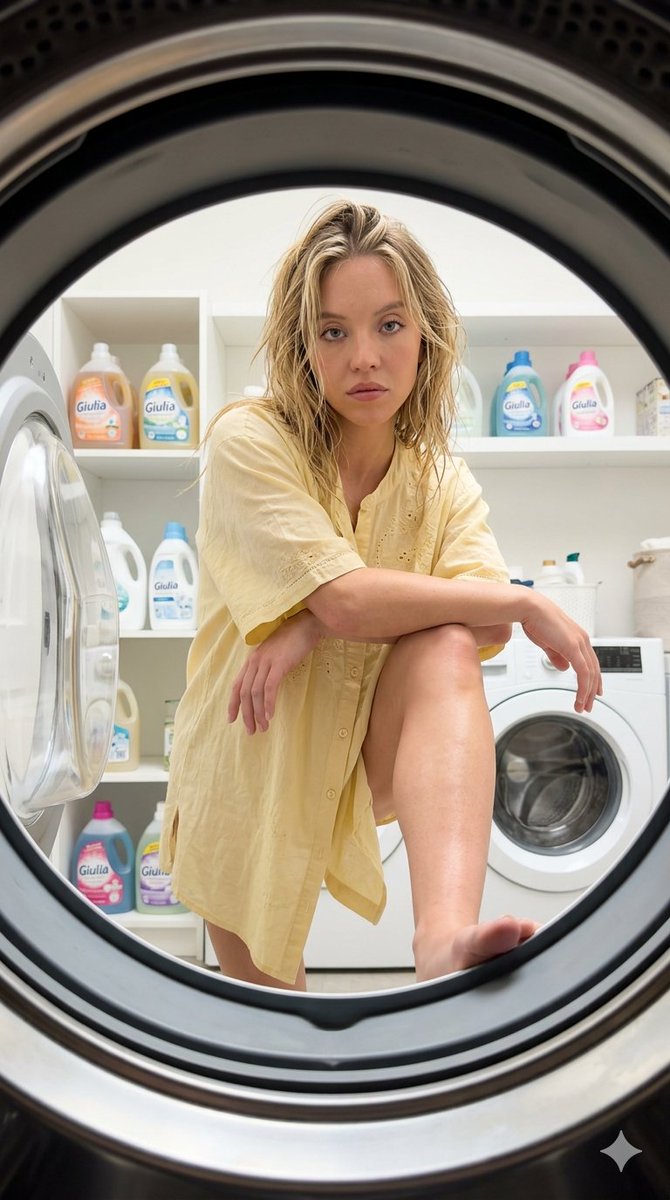
A unique lifestyle photography prompt utilizing a washing machine interior point-of-view to frame a subject, creating an intimate and quirky atmosphere. (free to use) — Free AI image template on PicX Studio.
"A quirky and intimate POV lifestyle photograph taken from the inside of a washing machine looking out at {argument name="subject" default="Sydney Sweeney"}. She has an intense, direct gaze, natural makeup, and messy, slightly {argument name="hair state" default="wet-looking"} hair. She is leaning forward, framing the circular opening of the washing machine drum, with her right foot resting on the bottom edge of the opening. Her right arm rests on her right knee, and her left arm is crossed over it as she looks straight into the camera lens. She is wearing an oversized, loose-fitting, {argument name="clothing color" default="light yellow"} short-sleeve button-up tunic with delicate embroidery, left unbuttoned at the bottom. The background reveals a bright laundry room with white shelves, a second white washing machine, and colorful liquid laundry detergent bottles bearing the name 'Giulia'. The scene features soft, bright, and diffused indoor studio lighting that flatters the subject with delicate highlights on her skin and hair, leaving minimal, soft shadows for a clean, professional, and naturally elegant look. Shot on an iPhone 17 Pro Max main wide-angle lens, high resolution, 8k, accurate white balance. --ar 9:16"
Use Washing Machine POV Lifestyle Photography to plan an AI image around nano-banana-2 generation. Match the preview's composition first, then personalize the subject, setting, and mood for your own project.
Use the primary action to load the template settings in PicX Studio.
Adjust the subject and creative details for your destination.
Create the image, compare the result with the preview, and refine one variable at a time.
A continuous mix — similar concepts first, woven with same-model prompts and fresh picks from the catalog.
Choose the primary action to open PicX Studio with the available template settings. Review the model and format, personalize the creative direction, and generate when ready.
Yes. You can change the subject, setting, lighting, mood, format, and available model controls before creating your image.
This template is free to open and customize. Generation usage is shown in PicX Studio before you create.
Start with nano-banana-2, which is the model associated with this template. You can compare another compatible model for a different finish.
A continuous mix — similar concepts first, woven with same-model prompts and fresh picks from the catalog.
Follow a topic to a crawlable collection of related PicX Studio templates.
32,032 public templates available. Verified via the PicX Studio public templates API; refreshed hourly.


