How do I use the 3D Shadowbox Manga Display template?
Edit the prompt in the box under the preview — the template's model and format are already selected — and press Generate. Your version appears right on this page.
Transform existing images into a multi-layered 3D shadowbox display with stone textures and realistic depth effects.

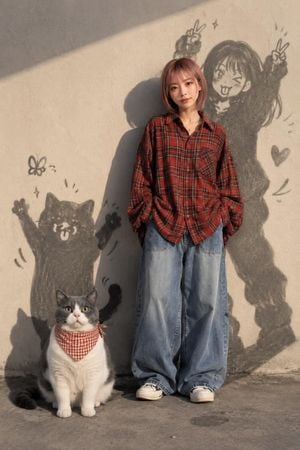
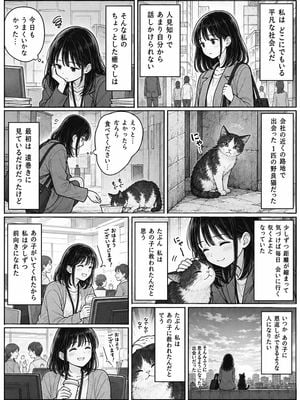
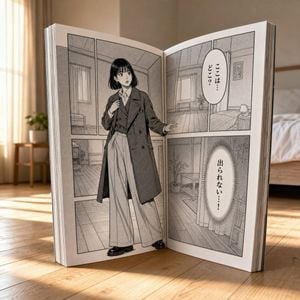
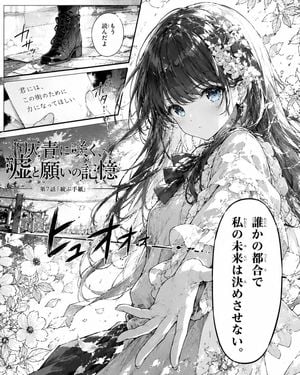
A 3D shadowbox display version of 11054.jpg. The "ONE PIECE" typography at the top is rendered as thick, raised 3D stone-textured letters with prominent drop shadows. The central woman is fully multi-dimensional, casting a realistic, soft shadow onto the textured background behind her to create a distinct layer of depth. The sketches, manga panels, and "WANTED" poster in the background are subtly embossed and debossed into the concrete wall texture. The entire image is enclosed in an ornate wooden shadowbox frame, with directional top-down studio lighting that emphasizes the deep, tangible layers and physical depth. A 3D shadowbox display version of 11055.jpg. The "DRAGON BALL" typography at the top is transformed into heavy, weathered, 3D metallic block letters that cast distinct drop shadows onto the background. The central woman is a realistic, lifelike figure stepping forward, creating physical depth and separation from the wall behind her. The entire composition is encased within a rustic wooden shadowbox frame with soft, warm LED strip lighting running along the inner edges, casting dynamic shadows and accentuating the multi-layered, three-dimensional pop-out effect.
A 3D shadowbox display version of 11054.jpg. The "ONE PIECE" typography at the top is rendered as thick, raised 3D stone-textured letters with prominent drop shadows. The central woman is fully multi-dimensional, casting a realistic, soft shadow onto the textured background behind her to create a distinct layer of depth. The sketches, manga panels, and "WANTED" poster in the background are subtly embossed and debossed into the concrete wall texture. The entire image is enclosed in an ornate wooden shadowbox frame, with directional top-down studio lighting that emphasizes the deep, tangible layers and physical depth. A 3D shadowbox display version of 11055.jpg. The "DRAGON BALL" typography at the top is transformed into heavy, weathered, 3D metallic block letters that cast distinct drop shadows onto the background. The central woman is a realistic, lifelike figure stepping forward, creating physical depth and separation from the wall behind her. The entire composition is encased within a rustic wooden shadowbox frame with soft, warm LED strip lighting running along the inner edges, casting dynamic shadows and accentuating the multi-layered, three-dimensional pop-out effect.
Edit the prompt in the box under the preview — the template's model and format are already selected — and press Generate. Your version appears right on this page.
Yes. You can change the subject, setting, lighting, mood, format, and available model controls before creating your image.
Opening and editing this template is free. Generating uses credits, shown on the Generate button when you are signed in.
Start with Nano Banana 2, which is the model associated with this template. You can compare another compatible model for a different finish.
Follow a topic to a crawlable collection of related PicX Studio templates.