How do I use the Pastel Pink Coffee Shop Aesthetic template?
Choose the primary action to open PicX Studio with the available template settings. Review the model and format, personalize the creative direction, and generate when ready.
A detailed scene of a woman at an outdoor coffee shop, heavily coordinated around a bright and casual pastel pink color palette.
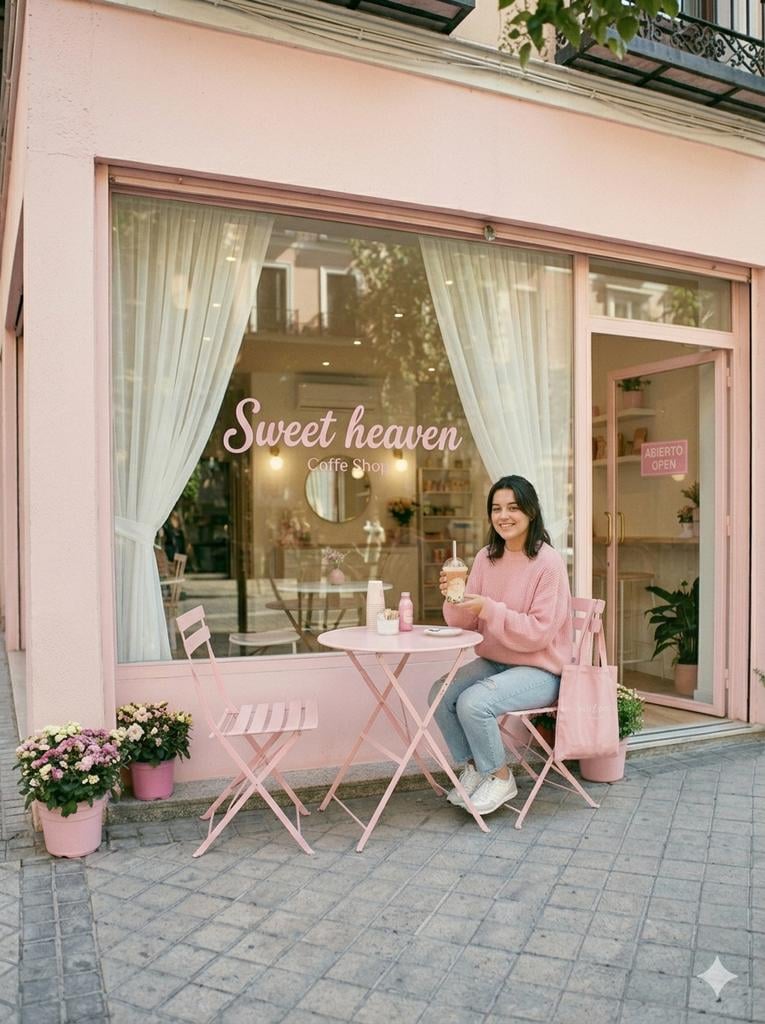
A woman sitting outside a coffee shop with a soft, pink-themed aesthetic. Here is a detailed breakdown of the scene: Subject • The Woman: She is sitting at an outdoor table, smiling slightly as she looks down at a clear plastic cup she is holding with both hands. It appears to be an iced coffee or boba drink with a layered, creamy color. • Attire: She is dressed in a cozy, {argument name="outfit" default="oversized pastel pink sweater, light-blue denim jeans"}, and white sneakers with grey accents. • Accessories: A matching pinkcanvas tote bag hangs over the back of her chair. Setting & Atmosphere • The Table Setup: She is seated at a small, round, pink folding table. On the table, there is another stacked set of cups, a small white dish, and a tiny pink bottle. Next to her is an empty pink slatted folding chair. • The Storefront: She is positioned in front of a coffee shop with large glass windows. • The window features a pink cursive logo that reads "Sweet heaven Coffe Shop". • Inside, you can see white sheer curtains framing the windows, a clean white interior, and a round mirror on the back wall. • A pink sign on the door to the right reads "ABIERTO OPEN". The overall mood of the image is bright, casual, and heavily coordinated around a {argument name="palette" default="pastel pink"} color palette. Image ratio 3.4
Choose the primary action to open PicX Studio with the available template settings. Review the model and format, personalize the creative direction, and generate when ready.
Yes. You can change the subject, setting, lighting, mood, format, and available model controls before creating your image.
This template is free to open and customize. Generation usage is shown in PicX Studio before you create.
Start with Nano Banana 2, which is the model associated with this template. You can compare another compatible model for a different finish.
Follow a topic to a crawlable collection of related PicX Studio templates.