How do I use the Dramatic Feather Explosion Fashion Shot template?
Choose the primary action to open PicX Studio with the available template settings. Review the model and format, personalize the creative direction, and generate when ready.
A highly cinematic studio portrait prompt featuring a subject in luxury matte black fashion, surrounded by a dramatic explosion of black feathers in an infinite
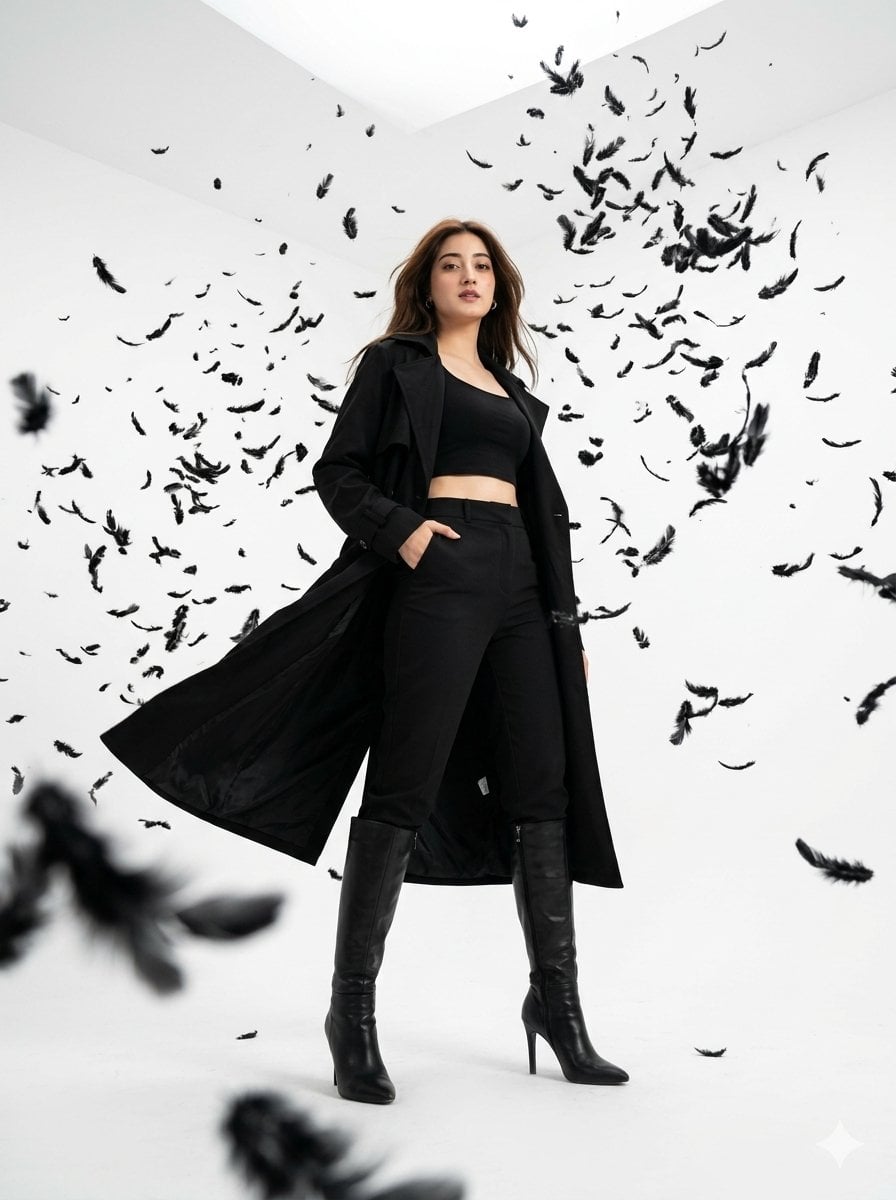
A hyper-realistic, 35mm cinematic studio photograph with a dramatic low-angle shot. The setting is a completely white infinite studio. Thousands of black feathers are frozen mid-explosion, suspended in the air around the subject. [Insert Face Reference Here] as reference, preserving identical facial features and highly realistic skin textures perfectly. The subject is a {argument name="subject" default="young woman"} standing confidently in the center. She is wearing high-end fashion: a {argument name="top" default="fitted matte black crop top"} beneath a {argument name="coat" default="long, flowing black trench coat"}, tailored black trousers, and sleek black high-heeled leather boots. One hand is casually tucked inside her pocket, while the other hand slightly lifts the coat as if caught in dynamic motion. Her long hair flows naturally with the motion, adding cinematic energy to the scene. Lighting is soft overhead studio lighting, creating sharp, dramatic shadows beneath the floating feathers and the subject. The pure white environment contrasts intensely against the deep black wardrobe and particles. Cinematic shallow depth of field, with several foreground feathers positioned extremely close to the lens, creating a blurry, immersive perspective. Ultra-detailed fabric movement, intricate feather textures, luxury fashion campaign aesthetic, high-end editorial photography, minimalistic yet visually explosive composition. 8k resolution, high-fidelity detail.
Choose the primary action to open PicX Studio with the available template settings. Review the model and format, personalize the creative direction, and generate when ready.
Yes. You can change the subject, setting, lighting, mood, format, and available model controls before creating your image.
This template is free to open and customize. Generation usage is shown in PicX Studio before you create.
Start with Nano Banana 2, which is the model associated with this template. You can compare another compatible model for a different finish.
Follow a topic to a crawlable collection of related PicX Studio templates.