How do I use the Fashion Magazine Creative Profile template?
Choose the primary action to open PicX Studio with the available template settings. Review the model and format, personalize the creative direction, and generate when ready.
A high-fashion magazine cover titled 'BOLD' featuring a minimalist creative in a modern studio with earth-tone palettes.
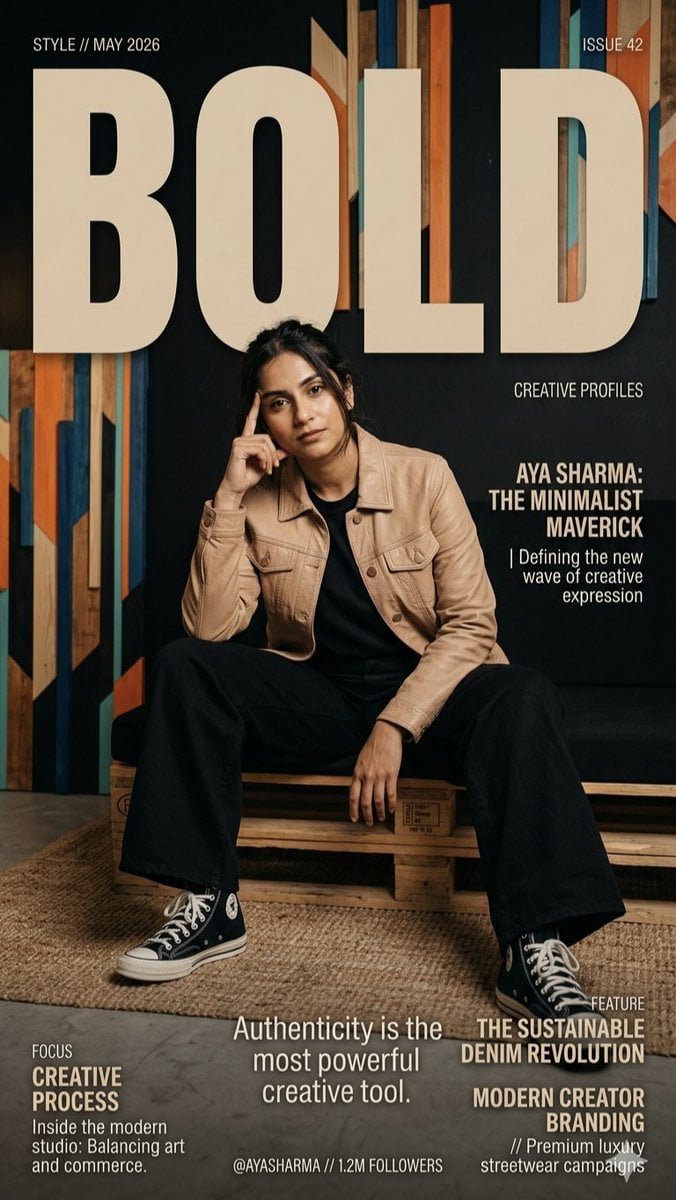
A high-fashion magazine cover titled "{argument name="title" default="BOLD"}" featuring {argument name="subject" default="Aya Sharma"}, a minimalist creative. She sits confidently on a wooden pallet bench in a modern studio, wearing a {argument name="jacket" default="tan leather jacket"}, black top, wide-leg trousers, and classic high-top sneakers. The composition uses a sophisticated earth-tone palette, bold serif typography, and textured wall art to convey a professional, "Creative Profiles" aesthetic centered on authenticity and sustainable branding.
Choose the primary action to open PicX Studio with the available template settings. Review the model and format, personalize the creative direction, and generate when ready.
Yes. You can change the subject, setting, lighting, mood, format, and available model controls before creating your image.
This template is free to open and customize. Generation usage is shown in PicX Studio before you create.
Start with Nano Banana 2, which is the model associated with this template. You can compare another compatible model for a different finish.
Follow a topic to a crawlable collection of related PicX Studio templates.