How do I use the Cinematic Underwater Atlantis City template?
Choose the primary action to open PicX Studio with the available template settings. Review the model and format, personalize the creative direction, and generate when ready.
Generates an epic fantasy underwater Atlantis cityscape suitable for concept art, wallpapers, or cinematic worldbuilding.
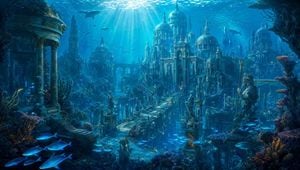
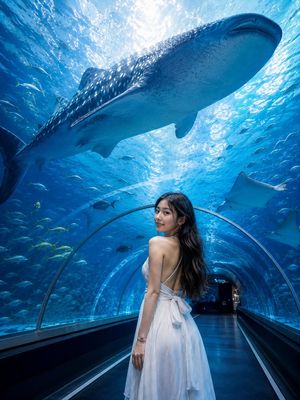
Create a wide cinematic fantasy underwater cityscape of {argument name="lost city name" default="Atlantis"}, seen from a slightly elevated viewpoint as if looking into an immense submerged valley. The scene shows a grand ancient palace complex with exactly 5 prominent domed structures: one huge central cathedral-like dome, two medium domes flanking it, one smaller dome in the left midground, and one smaller dome on the far right. Include exactly 2 tall spire towers rising behind the architecture, a long arched aqueduct bridge crossing the middle distance, and a stone avenue leading toward the central palace. Add exactly 4 prominent statues: a large sea-king statue on the right holding a trident, a robed statue on a pedestal near the left side of the avenue, a smaller central pedestal statue in the foreground, and a distant guardian statue near the palace entrance. Surround the ruins with coral reefs, seaweed, ancient columns, broken temples, glowing blue bioluminescent plants, and weathered stone covered in algae. Include marine life with exactly 3 large sharks in the upper water, one school of many tiny fish near the upper right, and one foreground school of 7 glowing blue fish in the lower left. Lighting is dramatic turquoise-blue underwater sunlight, with strong rays streaming down from the surface, volumetric haze, sparkling particles, caustic highlights, deep shadows, and a magical ancient-civilization mood. Use an ultra-detailed digital matte painting style, epic scale, realistic fantasy architecture, ornate domes, Baroque and classical ruins, rich teal/cyan palette with hints of gold and coral, high contrast, sharp foreground detail fading into misty depth. No text, no people, no modern objects, no frame or watermark. Aspect ratio 16:9.
Choose the primary action to open PicX Studio with the available template settings. Review the model and format, personalize the creative direction, and generate when ready.
Yes. You can change the subject, setting, lighting, mood, format, and available model controls before creating your image.
This template is free to open and customize. Generation usage is shown in PicX Studio before you create.
Start with GPT Image 2, which is the model associated with this template. You can compare another compatible model for a different finish.
Follow a topic to a crawlable collection of related PicX Studio templates.