How do I use the Golden Hour Hatirjheel Fashion Portrait template?
Choose the primary action to open PicX Studio with the available template settings. Review the model and format, personalize the creative direction, and generate when ready.
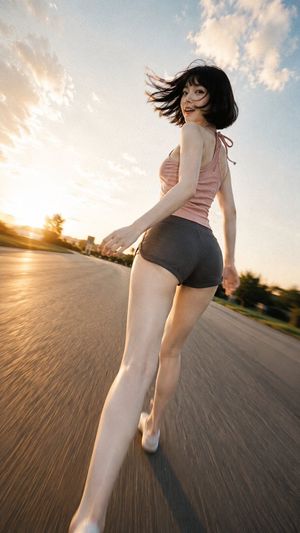
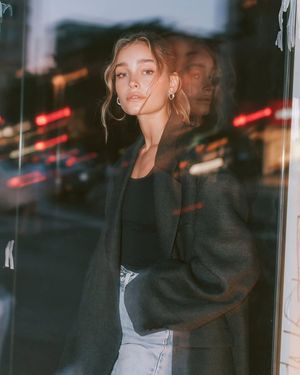
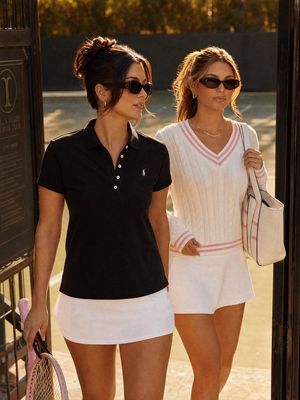
An ultra-realistic editorial portrait of a lone South Asian woman at Hatirjheel, Dhaka, ideal for fashion, travel, or lifestyle visuals.
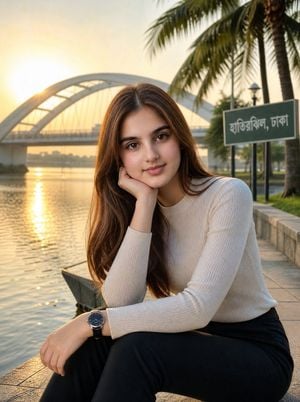
Create an ultra-realistic editorial fashion photograph of {argument name="character description" default="a beautiful young South Asian woman in her early 20s"} sitting alone on the stone edge of the Hatirjheel lakeside promenade in Dhaka, Bangladesh during golden hour. She is the only person in the scene, framed in a vertical portrait composition from about mid-thigh upward, looking directly at the camera with a soft relaxed smile, one cheek resting on her hand and the other arm draped across her lap. She has long loose chestnut-brown hair with a center part, natural glowing makeup, expressive brown eyes, and smooth warm skin. Her outfit is a fitted ribbed cream long-sleeve knit top, high-waisted black trousers, and a simple dark wristwatch. Behind her, show the calm reflective lake with golden sunlight shimmering on the water, a large white arched bridge softly blurred in the background, tall palm trees on the right, a paved waterfront walkway, a low stone railing, and a green signboard with Bengali text reading {argument name="sign text" default="হাতিরঝিল, ঢাকা"}. The sun is low near the bridge, creating warm backlight, gentle rim light on her hair, cinematic lens flare, and a shallow depth of field. Use professional full-frame camera realism, 85mm portrait lens look, natural skin texture, editorial fashion styling, soft bokeh, warm amber highlights, balanced exposure, and crisp detail on the model’s face. Constraints: no other people, no men, no women, no crowds, no tourists, no photographers, no vehicles in the foreground, no extra signs, no logos, no watermark, no distorted hands, no artificial plastic skin.
Choose the primary action to open PicX Studio with the available template settings. Review the model and format, personalize the creative direction, and generate when ready.
Yes. You can change the subject, setting, lighting, mood, format, and available model controls before creating your image.
This template is free to open and customize. Generation usage is shown in PicX Studio before you create.
Start with GPT Image 2, which is the model associated with this template. You can compare another compatible model for a different finish.
Follow a topic to a crawlable collection of related PicX Studio templates.