How do I use the Luxury Three-Portrait Gallery Wall template?
Choose the primary action to open PicX Studio with the available template settings. Review the model and format, personalize the creative direction, and generate when ready.
Generates a realistic upscale interior mockup with three framed portrait photos on a softly lit gallery wall.
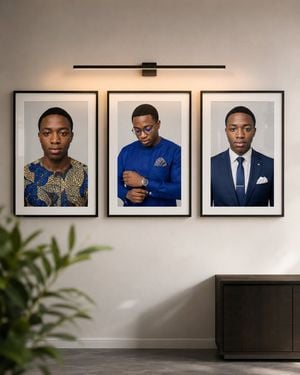
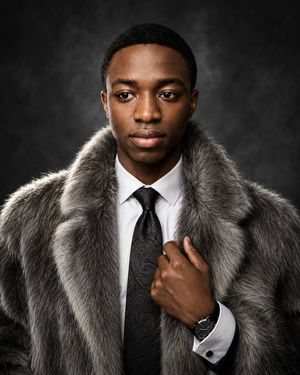
Create an ultra-realistic modern luxury interior gallery wall mockup in a vertical 4:5 composition. Show a smooth matte off-white wall with three large black-framed portrait photographs arranged horizontally in a perfectly even row, with equal spacing and matching frame sizes. Each frame has a thin black border, white matting, and a centered vertical portrait print. The three framed portraits are: left, {argument name="left portrait subject" default="a young Black man facing forward in a patterned blue and gold traditional shirt"}; center, {argument name="center portrait subject" default="a young Black man in a royal blue formal shirt with glasses, looking down while adjusting his cuff, with a pocket square and wristwatch"}; right, {argument name="right portrait subject" default="a young Black man facing forward in a navy suit, white shirt, blue tie, tie bar, and white pocket square"}. Above the three frames, place one slim horizontal black picture light centered over the gallery, mounted with a small rectangular bracket and casting a warm soft glow on the wall and frames. Include a blurred leafy green plant in the lower left foreground, a dark modern wooden sideboard cabinet in the lower right, a subtle white baseboard along the bottom wall, and a gray stone or concrete floor. Use soft natural daylight mixed with warm gallery lighting, realistic shadows, premium interior styling, clean symmetry, sharp frame details, shallow foreground blur, and a calm upscale art-gallery atmosphere. No visible text, no watermark, no extra frames, exactly three portraits.
Choose the primary action to open PicX Studio with the available template settings. Review the model and format, personalize the creative direction, and generate when ready.
Yes. You can change the subject, setting, lighting, mood, format, and available model controls before creating your image.
This template is free to open and customize. Generation usage is shown in PicX Studio before you create.
Start with GPT Image 2, which is the model associated with this template. You can compare another compatible model for a different finish.
Follow a topic to a crawlable collection of related PicX Studio templates.