How do I use the Rainbow 3D Kabutomushi Beetle template?
Choose the primary action to open PicX Studio with the available template settings. Review the model and format, personalize the creative direction, and generate when ready.
A prompt for generating a cute luminous 3D rhinoceros beetle illustration on a black background.
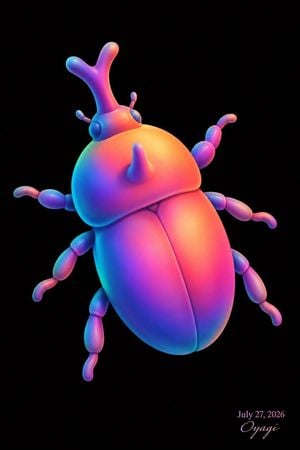
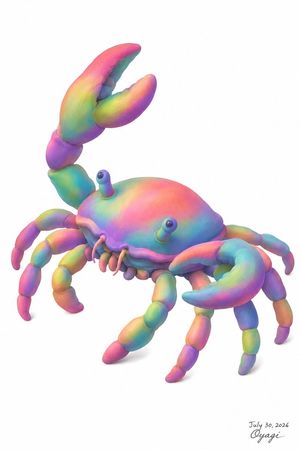
Create a single-subject 3D digital artwork of a cute stylized Japanese rhinoceros beetle, a kabutomushi, floating diagonally on a pure black background. The beetle should have a soft toy-like, rounded, glossy clay/plastic surface with smooth inflated forms and no hard textures. Show exactly 1 beetle with 6 segmented legs, 2 small antennae, 2 round side eyes, 1 large forked Y-shaped horn rising from the head, and 1 smaller cone horn on the thorax. Angle the body from upper left to lower right, with the head near the upper left and the abdomen extending downward right; use a three-quarter top view. The shell has two large rounded wing covers divided by a central groove, a domed orange-yellow thorax, and bulbous magenta-purple-blue body segments. Use vivid rainbow gradient lighting: cyan and teal along the left edges, saturated pink and magenta through the middle, warm orange and yellow highlights on the upper shell, and violet-blue shadows underneath. Add soft rim lighting and subtle bloom while keeping the background completely black and uncluttered. Include a small elegant signature/date in the lower-right corner reading {argument name="date text" default="July 27, 2026"} above a cursive artist signature {argument name="signature text" default="Oyagi"}. Overall mood: adorable, futuristic, luminous, high-end 3D render, centered composition with generous negative space, vertical portrait aspect ratio.
Choose the primary action to open PicX Studio with the available template settings. Review the model and format, personalize the creative direction, and generate when ready.
Yes. You can change the subject, setting, lighting, mood, format, and available model controls before creating your image.
This template is free to open and customize. Generation usage is shown in PicX Studio before you create.
Start with GPT Image 2, which is the model associated with this template. You can compare another compatible model for a different finish.
Follow a topic to a crawlable collection of related PicX Studio templates.