How do I use the Rhinoceros Beetle Boy Fashion Sketch template?
Choose the primary action to open PicX Studio with the available template settings. Review the model and format, personalize the creative direction, and generate when ready.
Generates a monochrome manga-style fashion concept sheet of two elegant teenage boys wearing beetle-inspired headpiece masks.
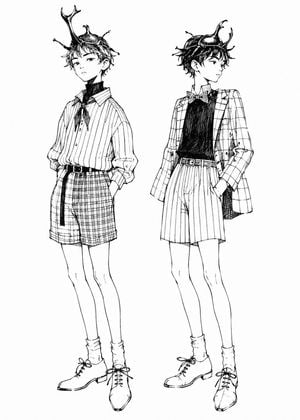
Create a black-and-white manga fashion illustration on a clean white background featuring exactly 2 full-body slim teenage boys with delicate androgynous faces, long legs, tousled short dark hair, and rhinoceros beetle-inspired headpieces worn like masks or crowns. The style should look like fine ink pen line art from a fashion sketchbook: crisp contour lines, expressive cross-hatching, sparse shading, no color, no background objects, no text, no border. Subject 1 on the left: a relaxed boy facing slightly forward-left with one hand in his pocket, calm serious expression, wearing a large beetle horn mask on his head with one tall forked horn rising upward, small insect legs/antennae details, a loose vertically striped button-up shirt with rolled sleeves, a dark scarf or ribbon tied at the neck, high-waisted plaid shorts, a narrow belt with a long hanging strap, slouchy socks, and lace-up ankle boots. Subject 2 on the right: a similar boy standing in a fashion pose facing to the right with one hand in his pocket, wearing a beetle mask with two curved horns and glossy shell detail, a checkered blazer, a dark sleeveless knit vest or shirt, a small bow tie, high-waisted vertically striped shorts, a belt, slouchy socks, and lace-up ankle boots. Keep both figures elegant, youthful, and slightly aristocratic, with the beetle headpieces as the focal point. Use {argument name="character type" default="rhinoceros beetle boy"}, {argument name="art style" default="black-and-white manga ink fashion sketch"}, {argument name="left outfit pattern" default="vertical striped shirt and plaid shorts"}, {argument name="right outfit pattern" default="checkered blazer and vertical striped shorts"}, and {argument name="background" default="plain white background"}.
Choose the primary action to open PicX Studio with the available template settings. Review the model and format, personalize the creative direction, and generate when ready.
Yes. You can change the subject, setting, lighting, mood, format, and available model controls before creating your image.
This template is free to open and customize. Generation usage is shown in PicX Studio before you create.
Start with GPT Image 2, which is the model associated with this template. You can compare another compatible model for a different finish.
Follow a topic to a crawlable collection of related PicX Studio templates.