How do I use the Cinematic Parking Garage Action Portrait template?
Choose the primary action to open PicX Studio with the available template settings. Review the model and format, personalize the creative direction, and generate when ready.
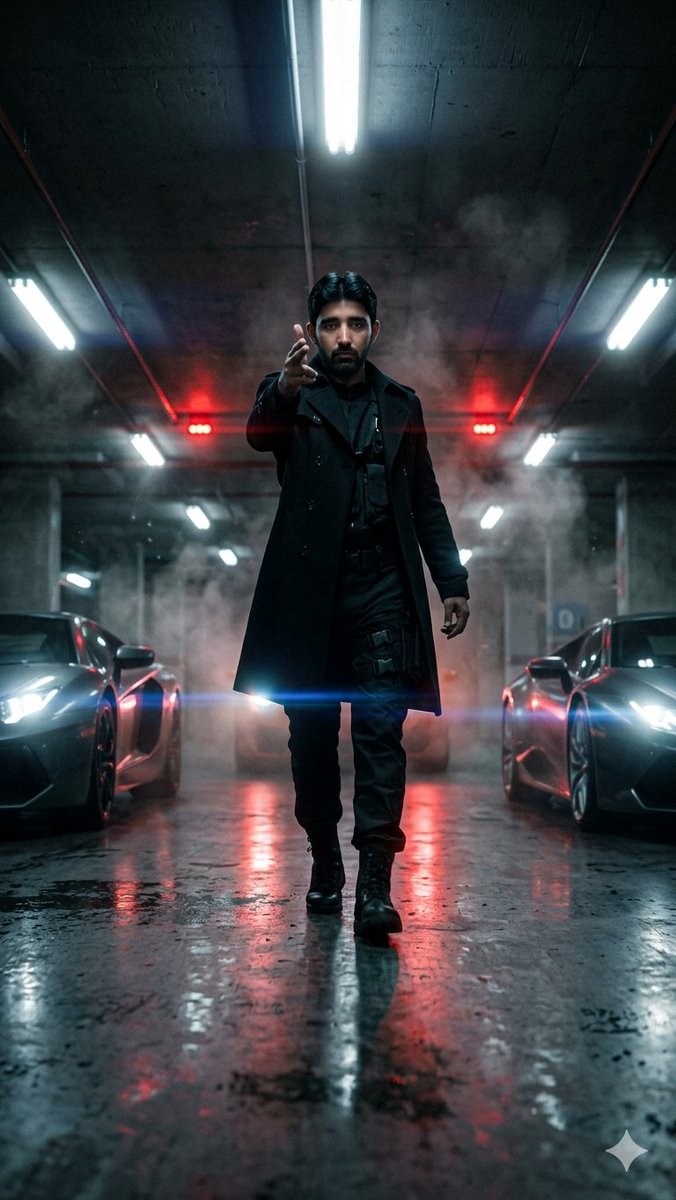
A dramatic wide-angle portrait prompt set in a parking garage with neon lighting, featuring identity preservation from an uploaded photo.

A hyper-cinematic parking garage portrait, uploaded face as reference with 100% facial identity preservation, captured from an ultra-low floor-level camera angle between blurred luxury sports cars as the character walks directly toward the lens, wearing a {argument name="clothing" default="fitted black trench coat over a dark tactical outfit"} with silver rings and leather gloves, one hand making a {argument name="gesture" default="realistic finger-gun gesture"} aimed toward the camera like an intimidating warning, expression cold, fearless, and emotionally detached, harsh white fluorescent garage lights mixed with {argument name="lighting" default="deep red emergency lights"} flickering in the background, cinematic rainwater reflections covering the concrete floor, subtle smoke drifting through the frame, strong anamorphic lens flares streaking across the image, dramatic wide-angle distortion emphasizing dominance and power, deep shadows swallowing parts of the environment, shallow depth of field isolating the subject, realistic Kodak Portra 800 film grain, intense action-thriller atmosphere inspired by viral TikTok cinematic edits and neo-noir spy movies.
Choose the primary action to open PicX Studio with the available template settings. Review the model and format, personalize the creative direction, and generate when ready.
Yes. You can change the subject, setting, lighting, mood, format, and available model controls before creating your image.
This template is free to open and customize. Generation usage is shown in PicX Studio before you create.
Start with GPT Image 2, which is the model associated with this template. You can compare another compatible model for a different finish.
Follow a topic to a crawlable collection of related PicX Studio templates.