How do I use the Realistic Subway Rush Hour Portrait template?
Choose the primary action to open PicX Studio with the available template settings. Review the model and format, personalize the creative direction, and generate when ready.
A comprehensive prompt for generating a realistic, candid-style photo of a woman during a crowded morning subway commute, focusing on authentic atmosphere and c
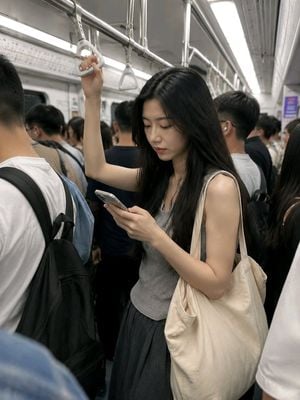
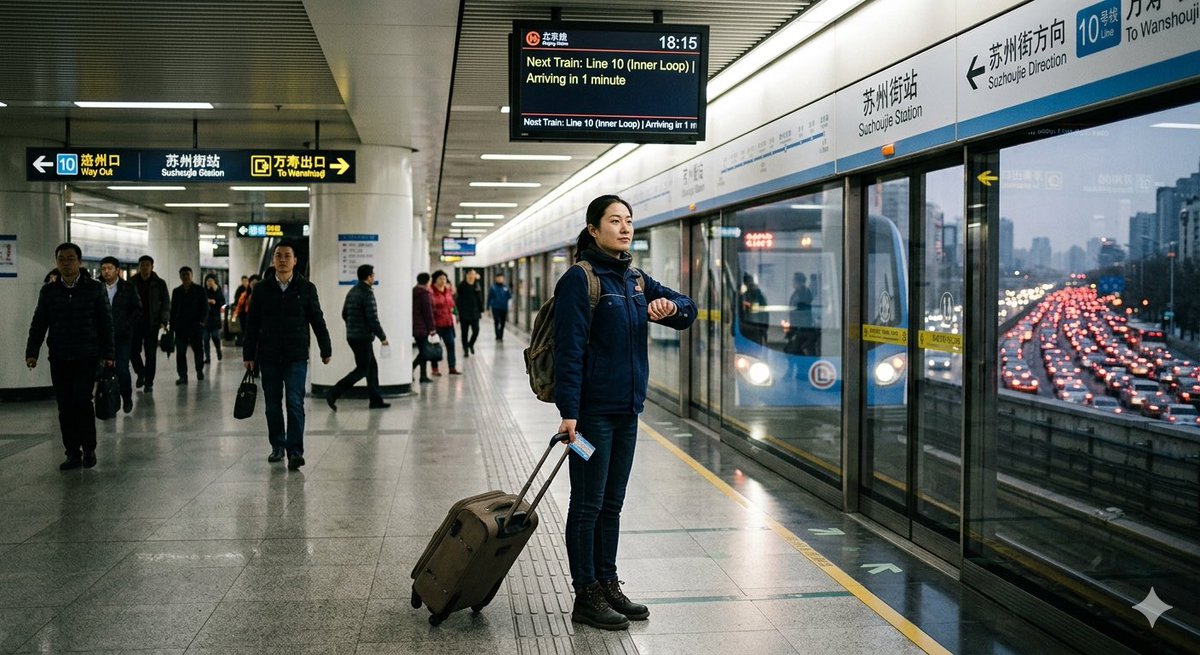
站着挤地铁|早高峰真实感 竖版3:4,单张真实手机通勤抓拍,不要拼贴,不要四宫格,不要海报感,不要文字。 仅参考上传图片中{argument name="人物描述" default="年轻成年亚洲女性"}的五官、脸型、黑色长直发和自然肤质,保持人物外貌一致。只参考人物外貌,完全重建早高峰拥挤地铁场景。 清晨早高峰,一位年轻成年亚洲女性站在拥挤的城市地铁车厢内,穿{argument name="服装" default="浅灰色无袖针织上衣、深灰色宽松长裙和平底鞋"},肩上背着浅色帆布包。车厢里乘客很多,人与人之间距离较近,但姿态自然,不要挤压变形。 她一只手自然抬起抓住头顶吊环,另一只手低头握着手机,身体随着列车晃动微微侧倾。她正在认真看手机,眼神专注中带一点刚睡醒的困倦,嘴唇自然闭合,不看镜头,也不刻意微笑。 黑色长发自然垂在肩膀和胸前,少量碎发因为车厢晃动轻轻散开。帆布包贴在身体一侧,被周围乘客稍微挤住,衣服有自然褶皱。人物站姿松弛真实,不要模特站姿,不要挺胸摆拍。 周围有大量正常通勤乘客,有人抓扶手、有人低头看手机、有人背着双肩包,乘客统一顺着车厢空间自然站立,不围着女主,不全部看镜头。前景可以有一两位乘客的肩膀或背包轻微遮挡画面边缘,增强拥挤感,但不能遮住女主面部和关键动作。 背景为{argument name="背景环境" default="普通城市地铁车厢"},包含车门、顶部吊环、扶手、路线图、冷白顶灯和模糊广告。画面中不要出现正对镜头的粗大竖直铁柱,不要让铁柱挡住人物脸部或身体。手机屏幕内容模糊,不显示清晰文字、聊天记录或品牌。 普通手机后置摄像头,约26mm广角,从斜前方一两米处拍摄,中近景构图。镜头像同车朋友在人群中随手拍下,画面略微倾斜,有轻微车厢晃动和自然运动模糊,人物面部保持清晰。保留真实皮肤纹理、轻微眼下疲惫感、碎发、衣服褶皱和早高峰环境的杂乱感。 **负面提示词:**空车厢,乘客太少,人物单独站立,模特摆拍,商业写真,正面对镜头微笑,所有乘客看镜头,乘客围观女主,身体互相穿模,人物被挤压变形,手臂重叠错误,多余手臂,多余手指,抓环姿势错误,吊环悬空,手机变形,手机屏幕清晰文字,粗大铁柱挡脸,前景铁柱居中,乘客方向混乱,过度磨皮,强烈美颜,背景严重虚化,人物换脸,五官漂移,文字,水印。
Choose the primary action to open PicX Studio with the available template settings. Review the model and format, personalize the creative direction, and generate when ready.
Yes. You can change the subject, setting, lighting, mood, format, and available model controls before creating your image.
This template is free to open and customize. Generation usage is shown in PicX Studio before you create.
Start with GPT Image 2, which is the model associated with this template. You can compare another compatible model for a different finish.
Follow a topic to a crawlable collection of related PicX Studio templates.