How do I use the Synthwave Music Poster Retro Futuristic template?
Edit the prompt in the box under the preview — the template's model and format are already selected — and press Generate. Your version appears right on this page.
Curated from MeiGen gallery (ID: 2026574551207792783) by Heisenberg.

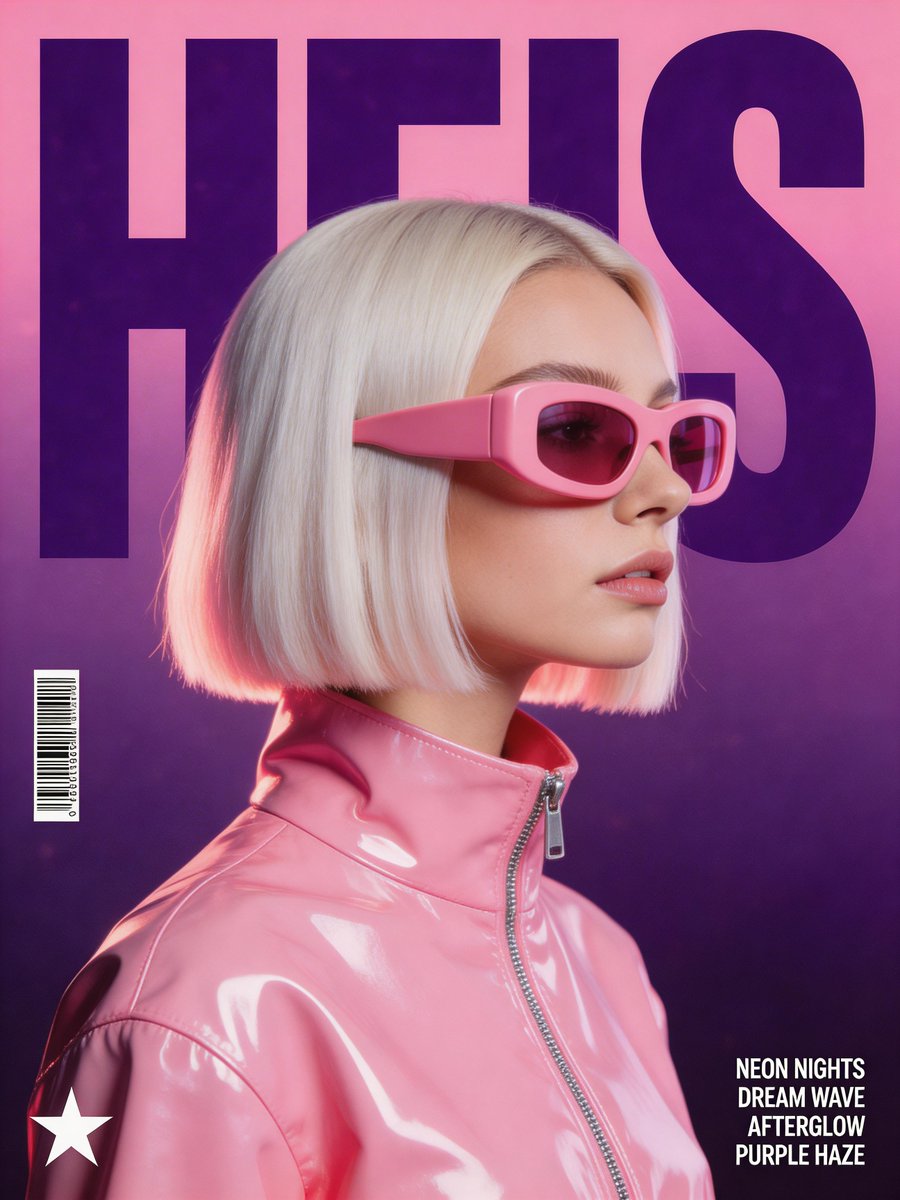
A stylized, retro-futuristic music poster in a synthwave aesthetic. The central focus is a woman in profile with a platinum blonde bob haircut, wearing oversized, chunky pink opaque visor sunglasses and a high-collar, extremely glossy pink vinyl jacket with visible zipper detail. Behind her, the word "HEIS" is written in massive, dark purple, condensed block typography, partially hidden by her head. The background is a clean gradient shifting from soft magenta to deep purple, overlaid with a subtle film grain texture. Lighting: Soft studio lighting with high-specular highlights on the glossy jacket and rim lighting on the hair. Color Palette: Dominant shades of bubblegum pink, deep violet, and lavender. Graphics: A small barcode on the left, a minimalist star logo in the bottom-left corner, and four lines of small sans-serif song lyrics in the bottom-right corner. Atmosphere: High-fashion, electronic dance music vibe, clean and polished composition.
A stylized, retro-futuristic music poster in a synthwave aesthetic. The central focus is a woman in profile with a platinum blonde bob haircut, wearing oversized, chunky pink opaque visor sunglasses and a high-collar, extremely glossy pink vinyl jacket with visible zipper detail. Behind her, the word "HEIS" is written in massive, dark purple, condensed block typography, partially hidden by her head. The background is a clean gradient shifting from soft magenta to deep purple, overlaid with a subtle film grain texture. Lighting: Soft studio lighting with high-specular highlights on the glossy jacket and rim lighting on the hair. Color Palette: Dominant shades of bubblegum pink, deep violet, and lavender. Graphics: A small barcode on the left, a minimalist star logo in the bottom-left corner, and four lines of small sans-serif song lyrics in the bottom-right corner. Atmosphere: High-fashion, electronic dance music vibe, clean and polished composition.
Edit the prompt in the box under the preview — the template's model and format are already selected — and press Generate. Your version appears right on this page.
Yes. You can change the subject, setting, lighting, mood, format, and available model controls before creating your image.
Opening and editing this template is free. Generating uses credits, shown on the Generate button when you are signed in.
Choose a compatible model in PicX Studio based on the style, speed, and output controls your project needs.
Follow a topic to a crawlable collection of related PicX Studio templates.